
KeybindLib
作者:BULLETBOT最後更新:2025-11-22 03:39:5985.2K75KB
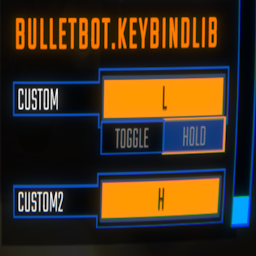

模組介紹
允許您向控件添加自己的鍵綁定的庫。
KeybindLib
- 允許您添加自己的鍵綁定的庫。
添加您自己的鍵綁定
Keybinds.Bind(字符串名稱,字符串綁定)=>Keybind Keybinds.Bind(字符串類別,字符串名稱,字符串綁定)=>Keybind Keybinds.Toggle(Keybind.Toggle toggle)=>Keybind Keybinds.Toggle(字符串類別,Keybind.Toggle toggle)=>Keybind Keybinds.Toggle(Keybind keybind,Keybind.Toggle toggle)=>keybind
要註冊密鑰綁定,請執行以下操作:
Keybinds.Bind("Push","<Keyboard>/b”);
要向類別註冊keybind,請執行以下操作:
鍵綁定。綁定(“常規”、“推送”、“<Keyboard>/b”);
要註冊切換,請執行以下操作:
Keybinds.Toggle(new Keybind.Toggle())//這是一個將在modGuid頭下的切換。
要向類別註冊切換:
Keybinds.Toggle(“General”,new Keybind.Toggle())//這是一個將在您指定的類別下的切換。
如果您想要切換鍵綁定:
Keybind keybind=Keybinds.Bind("Push","<Keyboard>/b");Keybinds.Toggle(keybind,new Keybind.Toggle(){defaultValue=false,falseText="off",trueText="on"});//返回相同的keybind並從此方法應用新的切換。
如果要使用keybind:
SemiFunc.InputDown(keybind.inputKey); SemiFunc.InputUp(keybind.inputKey); SemiFunc.InputHold(keybind.inputKey); SemiFunc.InputToggleGet(keybind.inputKey); //僅當您為keybind設置了切換時才使用此選項,否則將會出錯。
“Keybind”類中有更多的變量。 查看dnSpy中的類了解更多詳細信息。
本工具由三方[bufftool]提供

立即下载模组
安裝 LagoFast,啟動 R.E.P.O. 並暢玩你喜愛的模組。