MapleStory Universe Wallet Binding Tutorial
05/15/2025
1. Install the MetaMask Browser Extension
Visit the official MetaMask website and click "Download" to navigate to the extension listings:
On your browser's extension store (Chrome/Edge/Firefox), click "Add to [Your Browser]".

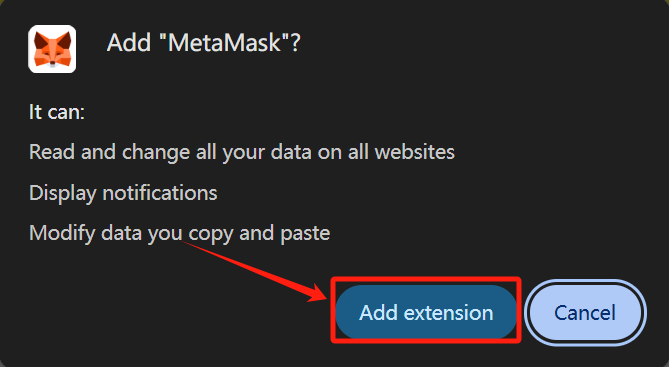
Confirm by selecting "Add extension" in the popup.
2. Set Up Your Wallet
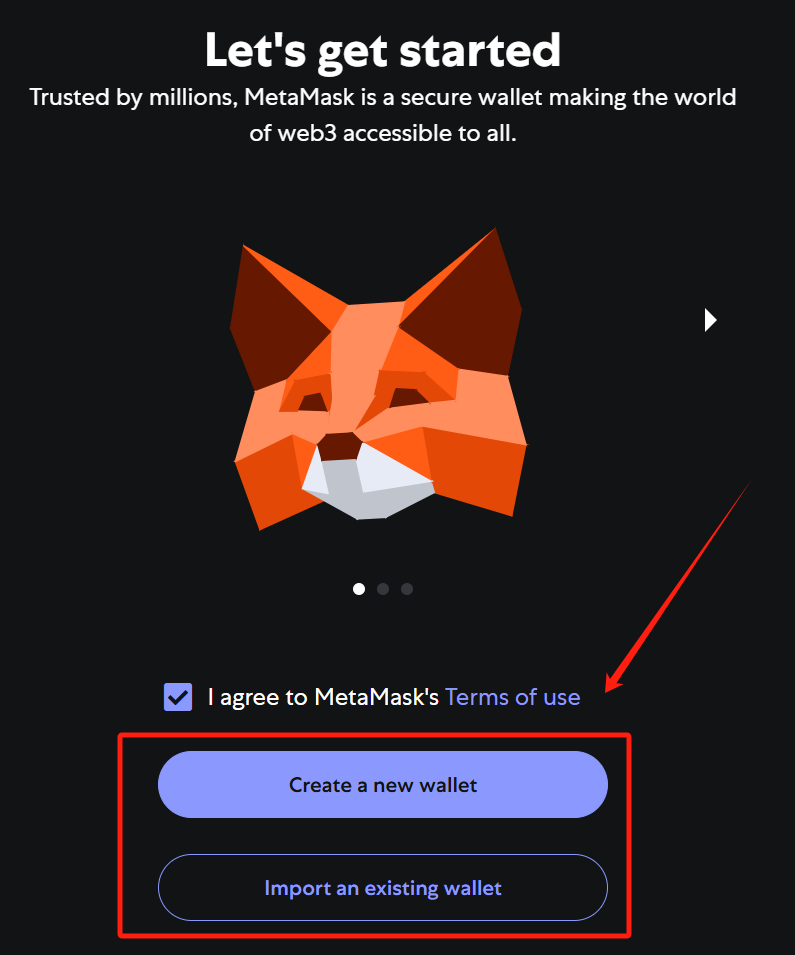
Choose "Create a Wallet" (or "Import Wallet" if you already have one).
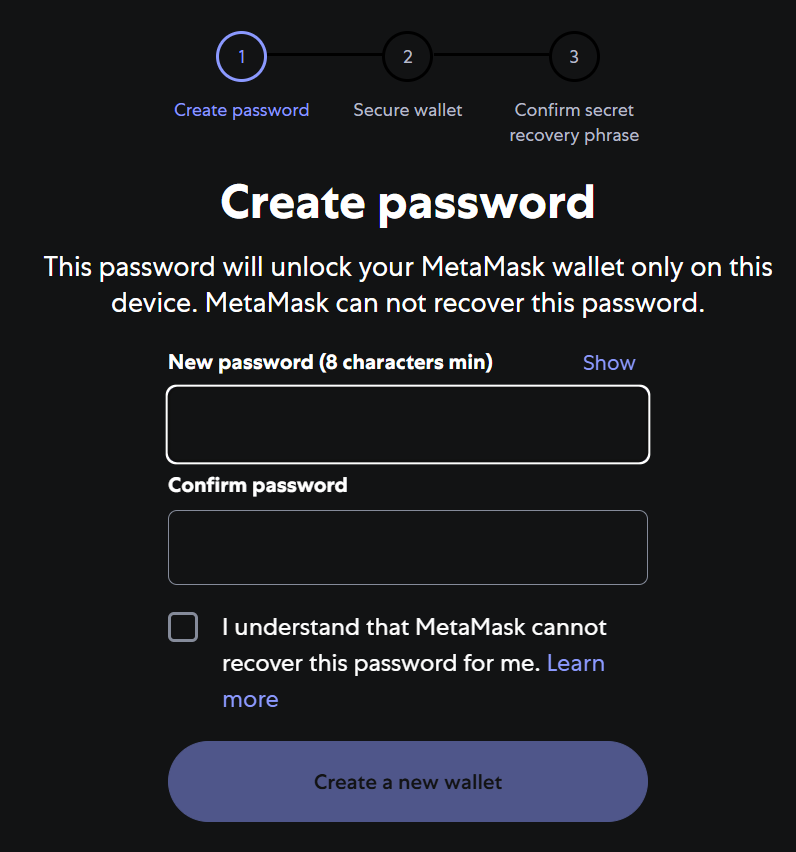
Follow the prompts to set a secure password.
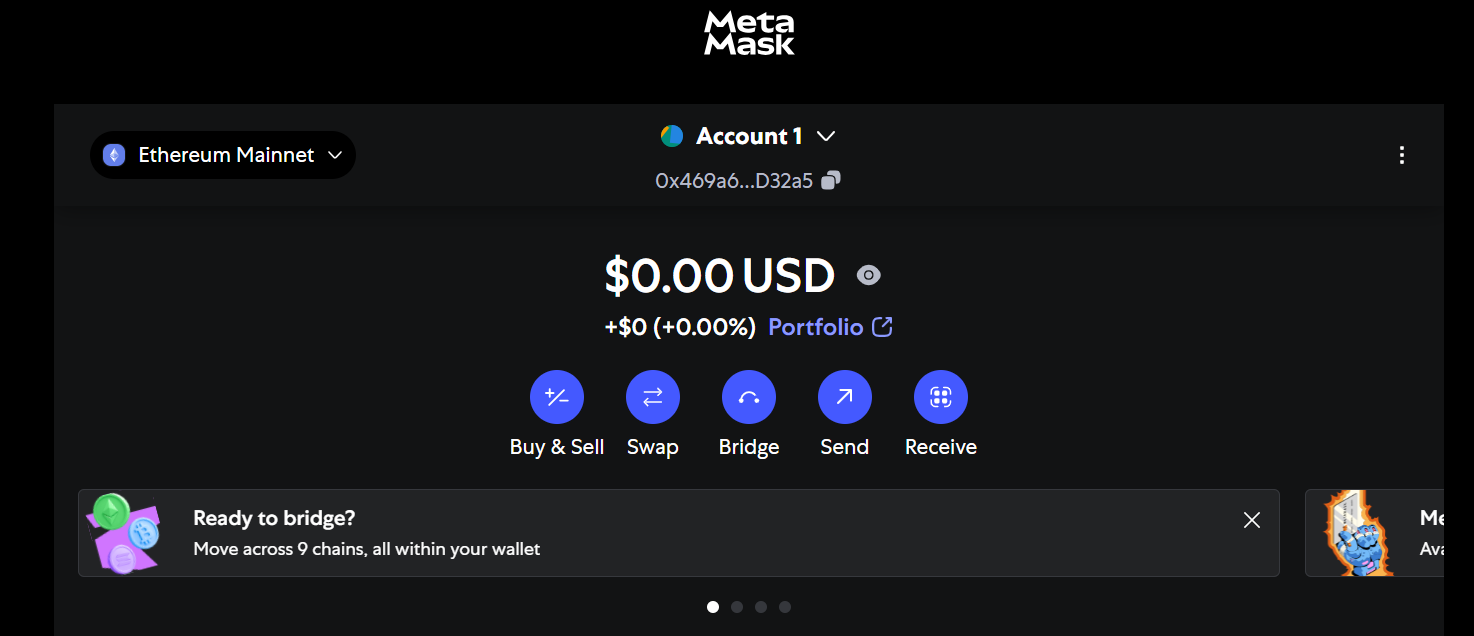
Securely back up your Secret Recovery Phrase when prompted. Complete the setup and return to your browser.
3. Download MapleStory Universe
Navigate to the officia MapleStory Universe download page
After binding your wallet, you can start downloading games.
Điều này có hữu ích không?

Đúng

KHÔNG
Không tìm thấy câu trả lời bạn đang tìm kiếm?
Liên hệ với chúng tôiChúng tôi sử dụng cookie để tạo sự tương tác dễ dàng và có ý nghĩa với các trang web và dịch vụ của chúng tôi. Để biết thêm thông tin về cookie chúng tôi sử dụng hoặc để tìm hiểu cách bạn có thể tắt cookie, nhấp vào đây.