BIG NEWS! Delta Force Global is LagoFast's official partner now!
Use LagoFast to boost the Delta Force game, you won't have to worry about getting banned for using a VPN. We will provide you with a safe and smooth game experience.
Here's a complete tutorial on downloading and boosting the game on the LagoFast booster.
1. Download the Game
You can download the Delta Force game from Google Play or the App Store.
If the game is unavailable in your region, you can join the LagoFast Discord server and check the tutorial to solve the problem.
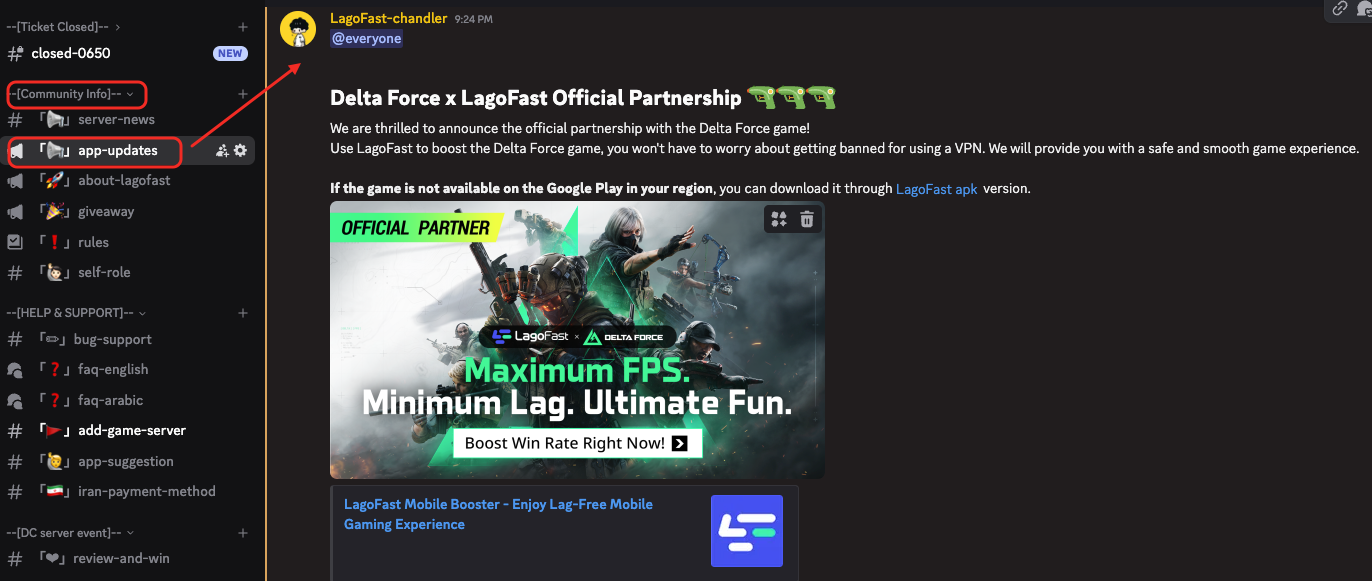
2. Find the Game in LagoFast
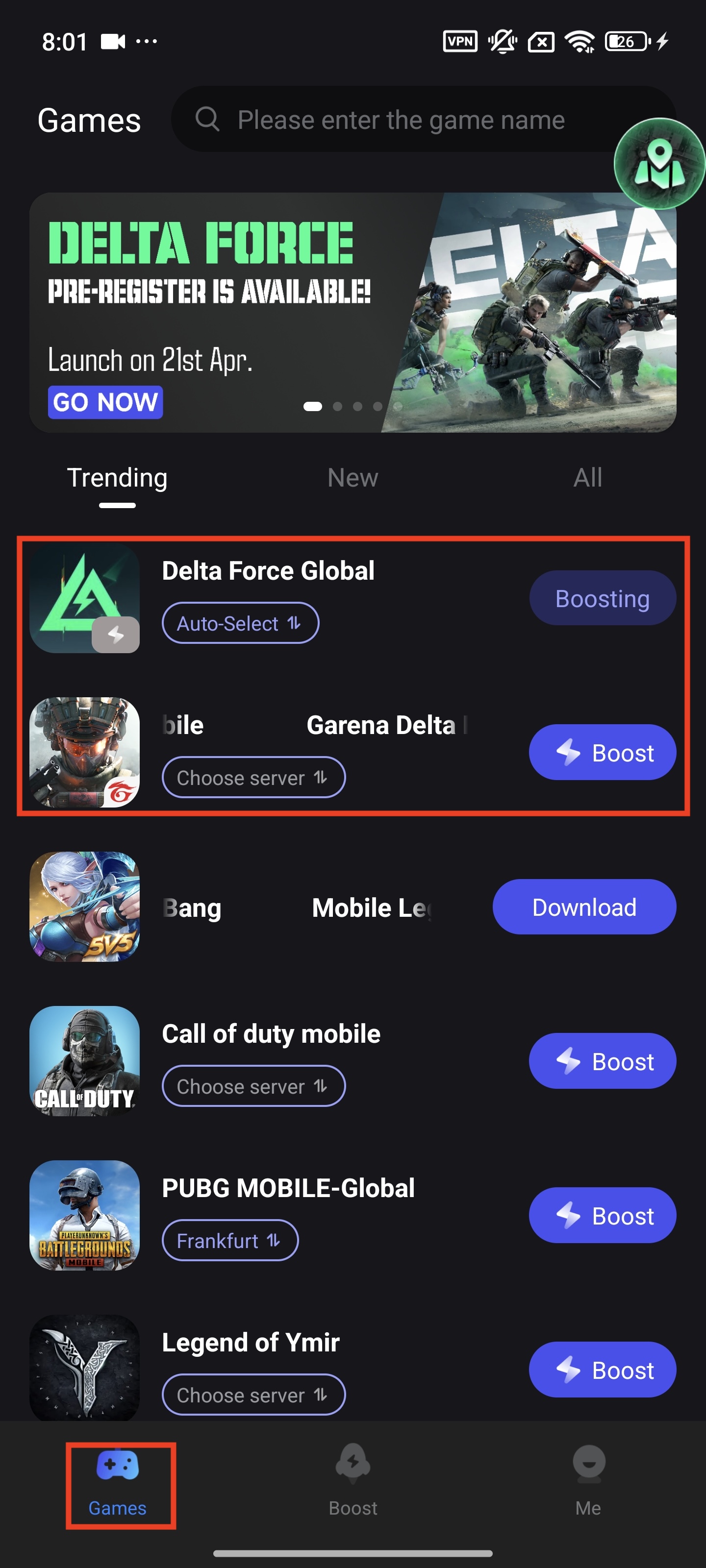
You can find the Delta Force game in LagoFast - Game Library - Trending
3. Select the server and the node
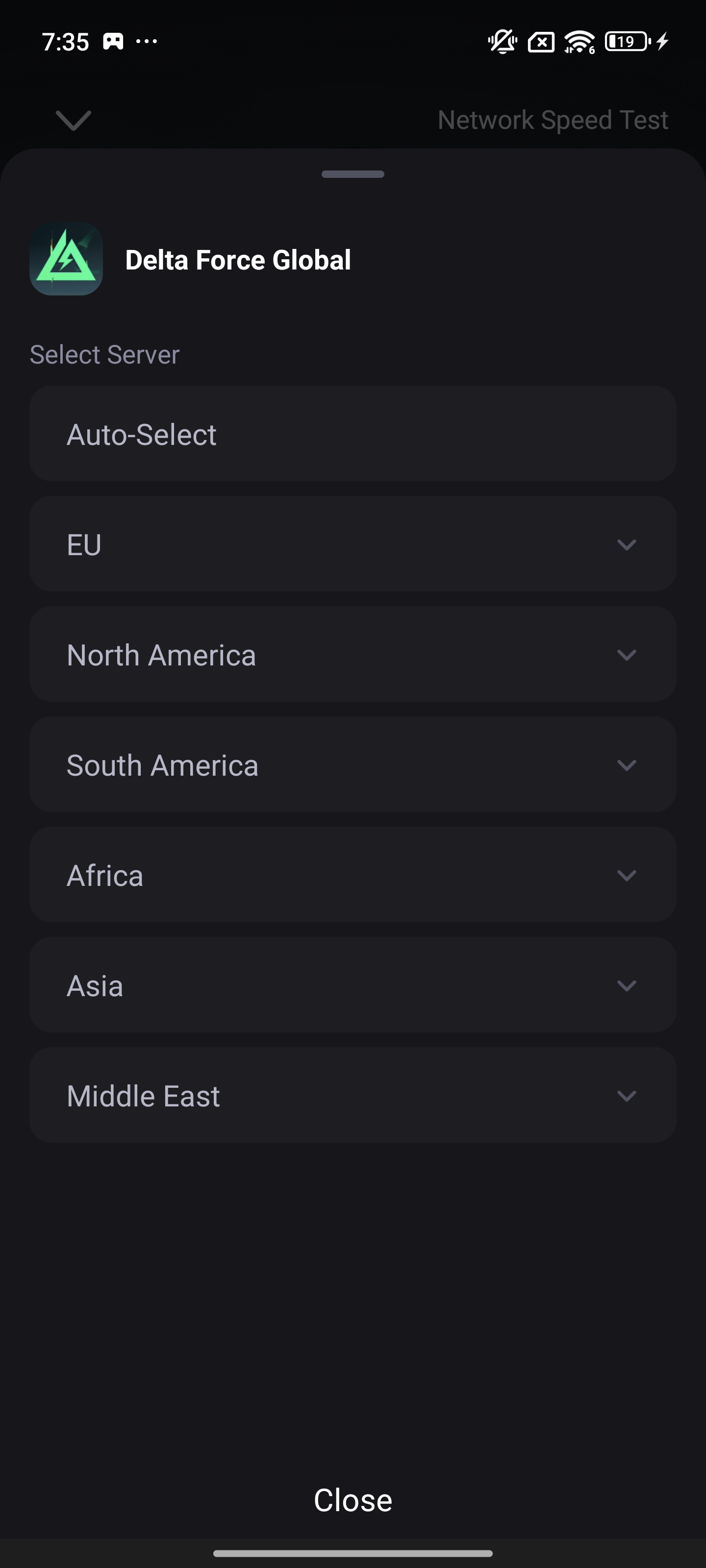
After installing the game, tap "Choose server", then select the server and nodes on the LagoFast app.
We recommend that you select the Auto server or the server where you live.
4. Boost the Game
Then tap boost, you can start the zero-lag gaming experience now!
5. Interactive Map
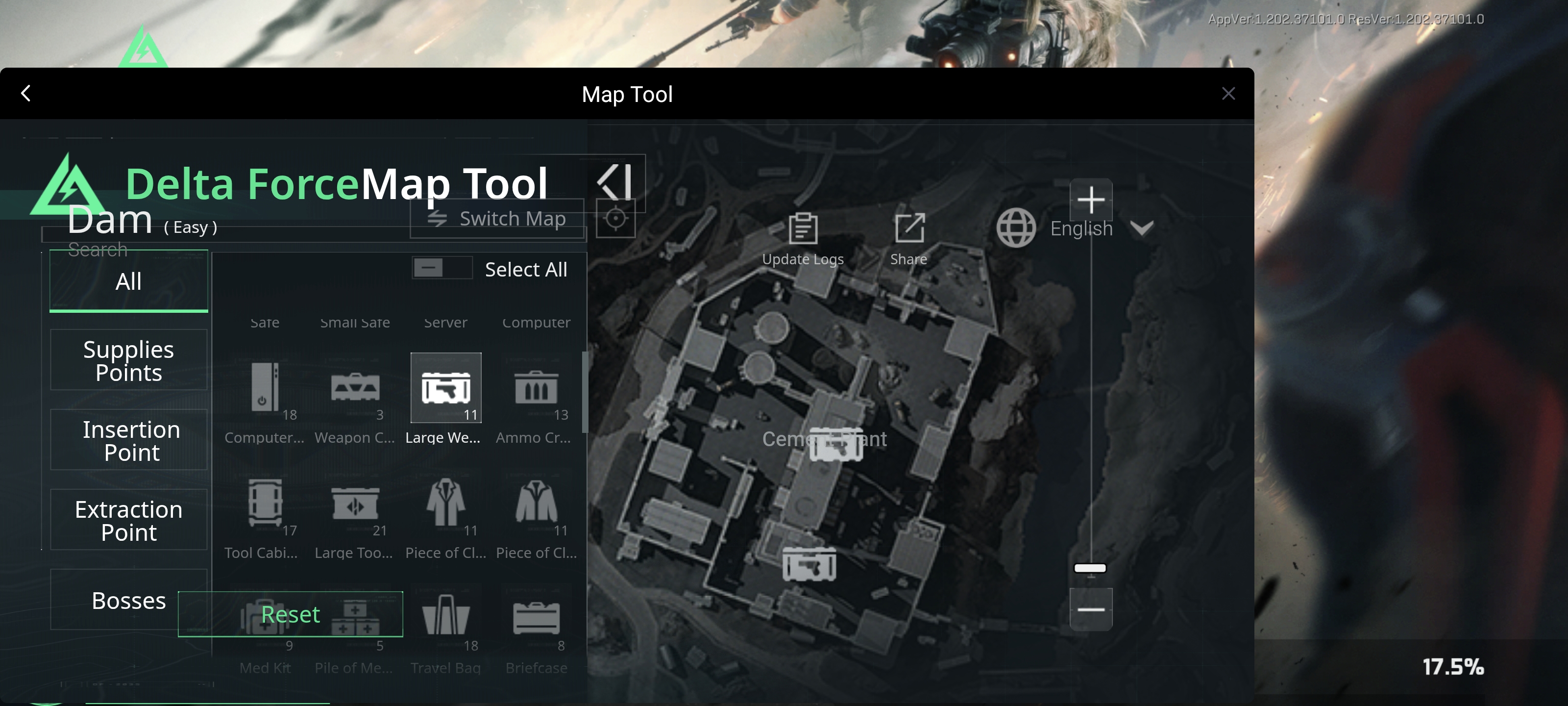
Turn on the interactive map to know where to find loot!
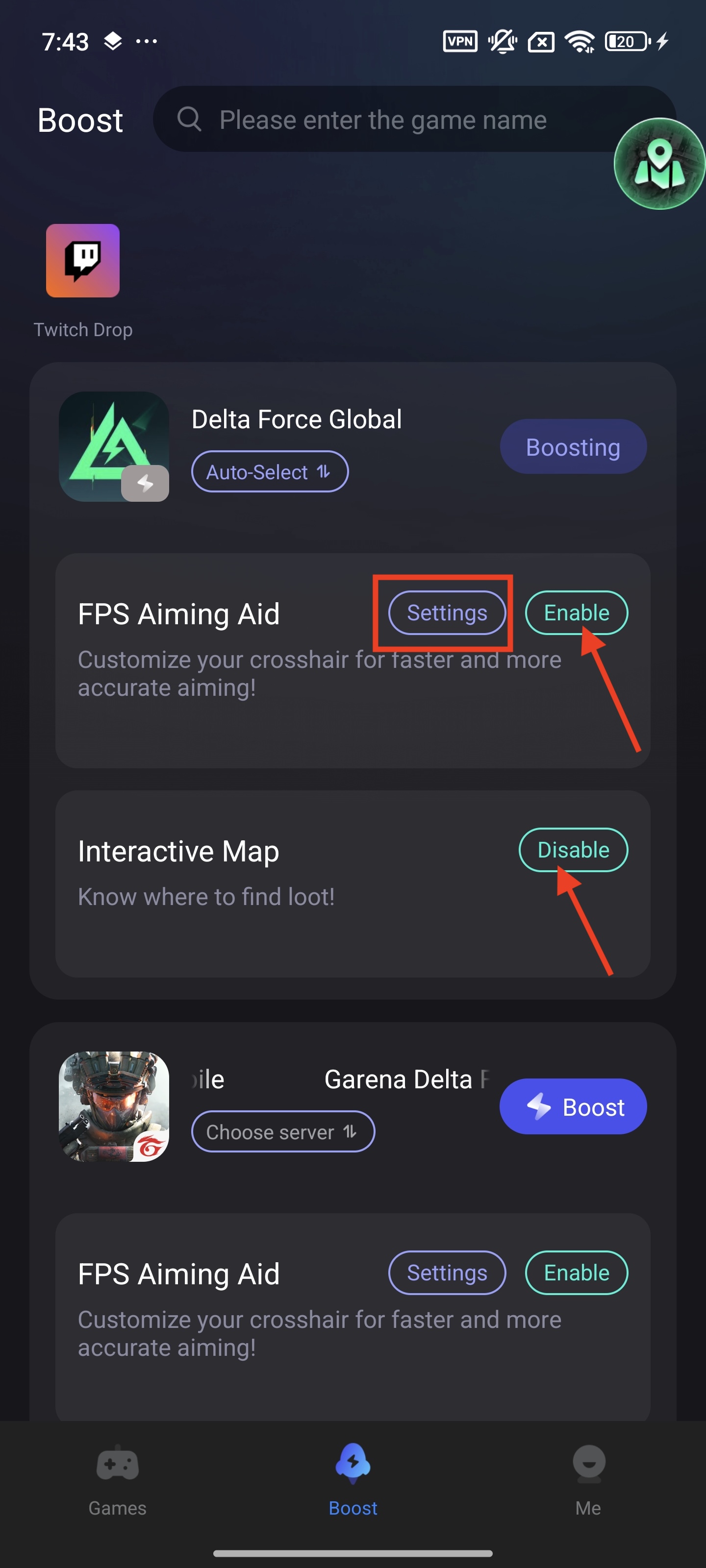
Find the game in the Boost tab, then tap the "Enable" button next to the Interactive Map. If you are using the tool for the first time, don't forget to authorize LagoFast to get the permission.
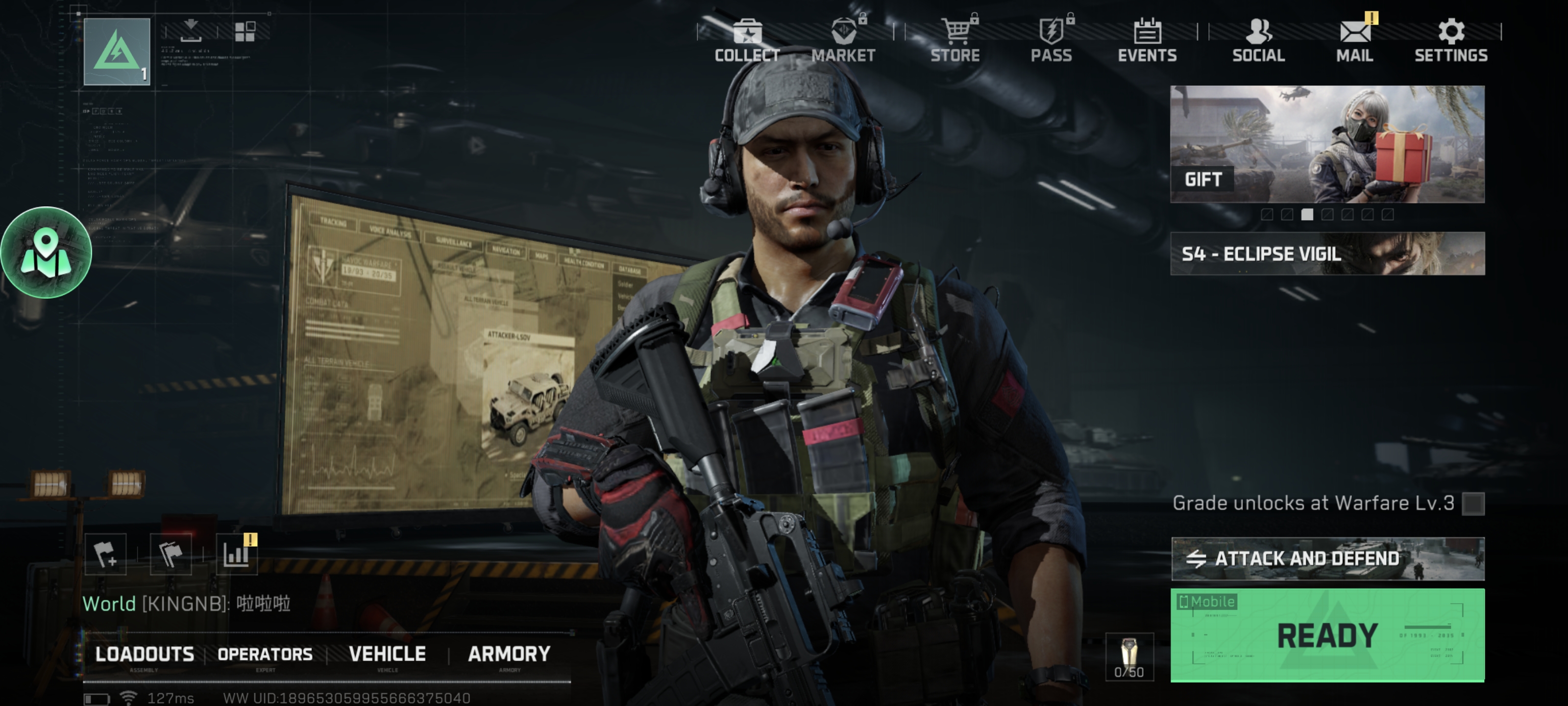
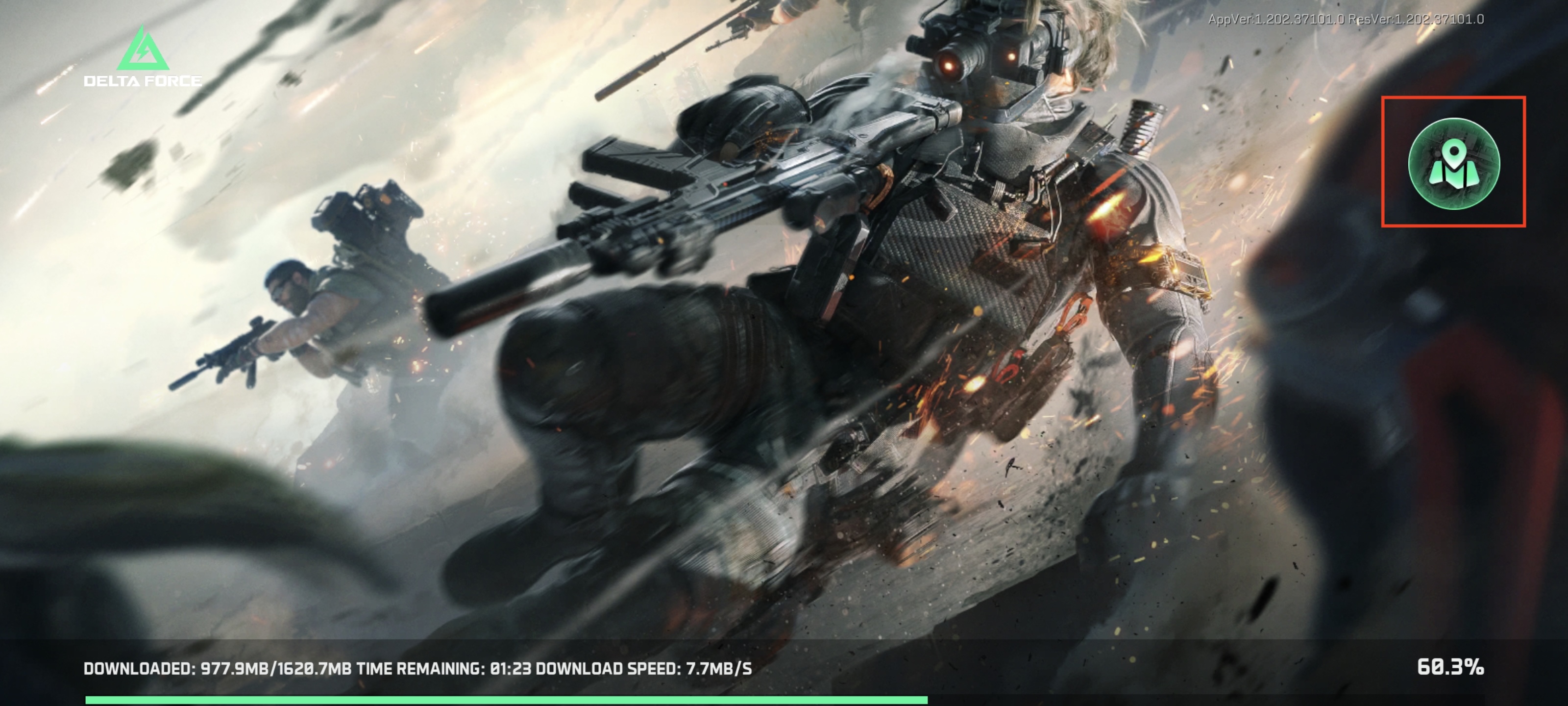
Then tap the map button. Please note that it works when you turn the device to landscape mode.
You can open the map anytime, even when you are in the game!
6. Crosshair (FPS Aiming Aid)
Tap the Enable button to turn it on.
You can customize the crosshair through FPS Aiming Aid > Settings.
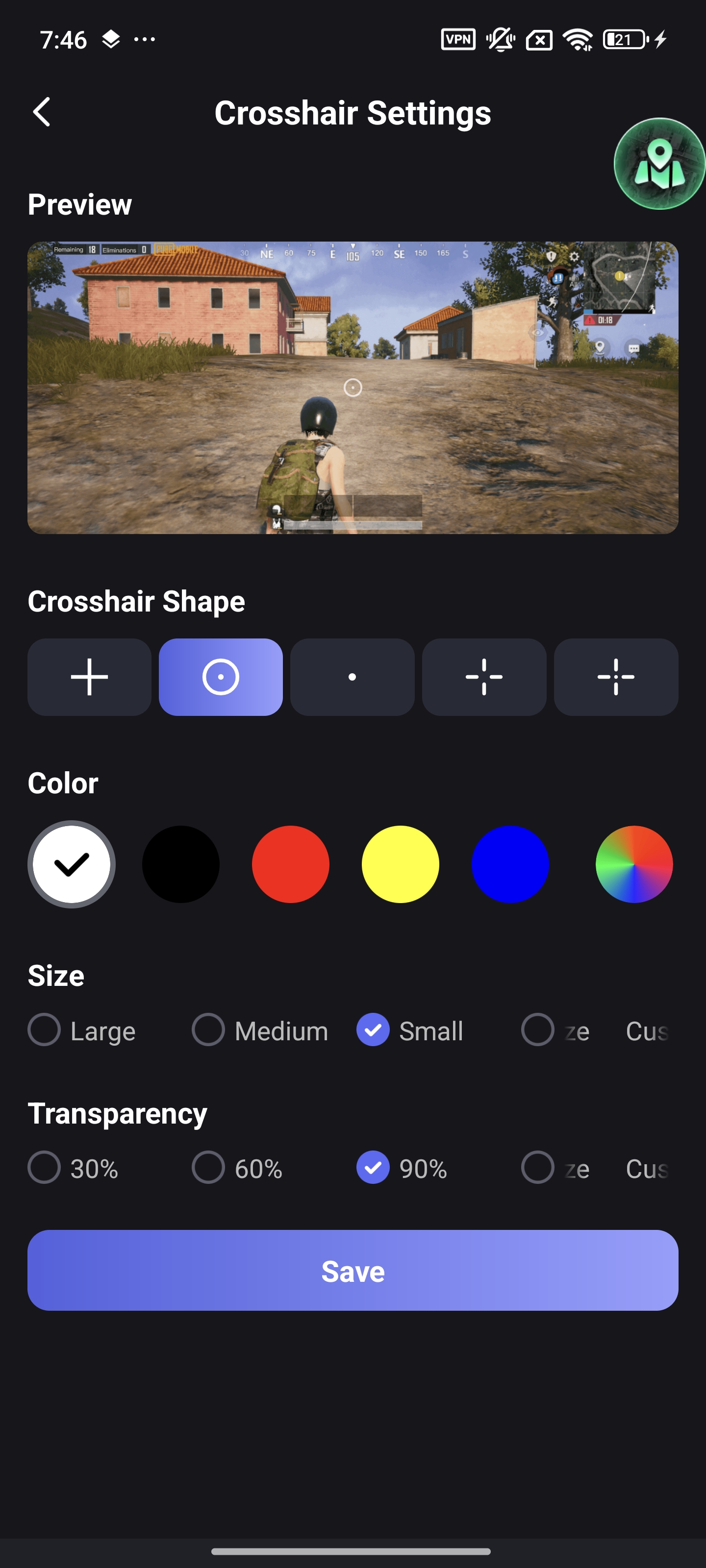
If you find the crosshair is not accurate in the game, you can hold it and drag it to the specific point you want.

