How to disable IPV6
11/22/2023
How to disable IPV6
Because of network limitations, if you use the LagoFast application with 'Unable to connect to the Internet' 、 'impossible de se connecter à internet', please try to disable IPV6 to solve this problem!
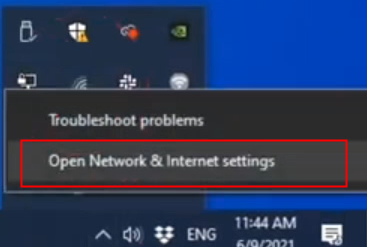
Step 1:
Find and open the network settings in the bottom right corner of your PC
Step 2:
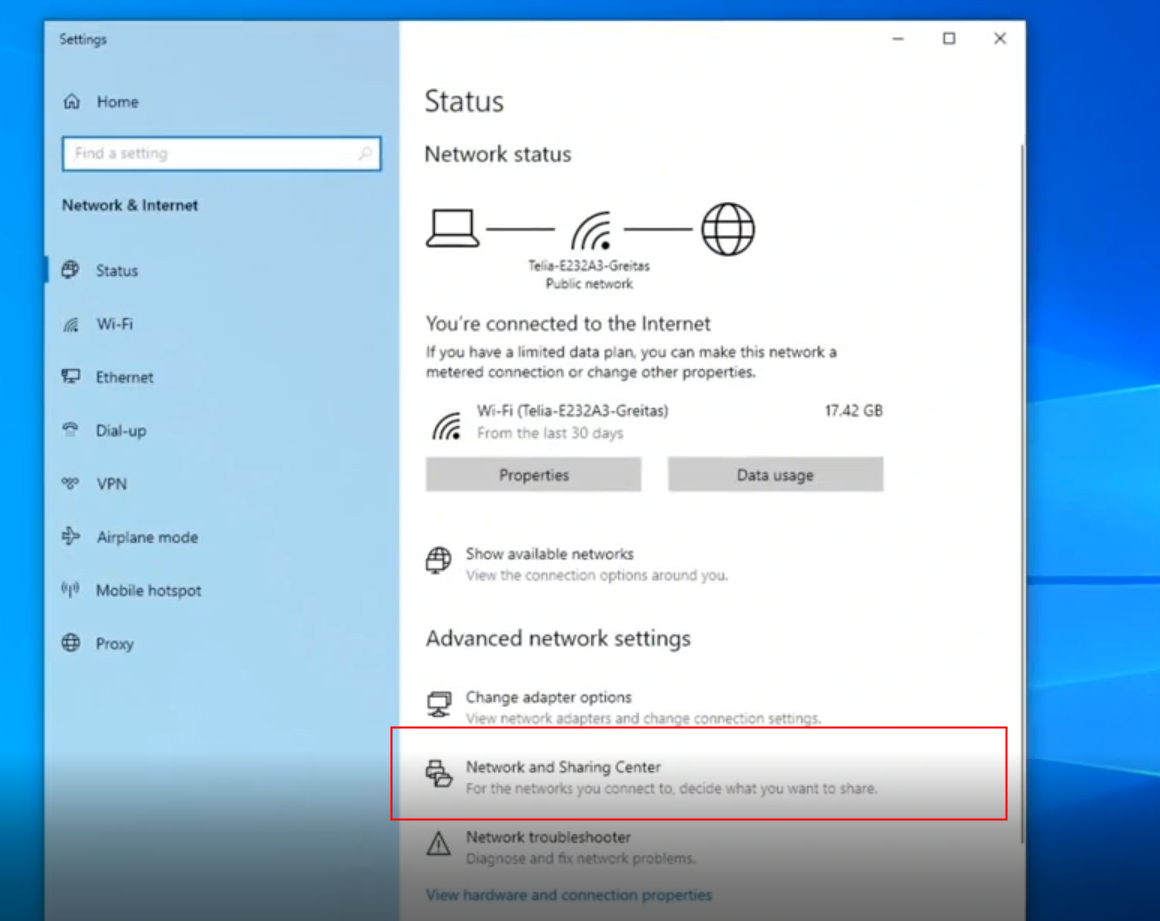
Go to the Network and Settings Center
Step 3:
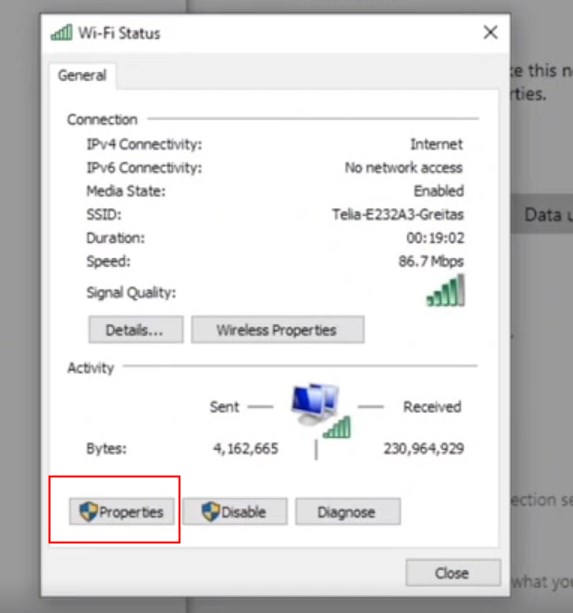
Select the network currently being used by the device

Step 4:
Select Properties
Step 5:
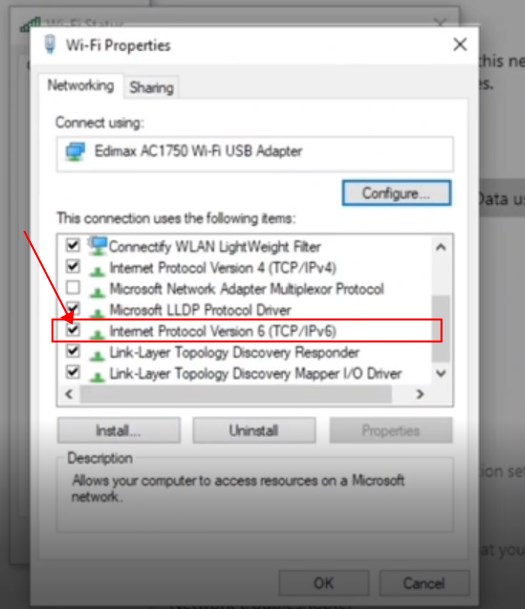
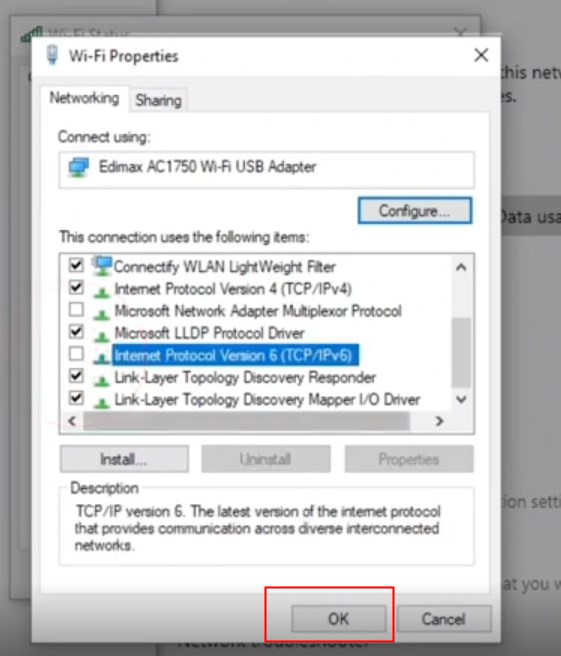
Find the IPV6 protocol and cancel it
Step 6:
Select OK
After completing this step you will be able to reconnect Console to the network and successfully boost the game using LagoFast!
นี่มีประโยชน์หรือไม่?

ใช่

เลขที่
ไม่พบคำตอบที่คุณกำลังมองหาใช่ไหม?
ติดต่อเรา