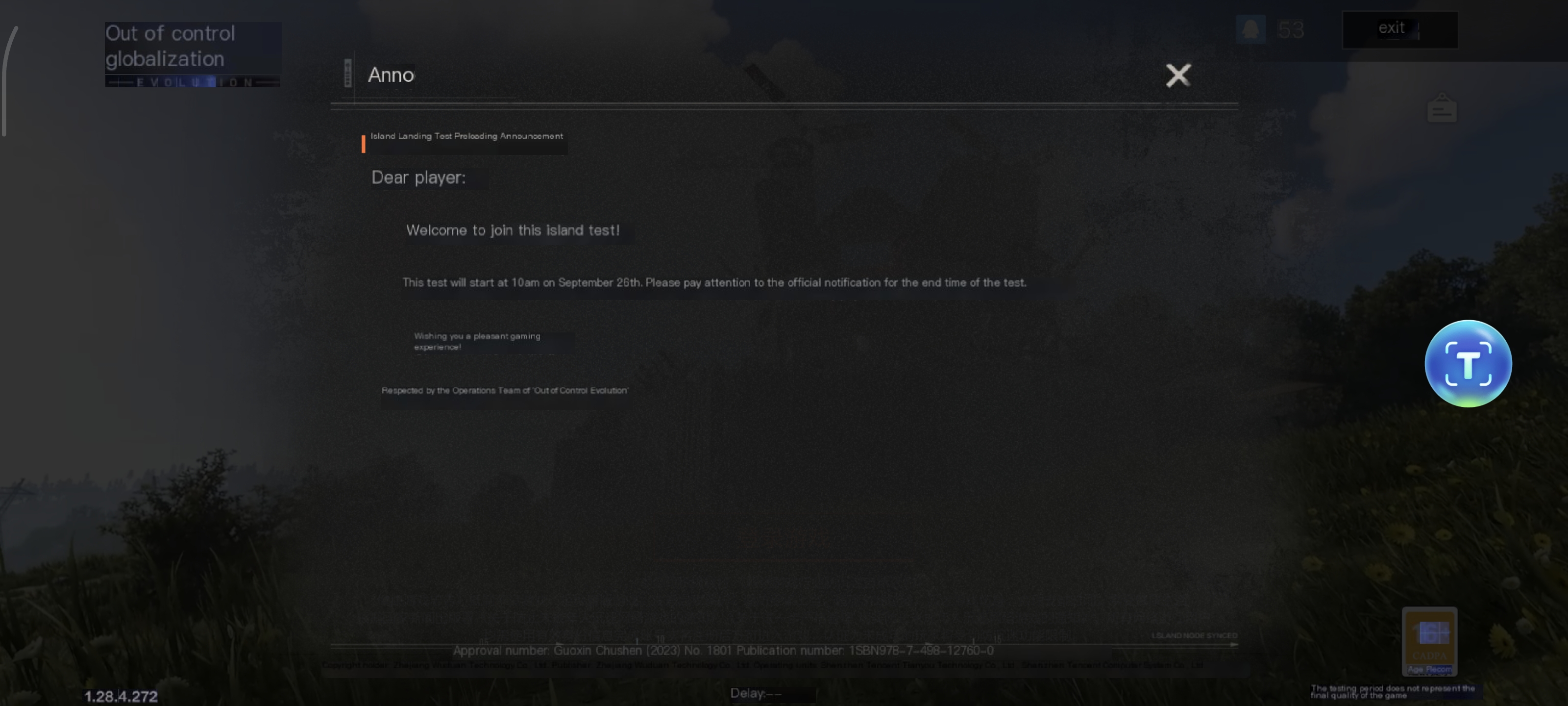
The Quick Translate Tool in LagoFast helps you translate in-game text into your preferred language instantly. By using a floating “translation ball,” you can read and play games in the language you understand best.
Step 1: Set Your Target Language in LagoFast
1. Open the LagoFast app on your device.
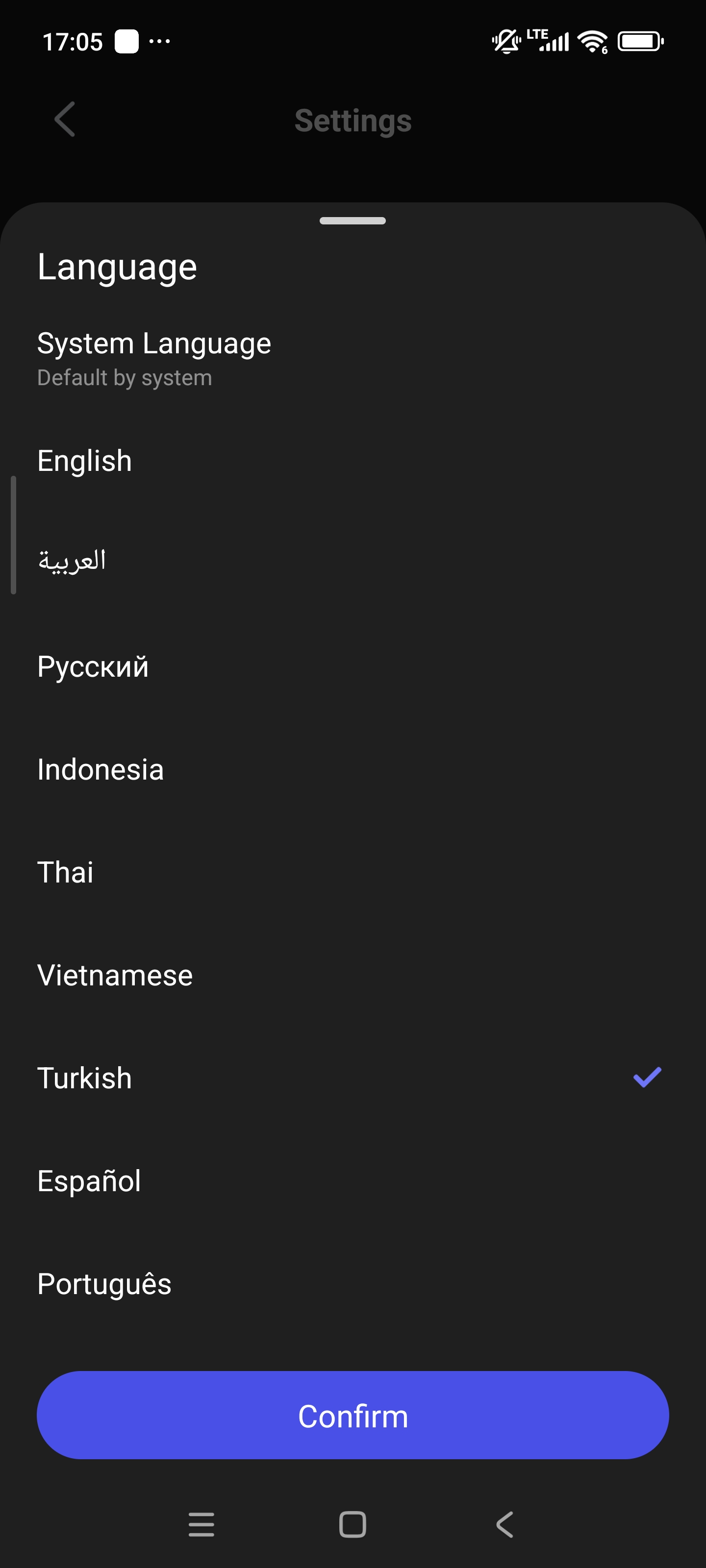
2. Go to Me > Settings > Language.
3. Select the language you want to translate into.
- Example: If you are playing Valorant CN (Chinese version) and want to see text in Turkish, you need to change the LagoFast app language to Turkish.
Step 2: Enable the Quick Translate Tool
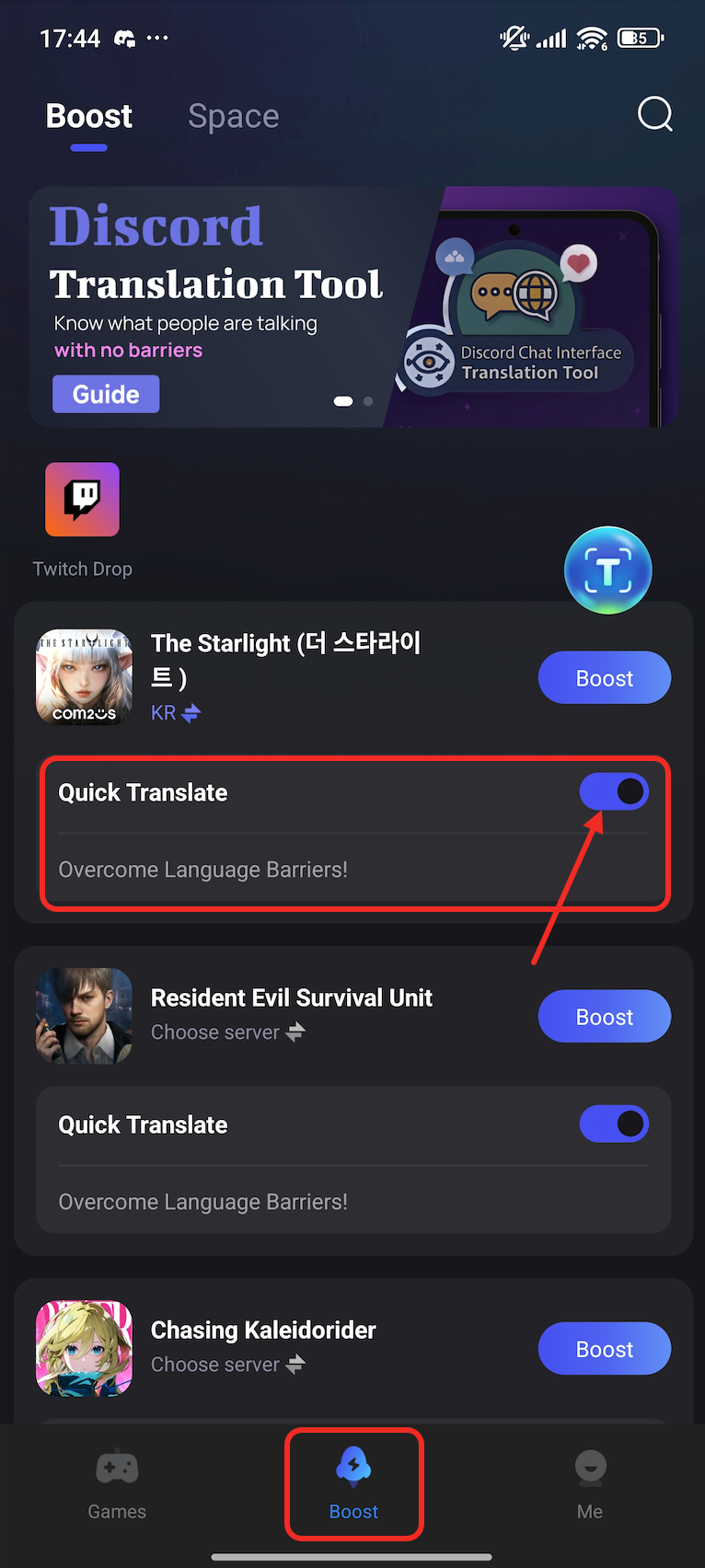
1. In LagoFast, navigate to the game you want to boost (e.g., Valorant CN) in the Boost tab. Please note that you have to install the game on your device first.
2. Find the option Quick Translate under the game name.
3. Toggle the switch to enable it. Once activated, a floating translation ball will appear inside the game.
Step 3: Translate In-Game Text
1. Launch your game.
2. Tap the floating translation ball whenever you see in-game text you don’t understand.
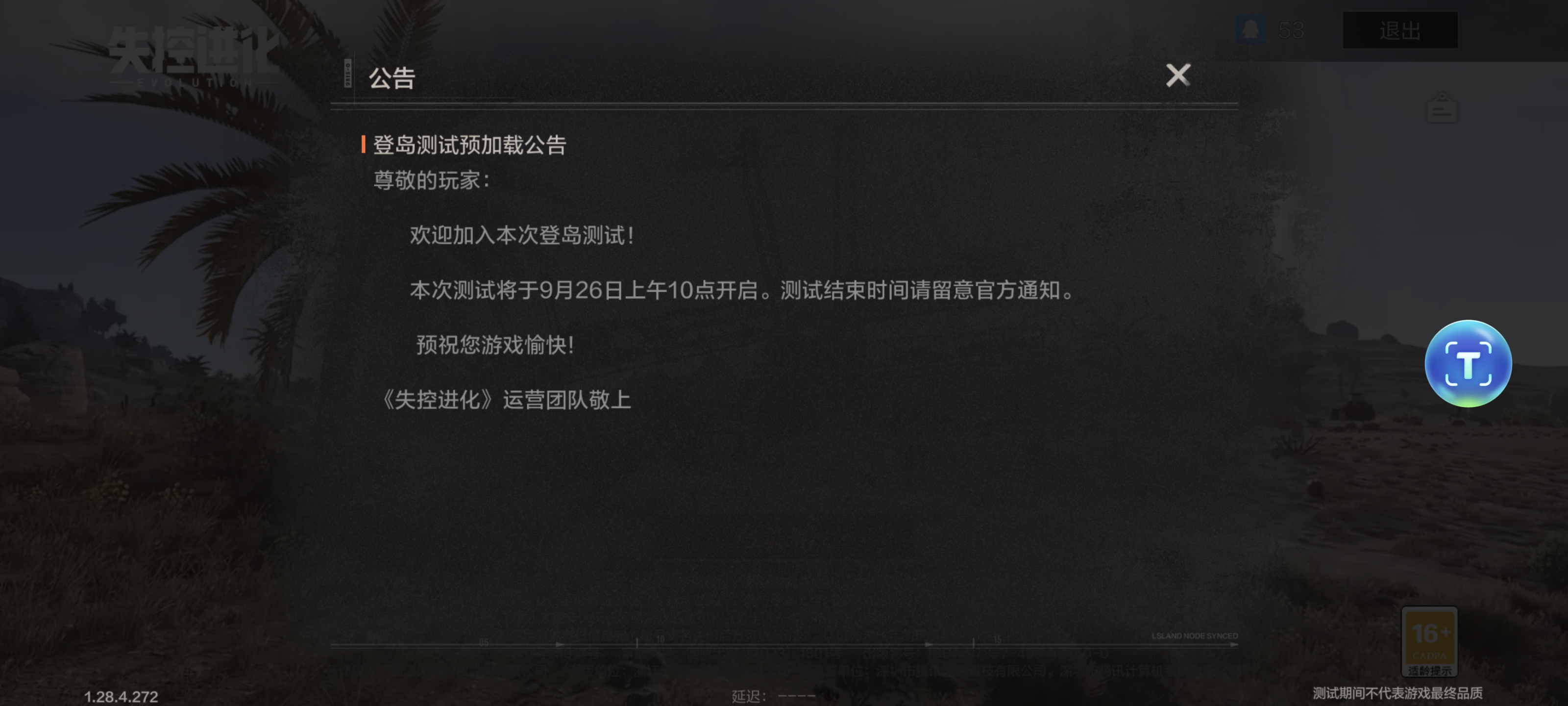
3. The tool will instantly translate the text into the language you set in LagoFast. After translation, you can get back to the original interface by tap the screen again.
For example:
Before translation:
After translation: