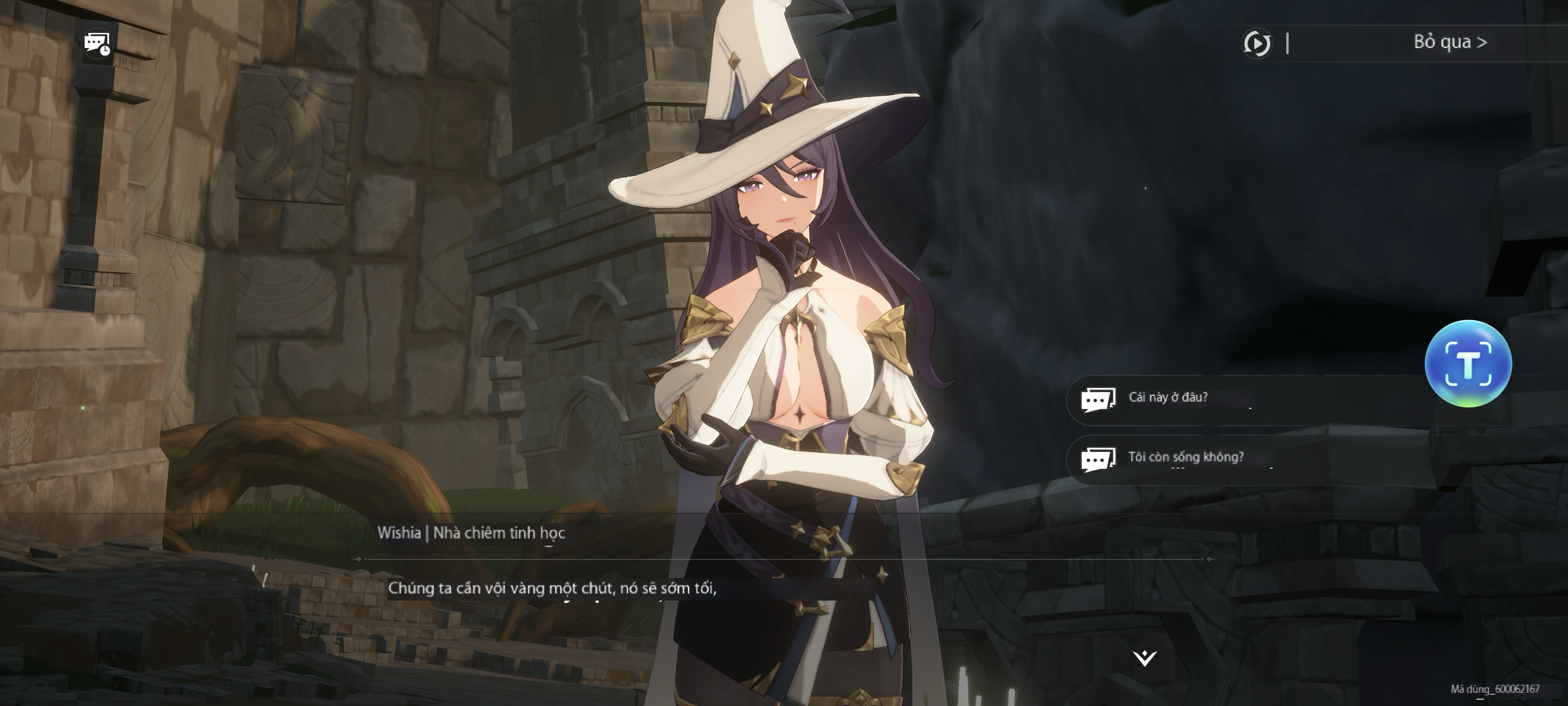
1. How to Boost ReMemento: White Shadow for Lag-Free Gameplay
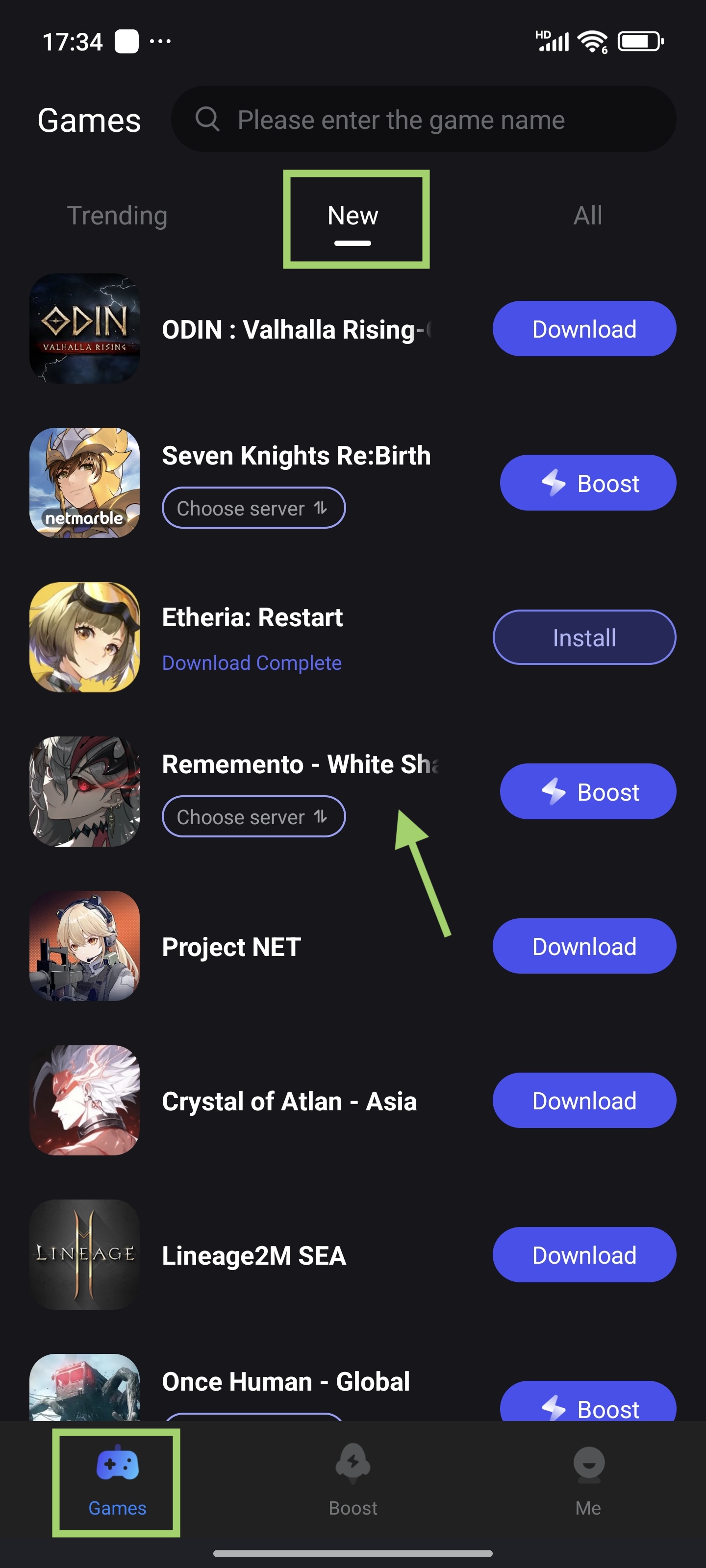
a. Locate the Game in LagoFast
- Open the LagoFast app on your device.
- Navigate to Game Library → New.
- Find ReMemento: White Shadow and tap it.
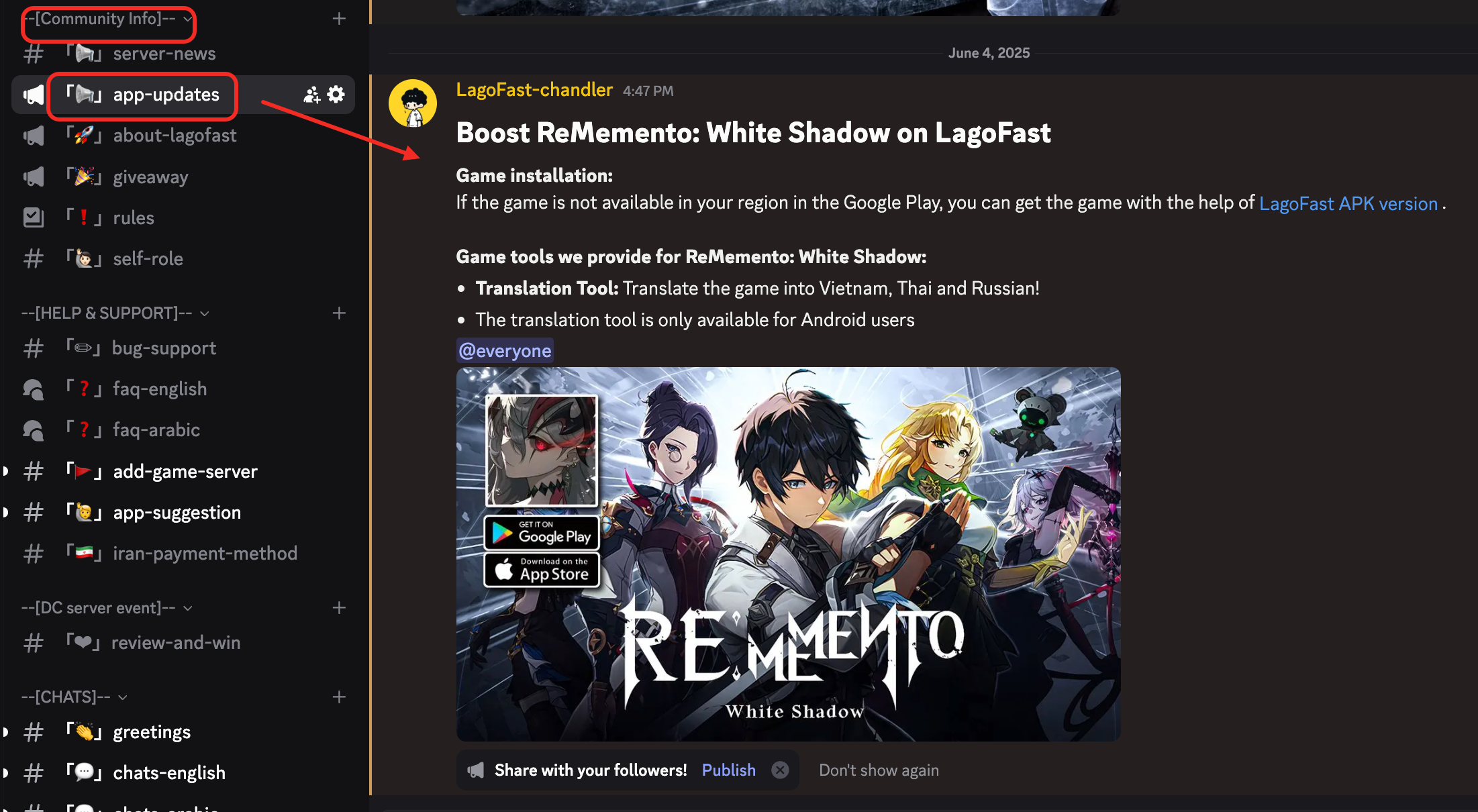
If the game is not available in your region, you can find tips about how to install the game on the LagoFast Discord server
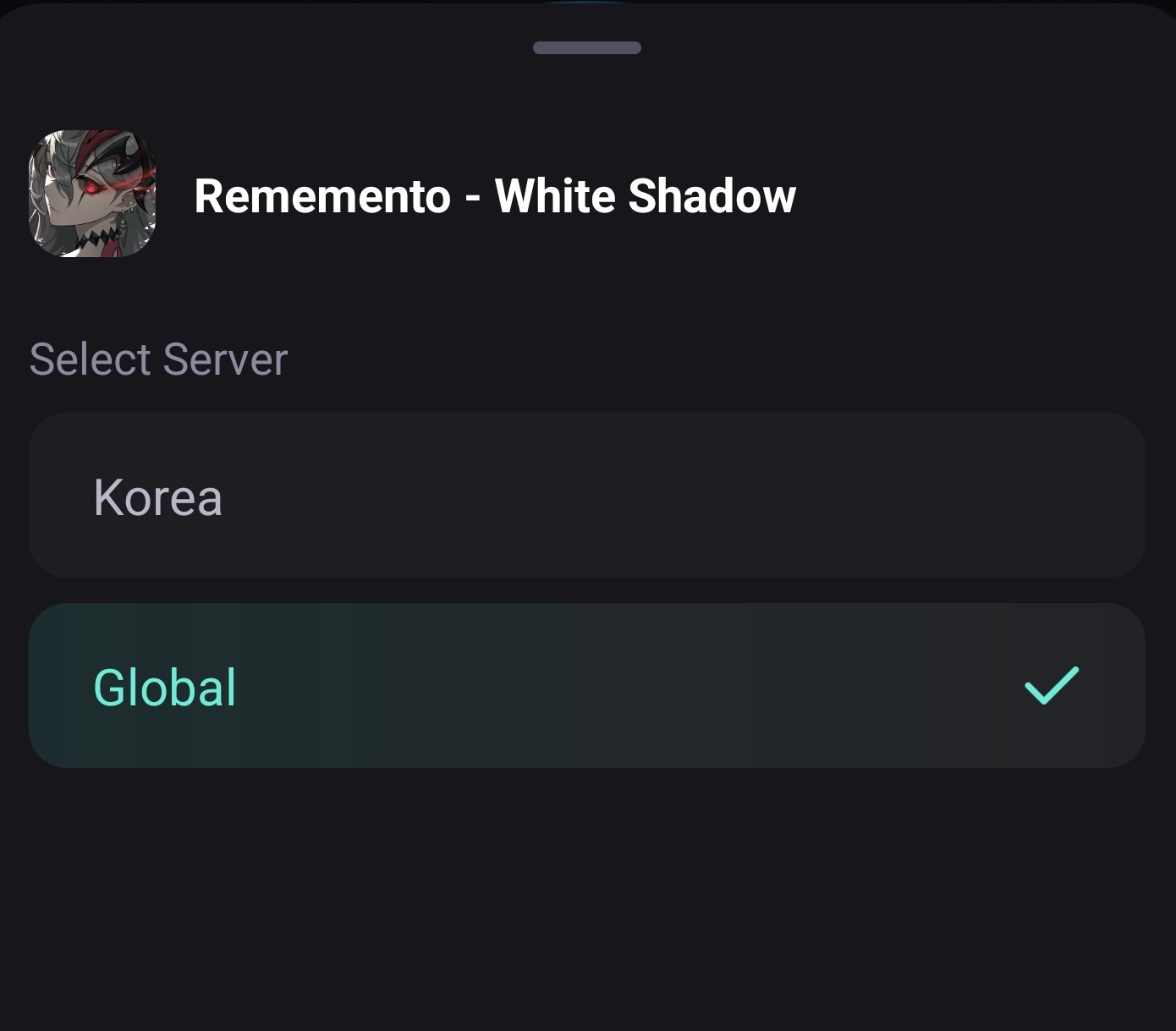
b. Optimize Server & Node
- Tap the server choose button
- Select the server closest to your region. You can select Korea or Global depending on whether you are living near South Korea.
c. Start Boosting
- Tap Boost to initiate the optimized connection.
- Launch ReMemento: White Shadow and enjoy low ping and smooth gameplay.
2. How to Translate ReMemento: White Shadow Using Quick Translate (Android Only)
ReMemento: White Shadow supports multiple languages, but if your preferred language (e.g., Arabic or Vietnamese) is not available, you can use LagoFast’s Quick Translate tool!
Note: This feature is available only for Android users.
- Before You Start
Make sure your app language is set to the target language (e.g., Arabic or Vietnamese). The translation tool will follow the language you use in the app.
- Steps to Enable Translation:
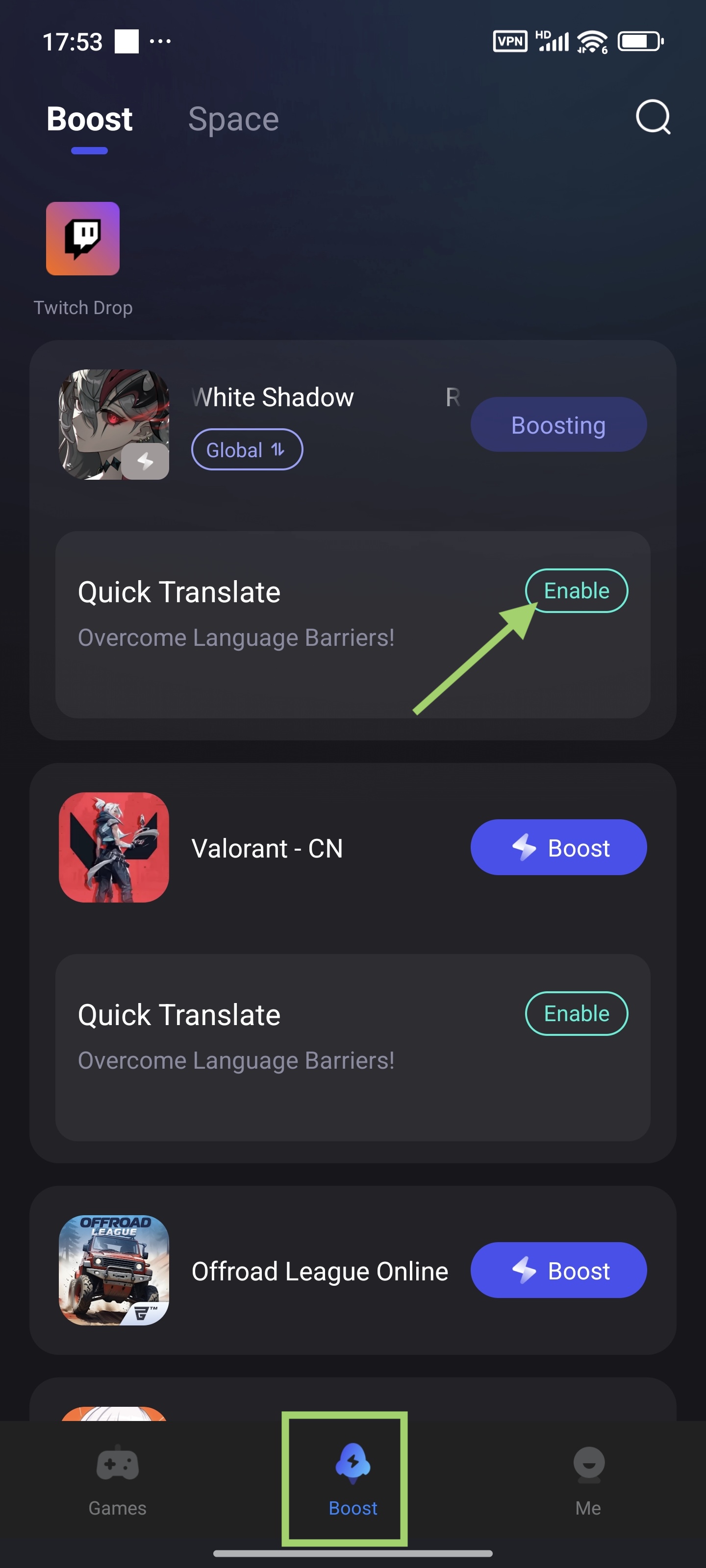
a. Go to the Boost tab and select ReMemento: White Shadow.
b. Tap the Quick Translate tool and press Enable.
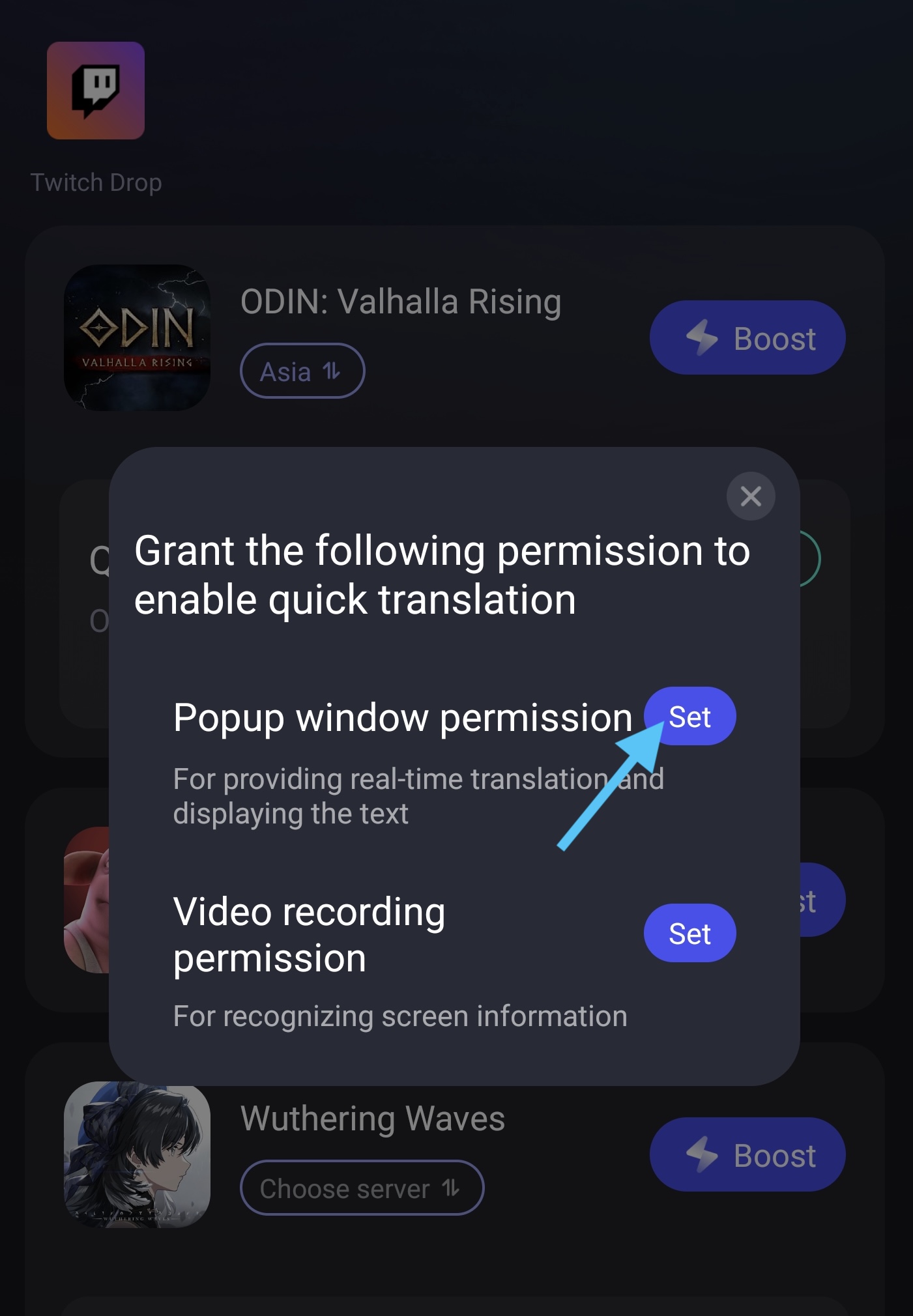
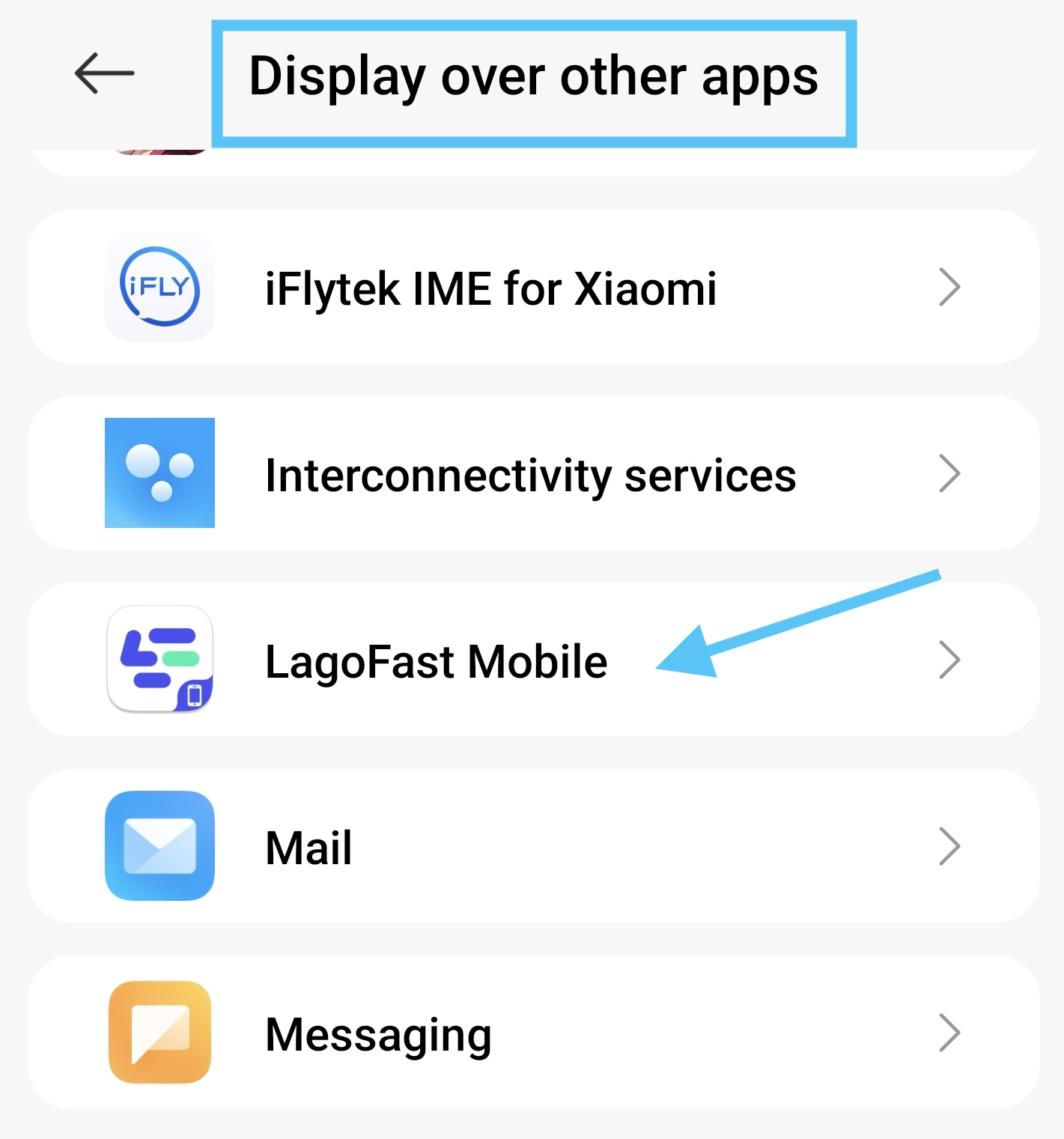
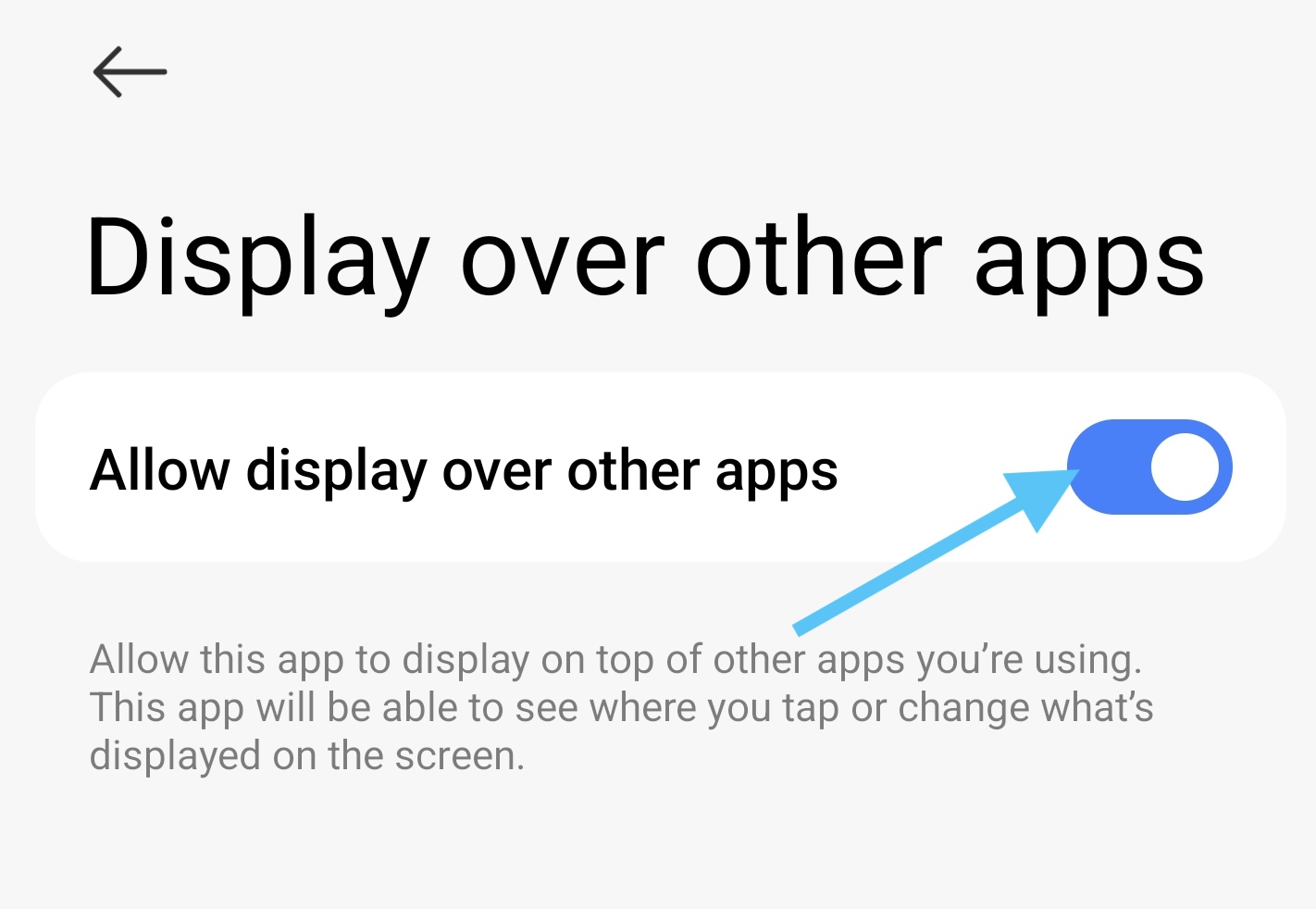
c. Tap Set to grant the overlay permission. Locate LagoFast in the settings and allow it to display over other apps.
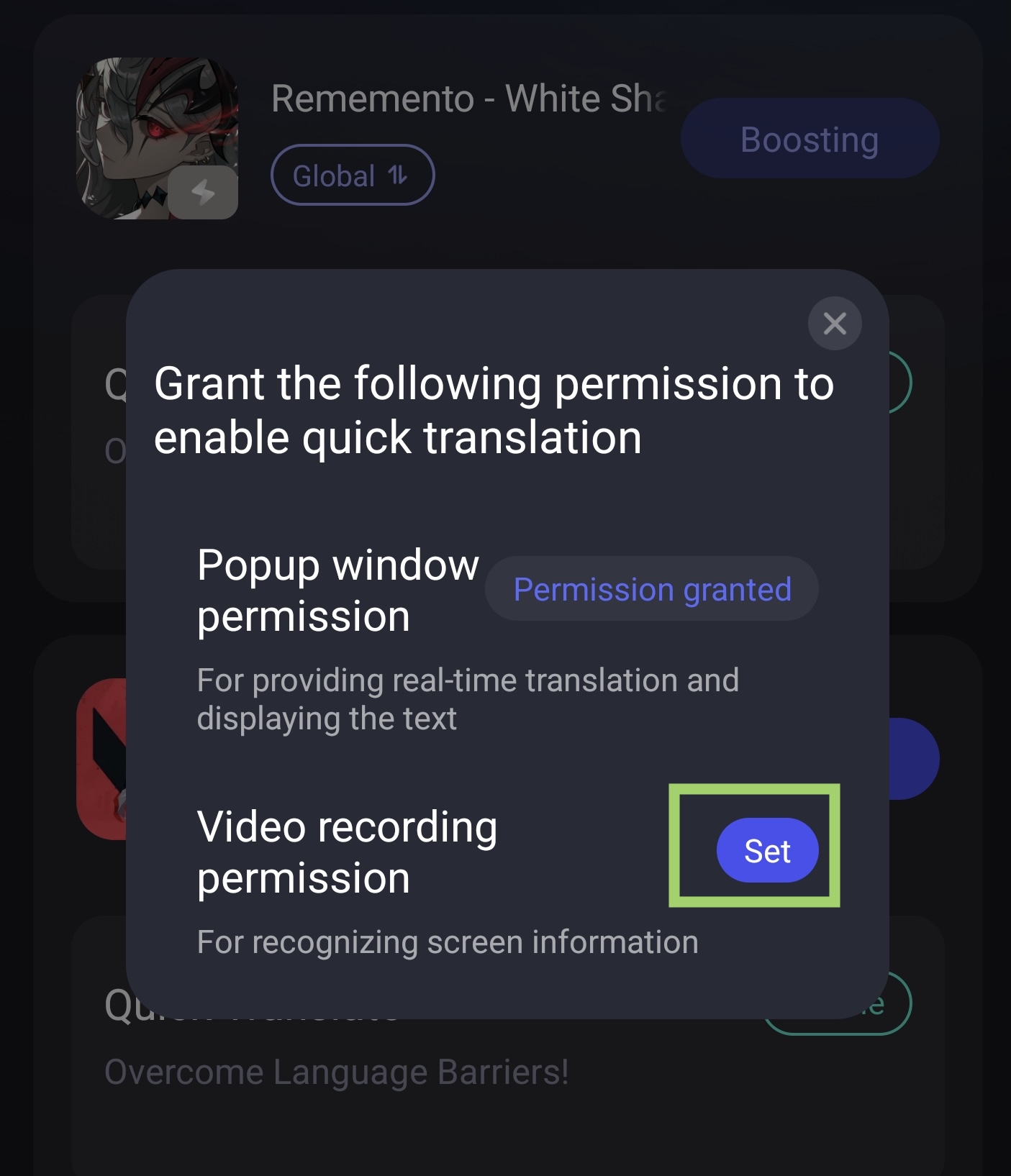
d. Return to LagoFast and tap Set of Video Recording Permission.
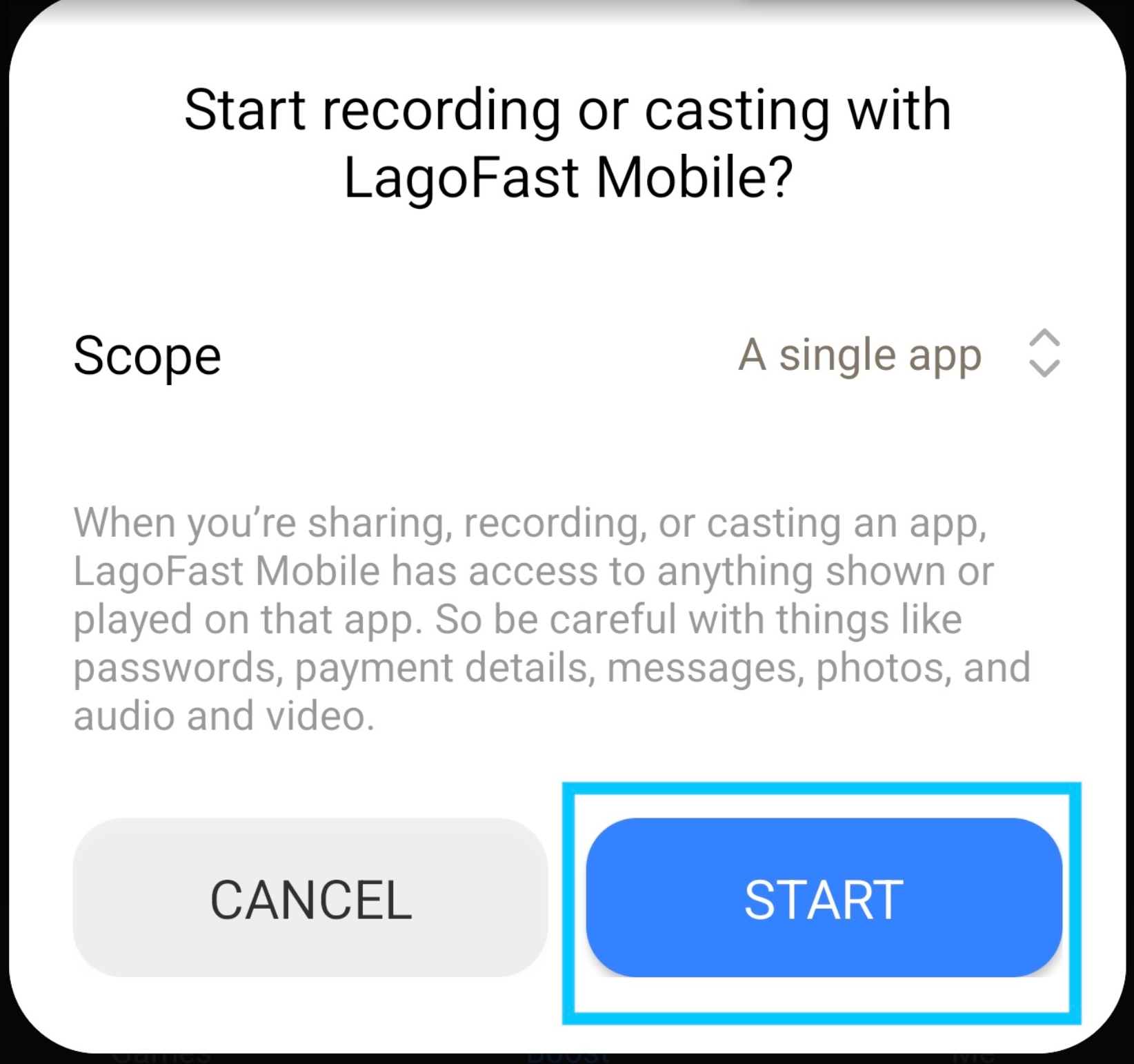
e. Tap Start, then choose ReMemento on the "Share or record an app" screen.
f. Return to the game. Drag the translation pointer over any text you want to translate — it will instantly scan and show the translation in your preferred language.
Original version:
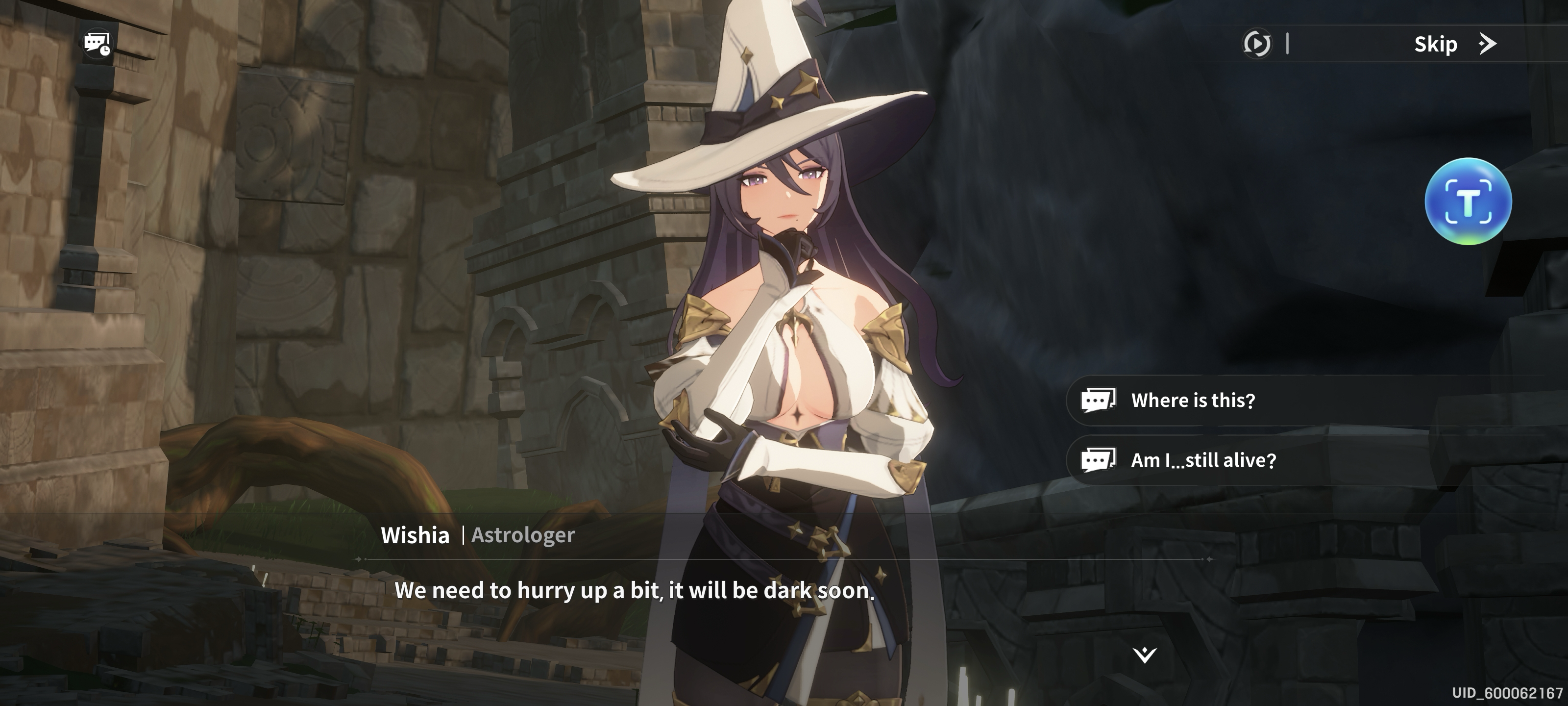
Translated version: