WUCHANG v1.4 Download Guide
08/13/2025
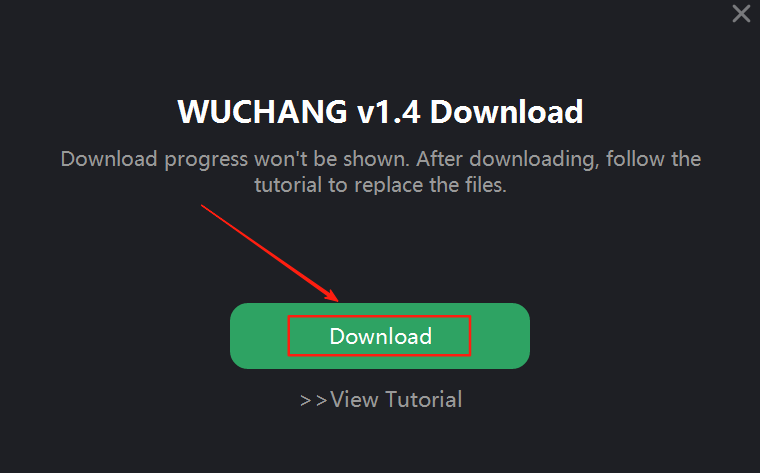
Step 1: Download Version 1.4
Click the download for version 1.4 and wait for the download to complete.
Step 2: Follow the On-Screen Prompt
Once the download finishes, you will see a prompt like the one shown in the tutorial. Follow the instructions provided.

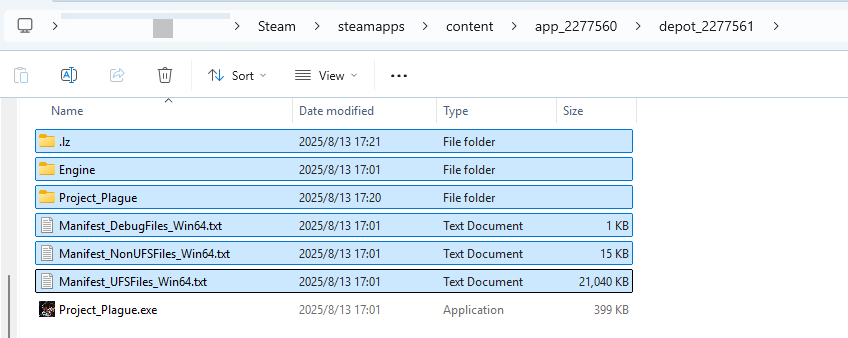
Step 3: Locate the Downloaded Files
Navigate to the folder specified in the download completion prompt. Copy all files except the last process file.

Step 4: Replace the Original Game Files
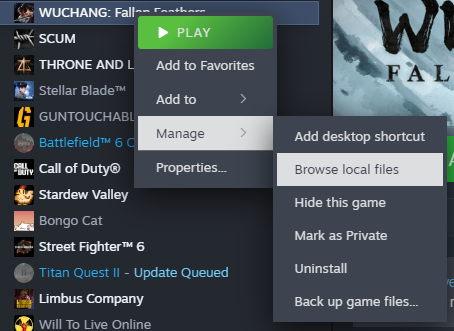
Go to your original game folder and replace all files with the ones you just copied.
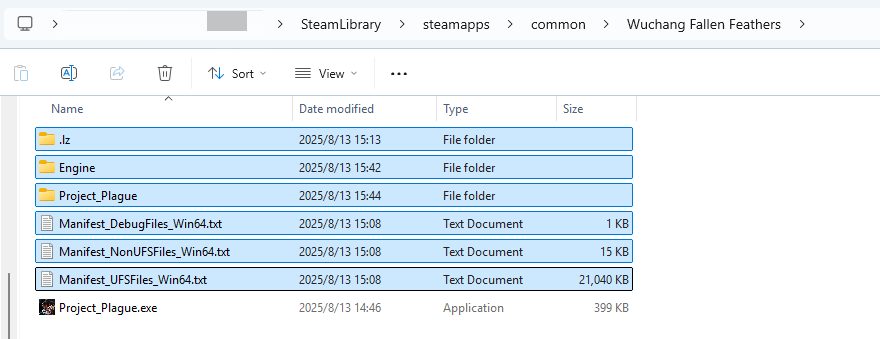
Tip: To avoid potential issues, it's recommended to delete all original files except the main .exe before pasting the new files.
After completing these steps, your game will be successfully updated to version 1.4.
도움 되나요?

확인

취소
원하는 답을 찾을 수 없습니까?
문의하기