How to Register a WeChat Account Outside China (2025 Guide)
Want to use WeChat as a foreigner but don’t have a Chinese ID or phone number? No problem. Here is a simple guide to sign up for WeChat outside China.
☑️ What You Need First
- A valid mobile phone number (from any country)
- A stable internet connection
- Optionally: a friend who already has a WeChat account for one-time verification
✅ Step-by-Step Registration Guide
1. Download WeChat
- Go to the Google Play Store or the Apple App Store
- Search WeChat by Tencent
- Install and open the app
2. Tap “Sign Up”
- Choose Sign Up via Mobile
- Select your country/region
- Enter your phone number and create a password
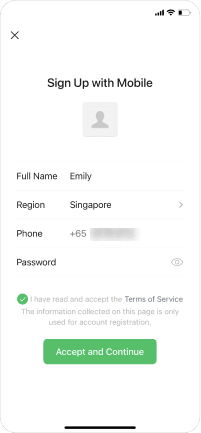
3. Accept Terms of Service
- Tap “I have read and agree”
- Continue to the next step
4. Slide Puzzle Verification
- Drag the puzzle piece to complete the image
- This confirms you are not a bot
5. Security Verification (Very Important)
WeChat may ask you to verify your account through one of these methods:
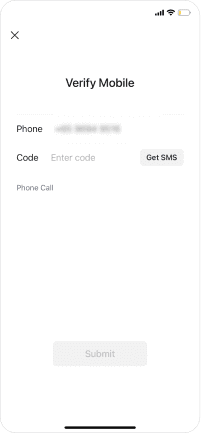
Option A: SMS Code
- You’ll receive an SMS with a 4–6 digit code
- Enter the code in WeChat to continue
Option B: Help Friend Verify
- WeChat may ask an existing user to verify your account
- Tap Start Verification
- Send the link to a friend who:
a. Has registered WeChat for over 1 month
b. Has NOT verified other users in the last 30 days
Once they scan and confirm, your account will be activated immediately.
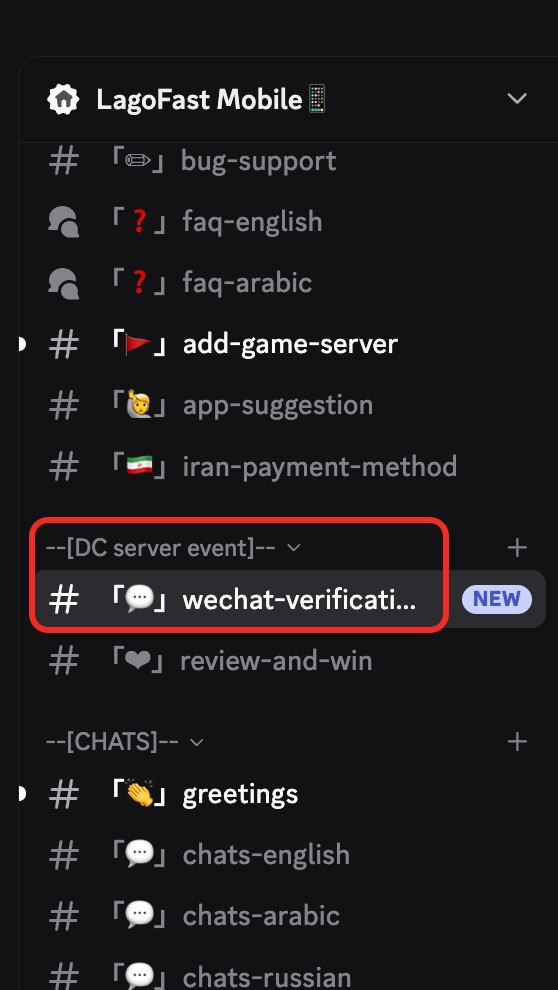
If you cannot find anyone to help you verify, you can send your verification requirement in the LagoFast Mobile Discord server.
Join the server here: https://discord.gg/GhzSXpNMXP
Then paste your verification code in the [WeChat verification] channel. After you are verified, the staff will ping you in the channel.
6. Complete Profile
- Add your name and profile photo
- Done! You can now use WeChat to chat, make voice calls, scan QR codes, etc.

