1. How to Download Once Human
a. Download from Official Stores
- Android Users: Install Once Human from Google Play.
- iOS Users: Download the game from the App Store.
b. Regional Availability Issues
If the game is unavailable in your region, like in India:
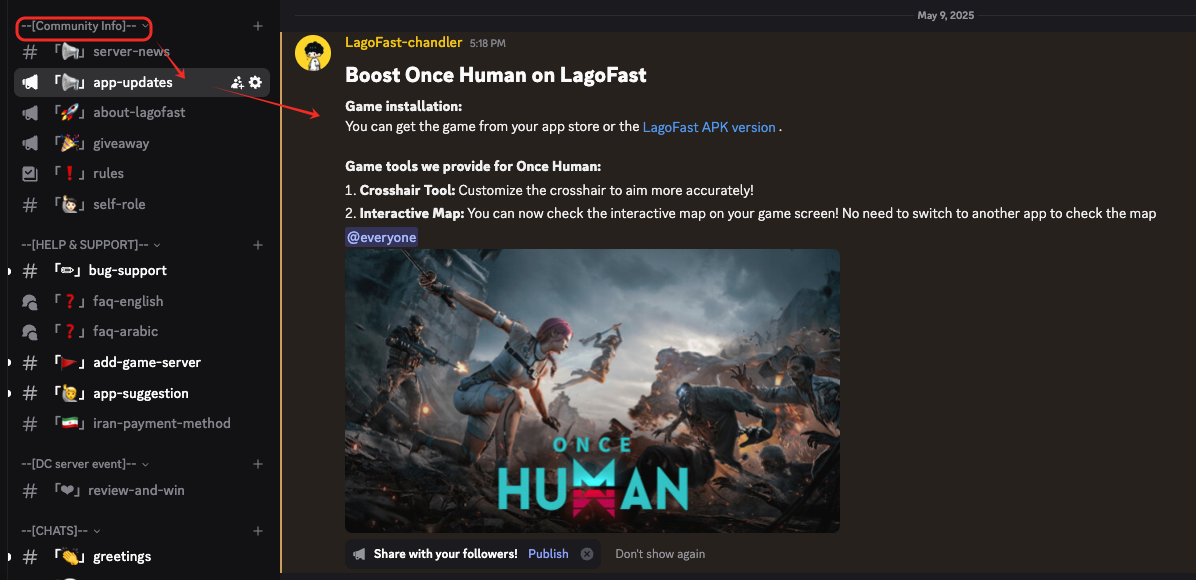
- Join the LagoFast Discord Server
- Check the #app-update channel for step-by-step guides to bypass regional restrictions.
2. How to Boost Once Human for Zero Lag
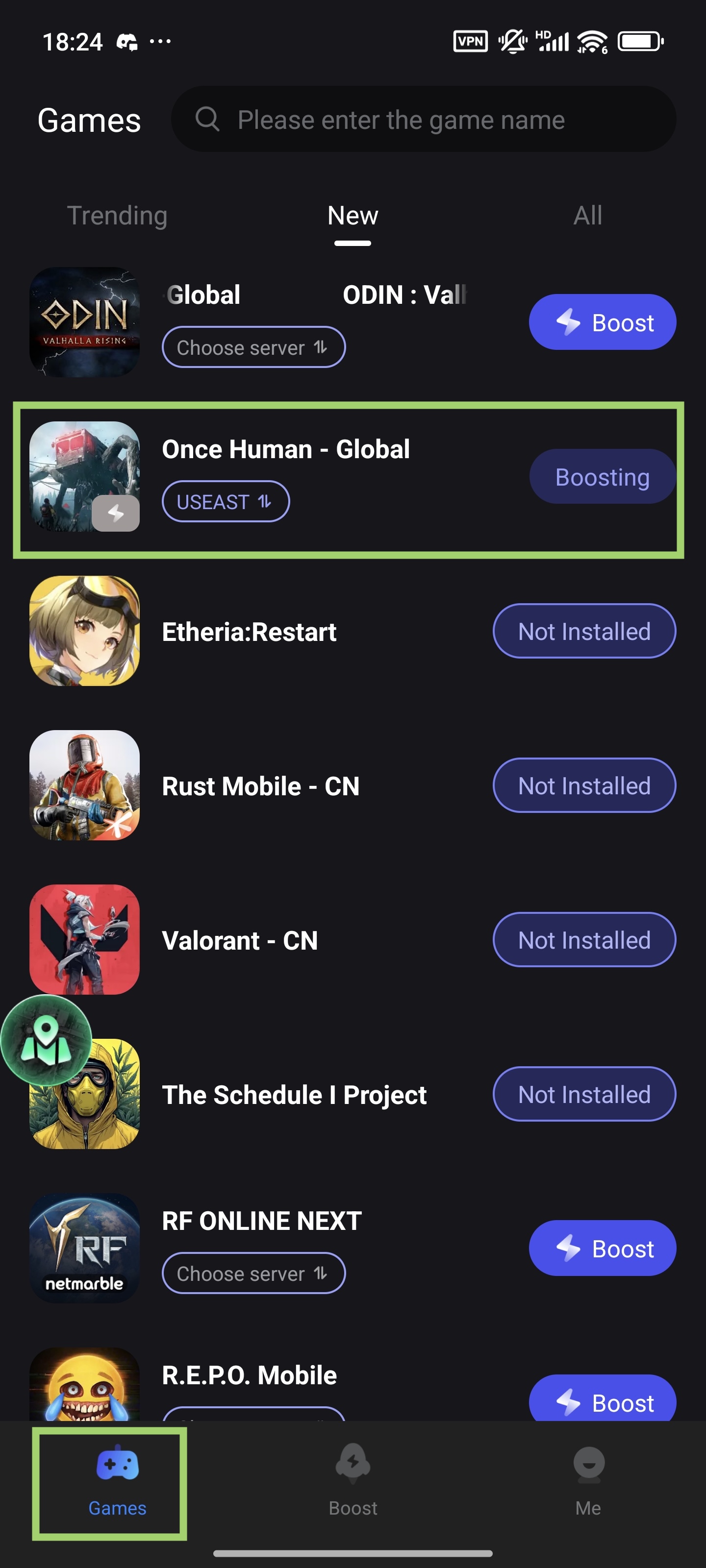
a. Locate the Game in LagoFast
Open the LagoFast app > Go to Game Library - Trending > Find Once Human and select it.
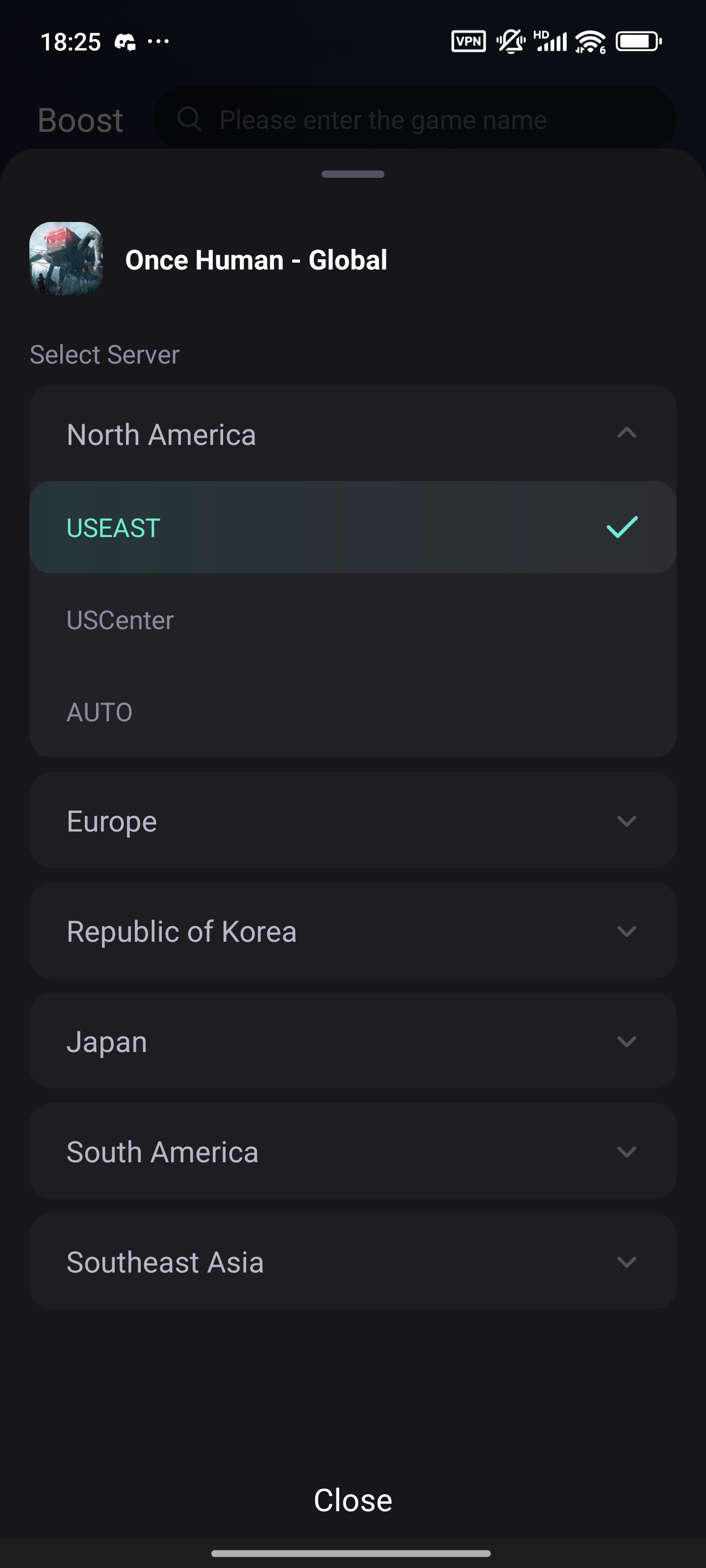
b. Select Server & Node
Tap Choose Server, then select a server closest to your location for minimal latency.
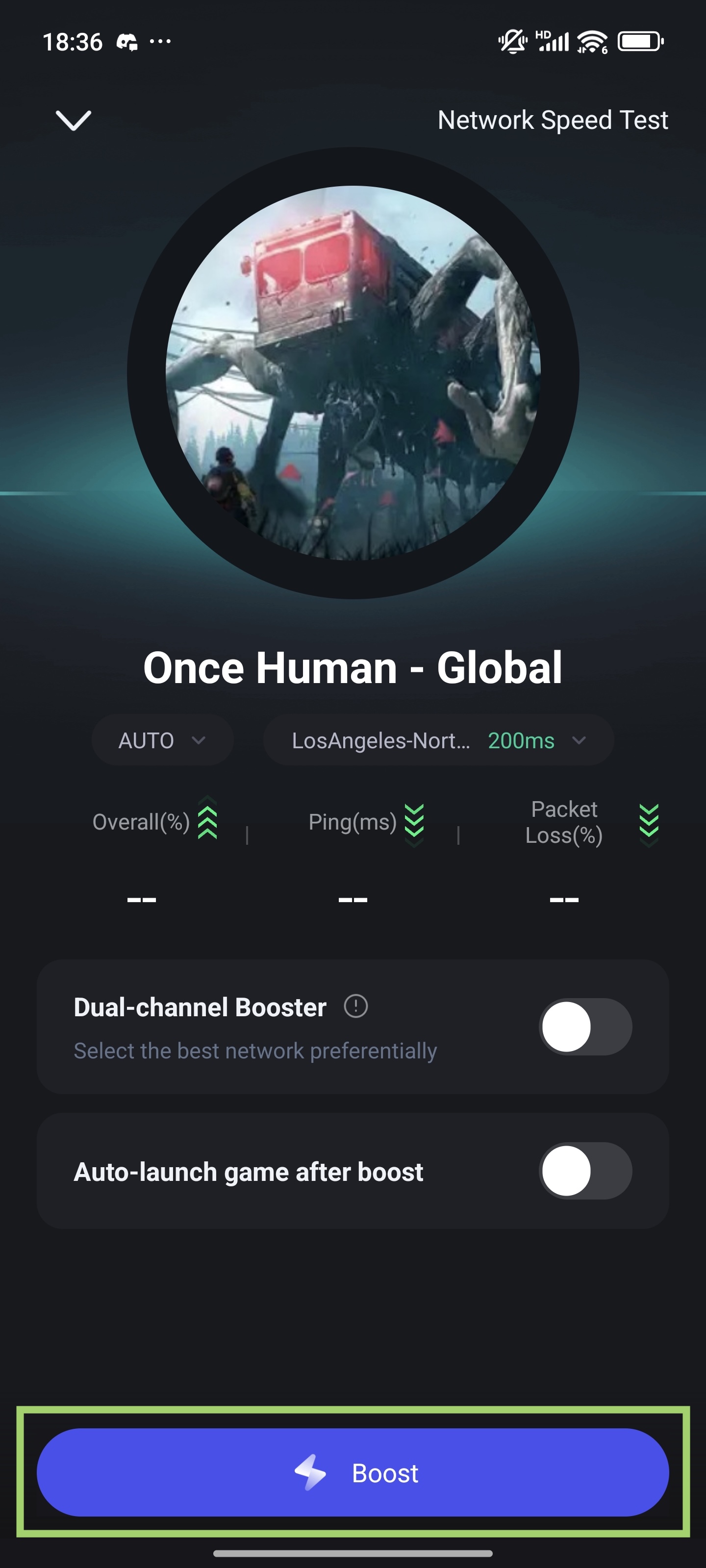
c. Start Boosting
- Tap Boost to activate the optimized connection.
- Launch Once Human and enjoy a smooth, lag-free experience!
3. How to Use the Interactive Map
a. Enable the Interactive Map
- In the LagoFast app, navigate to the Boost tab.
- Find Once Human and toggle the Enable button next to Interactive Map.
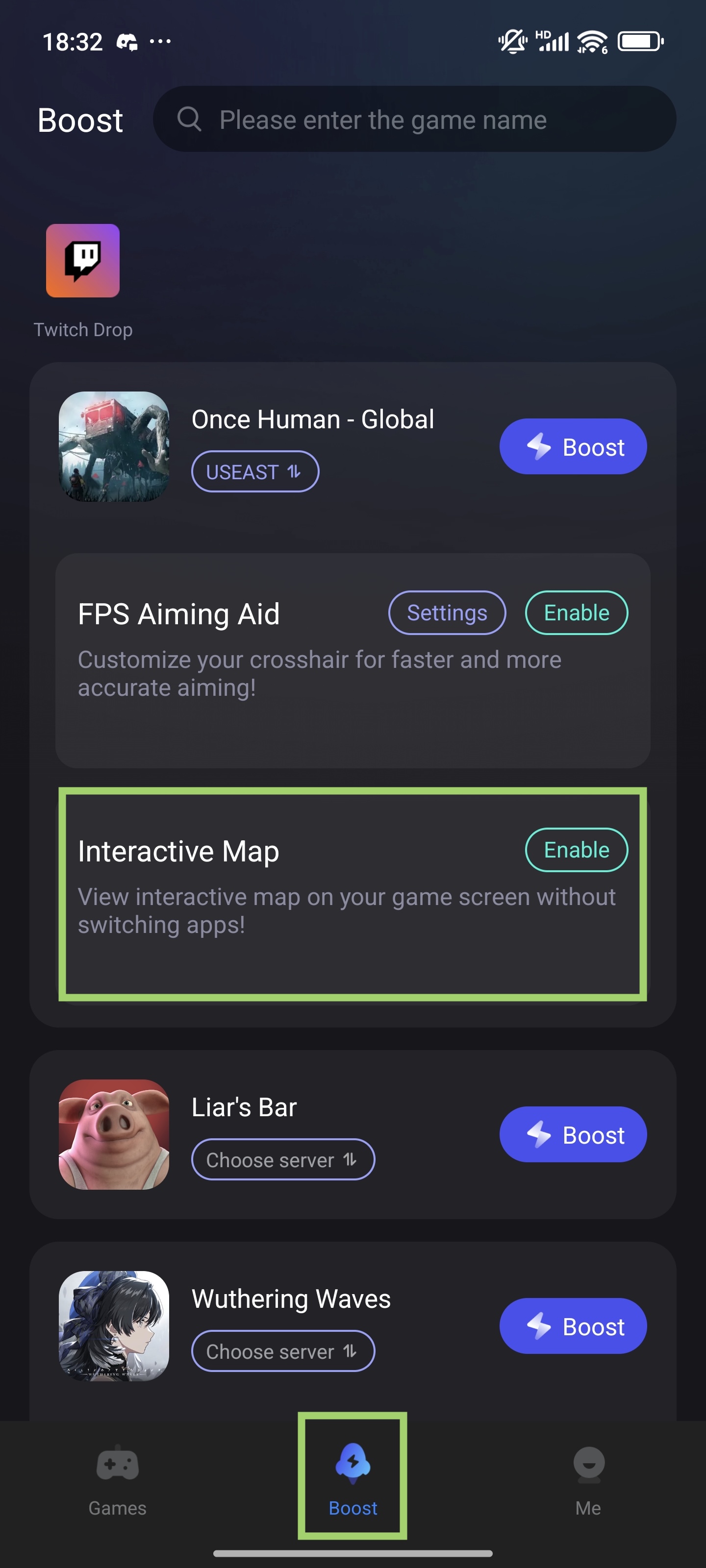
- First-time users: Grant LagoFast screen overlay permissions when prompted.
b. Access the Map In-Game
- Enter the game. Then tap the Map icon to open the interactive map. Tap the "x" to close the map overlay.
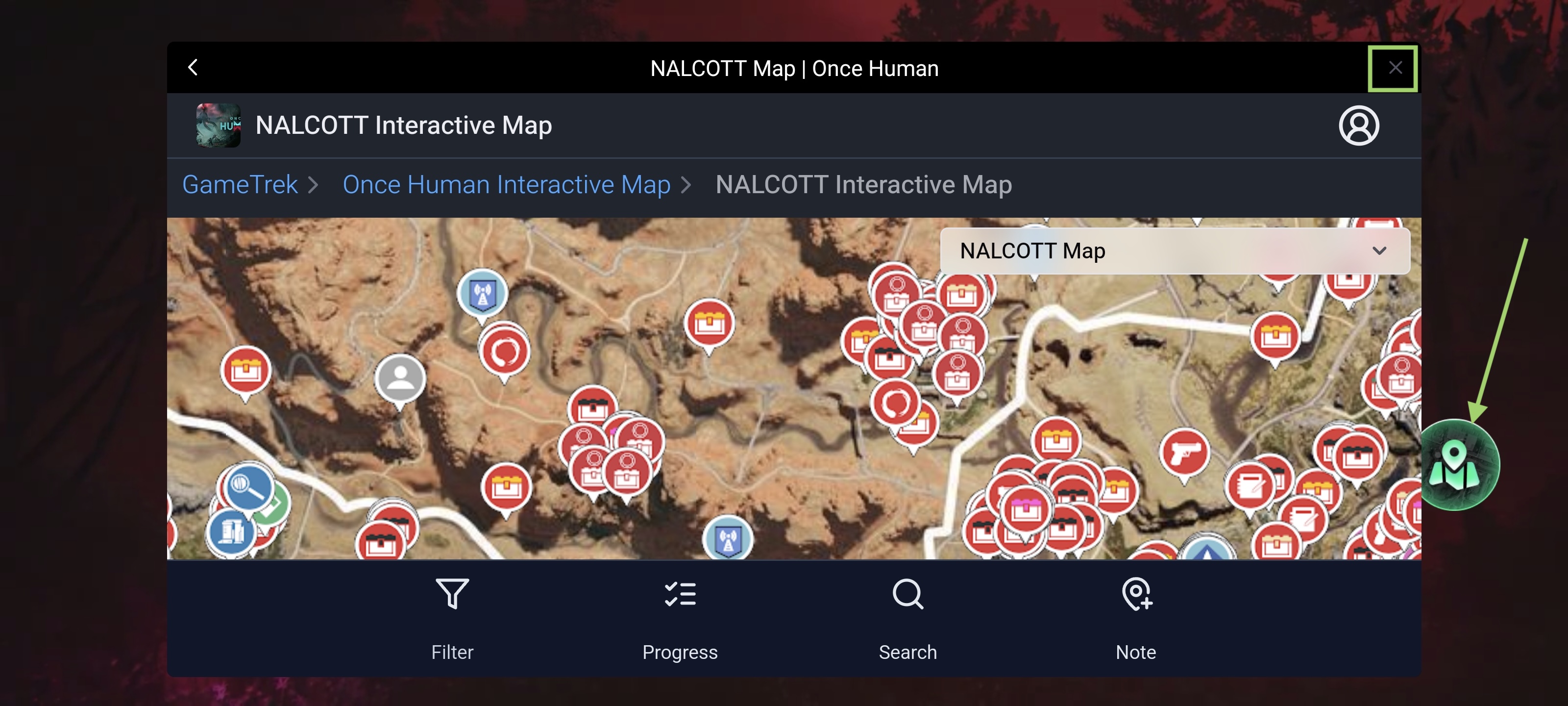
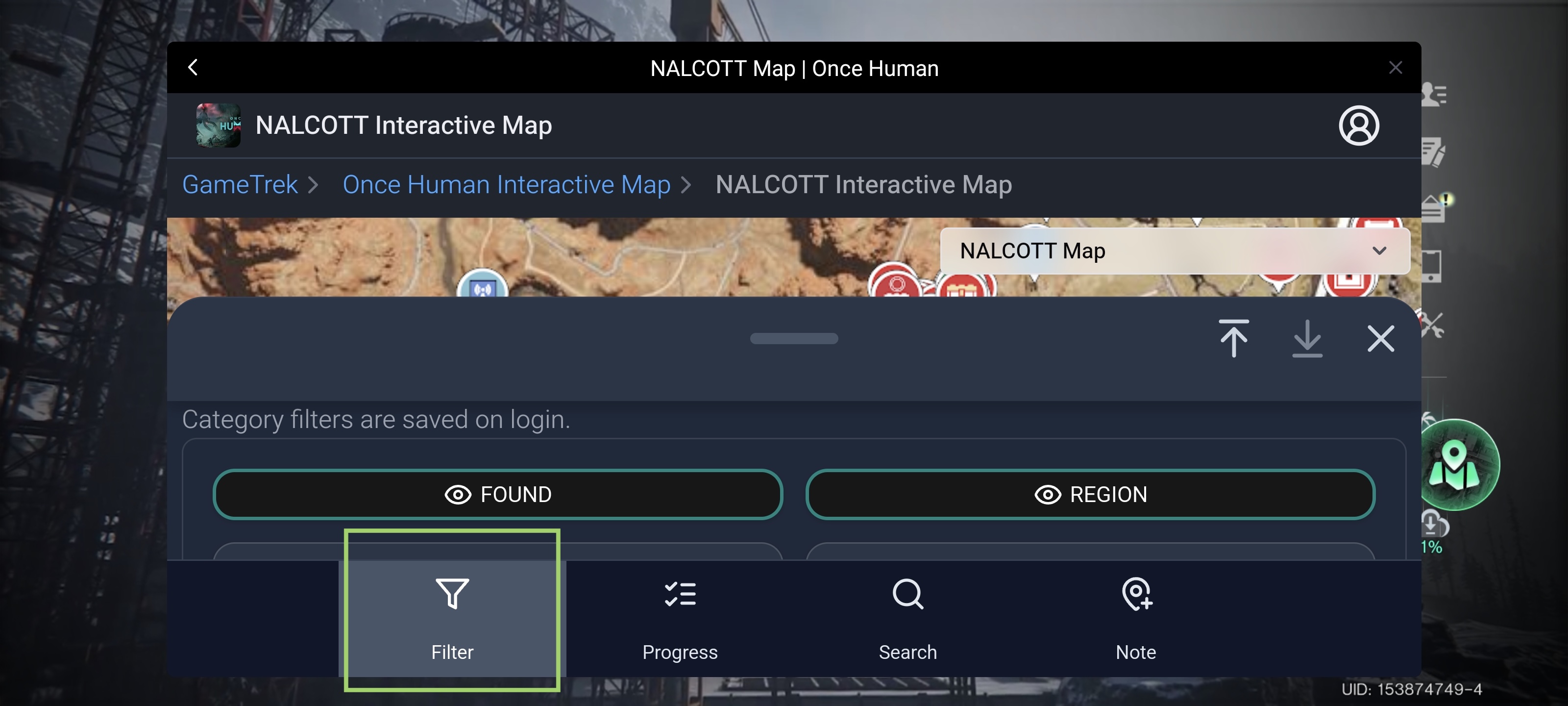
- You can select the specific resources or objectives you want to track here. Use it to locate loot, enemies, shelters, and hidden quests in real time—even mid-battle!
4. How to Use the In-Game Crosshair Tool
a. Activate Crosshair Tool
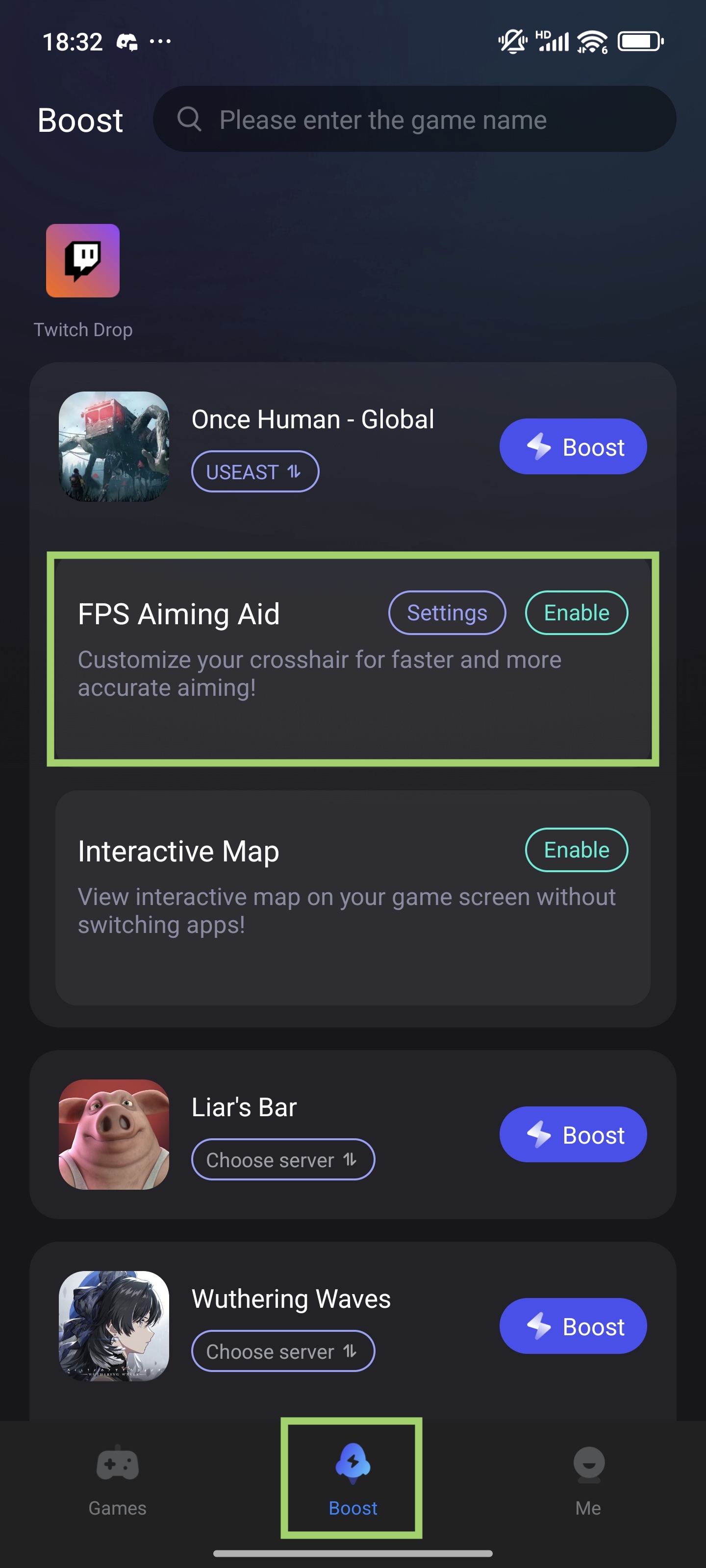
- Go to the Boost tab, find Once Human, and tap the Enable button to activate the crosshair.
b. Customize Crosshair
- Tap Settings button to customize the shape, size, color and transparency.
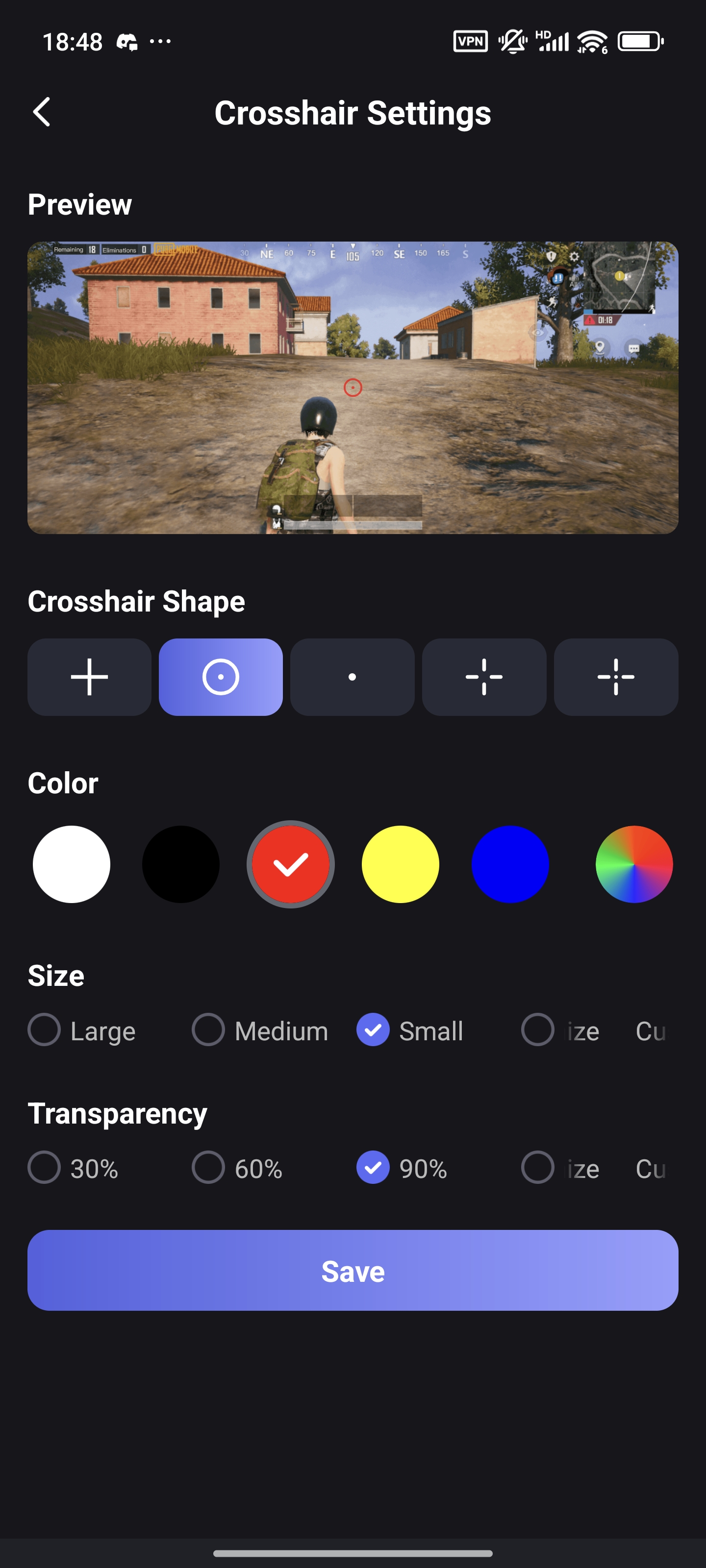
- Please note that you can drag the crosshair directly on the screen to make its position accurate.
Enjoy the game!

