Valorant CN is released in China on 19th Aug. 2025!
Cannot enter Valorant mobile CN? Use LagoFast to play the game then!
This is a guide for global players accessing Chinese servers.
How to Boost the Game?
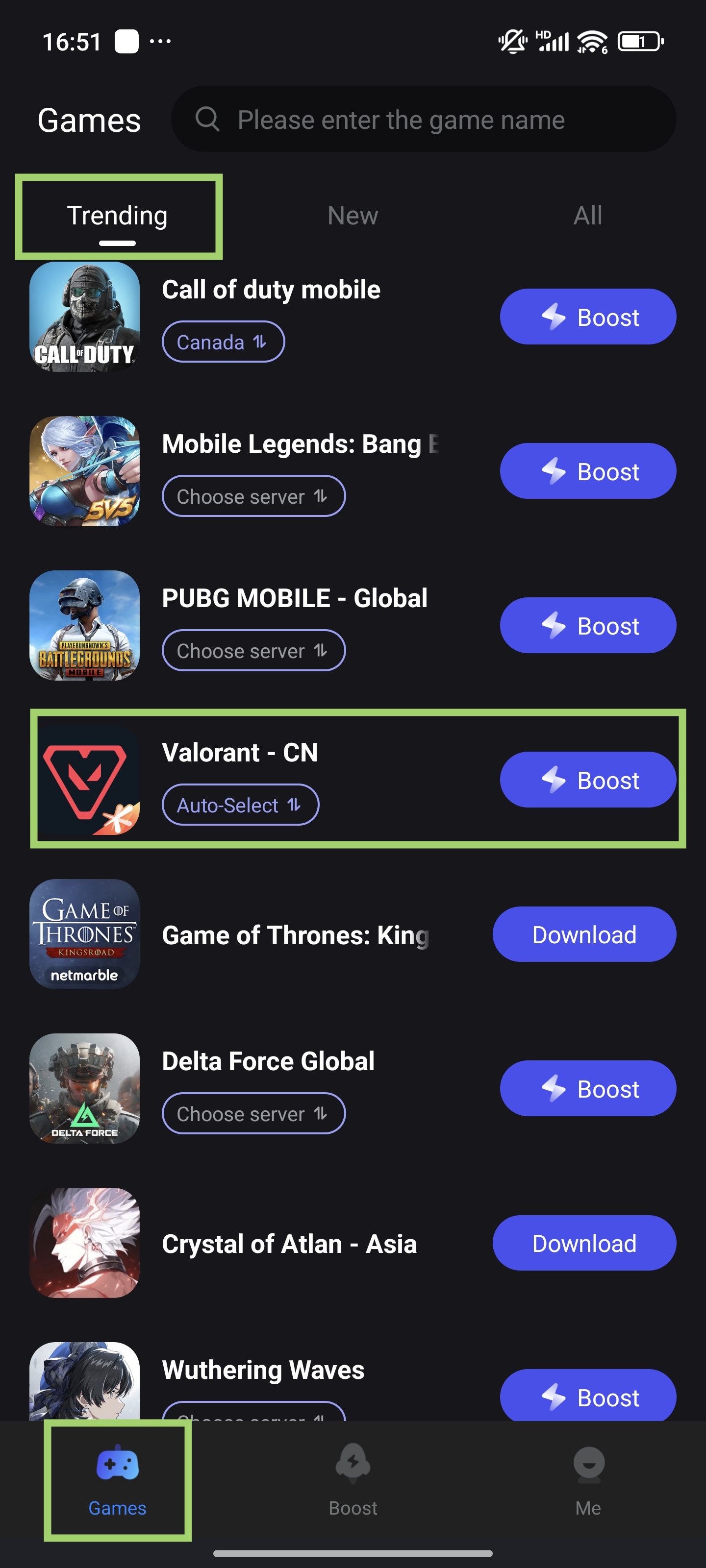
1. Find the Game in LagoFast
- Open LagoFast > Game Library > Trending > Find Valorant CN
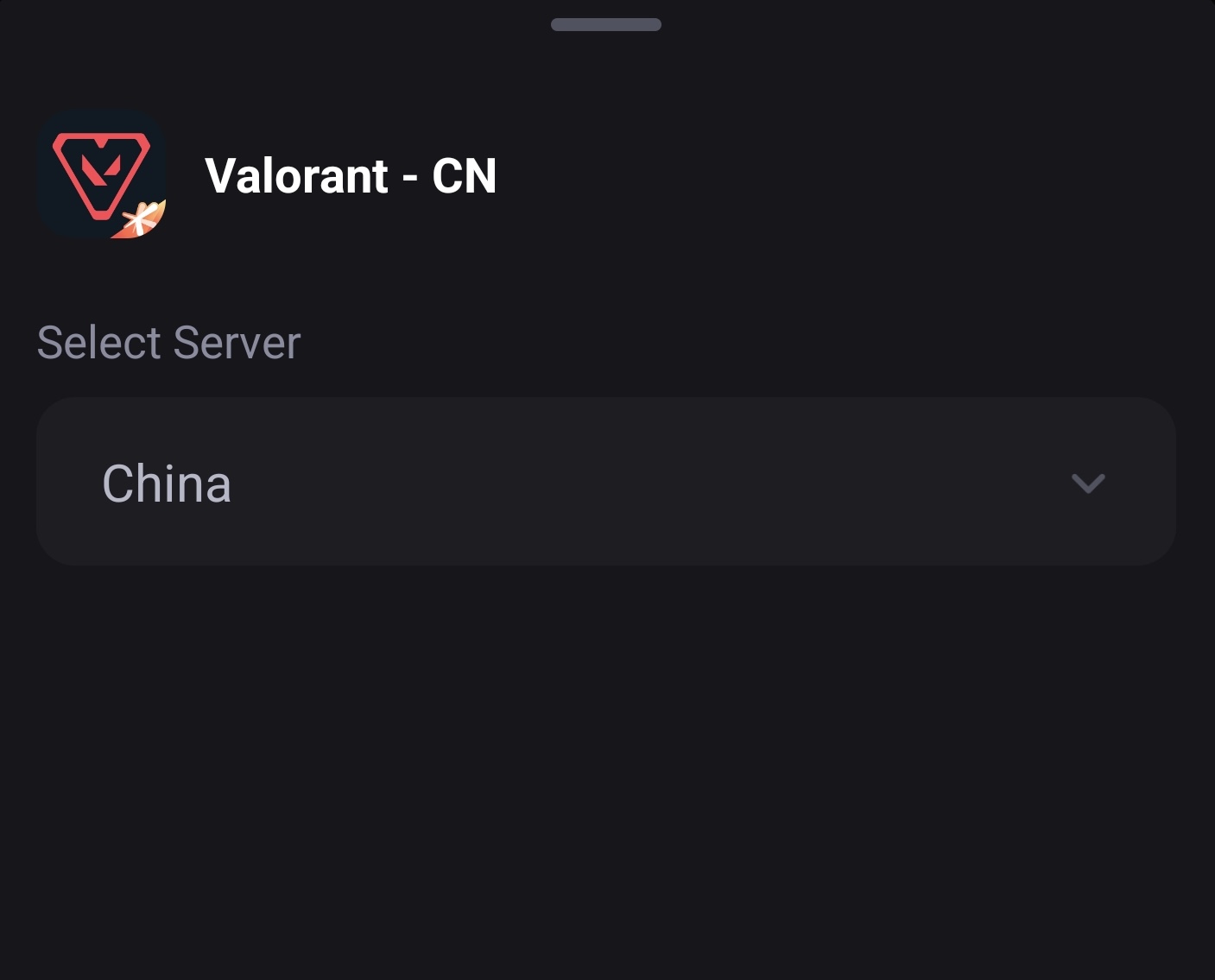
2. Select Optimal Server
Choose a "China" server for the lowest latency.
3. Tap "Boost" → Launch game for ultra-smooth gameplay.
Real-Time Translation (Android Only)
You can use LagoFast to translate Chinese text to English/other languages. But the translation tool is only available for Android users.
⚠️ Note: Set app language to your target language first!
Setup Steps:
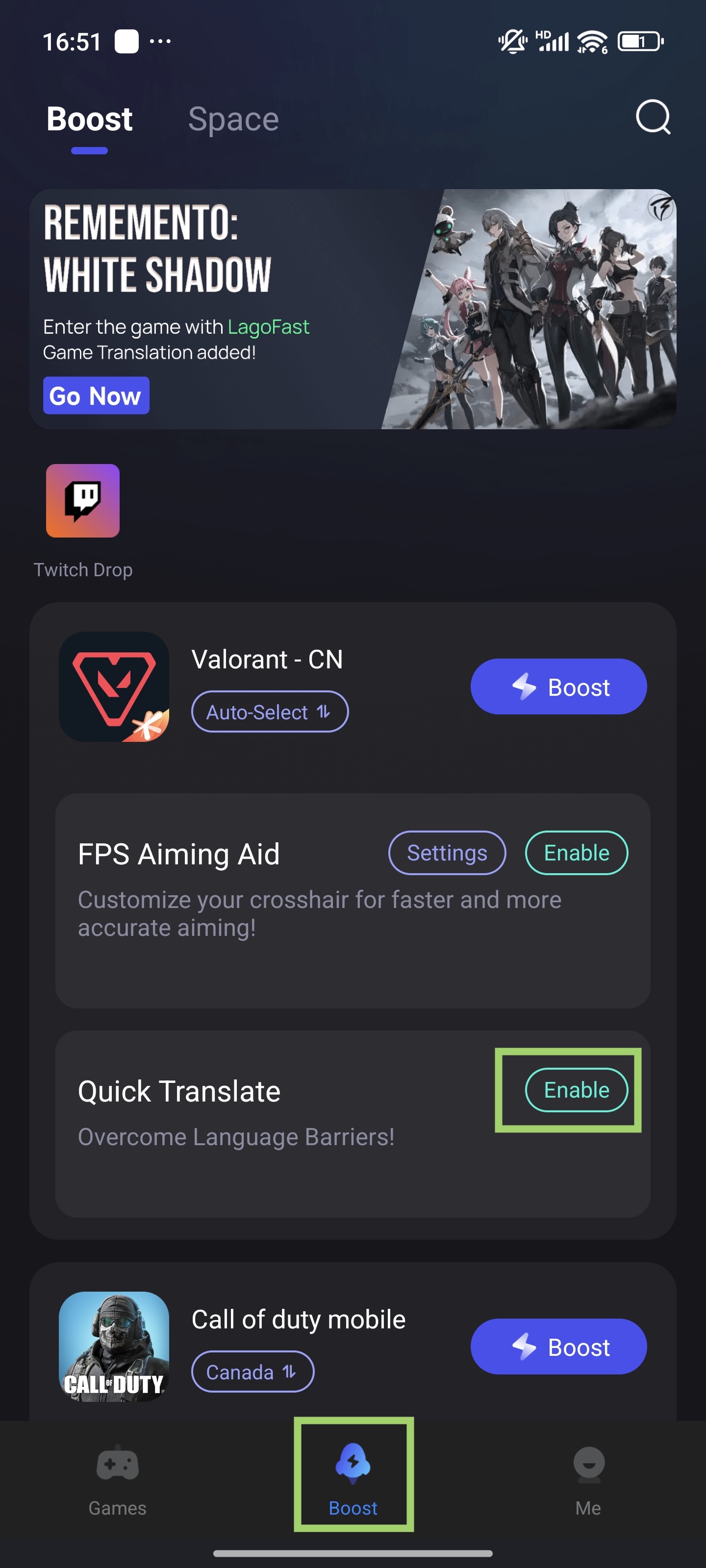
1. Enable Tool
- In the Boost tab, find "Valorant - CN" > tap "Quick Translate" > "Enable"
2. Set permissions
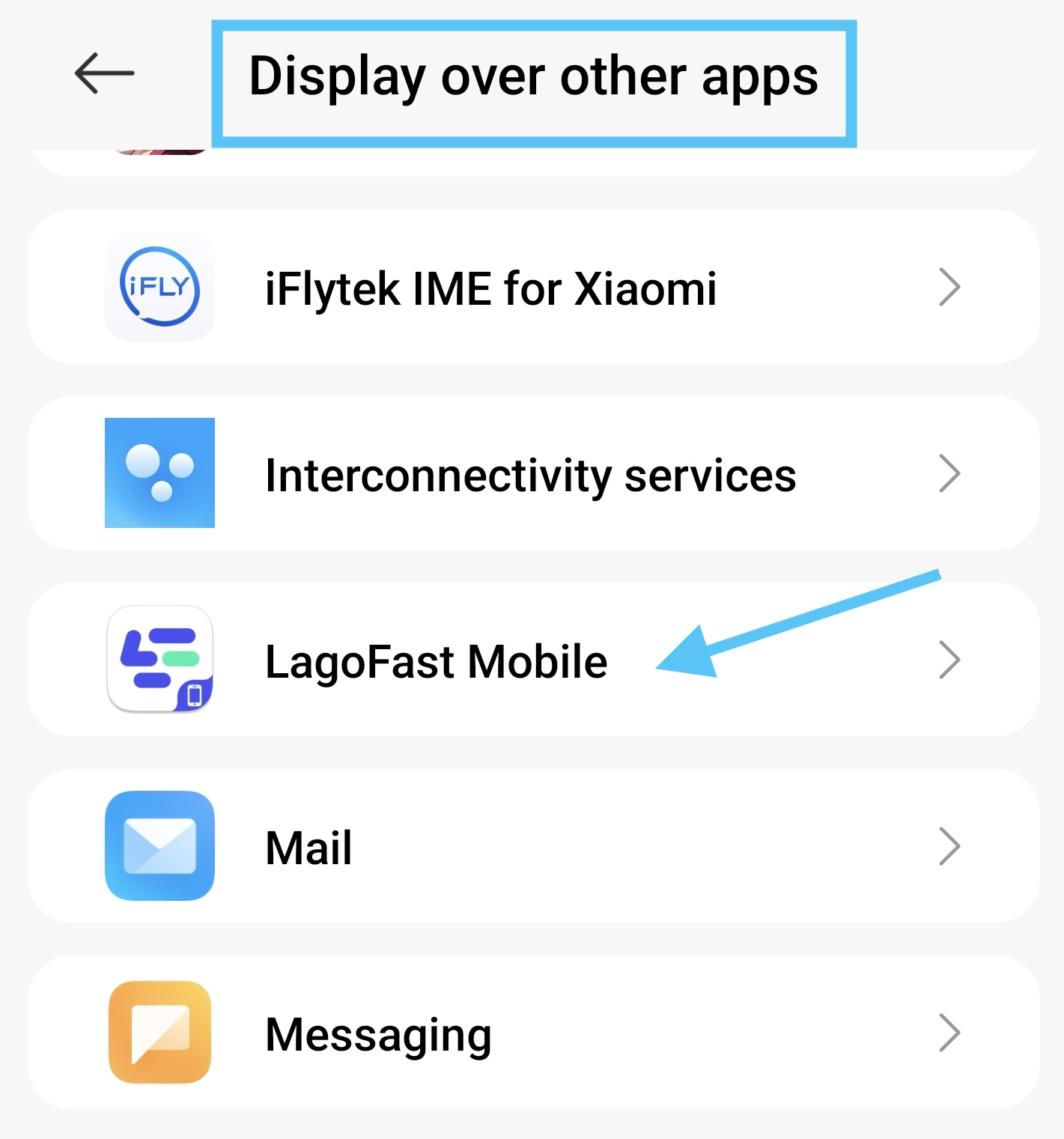
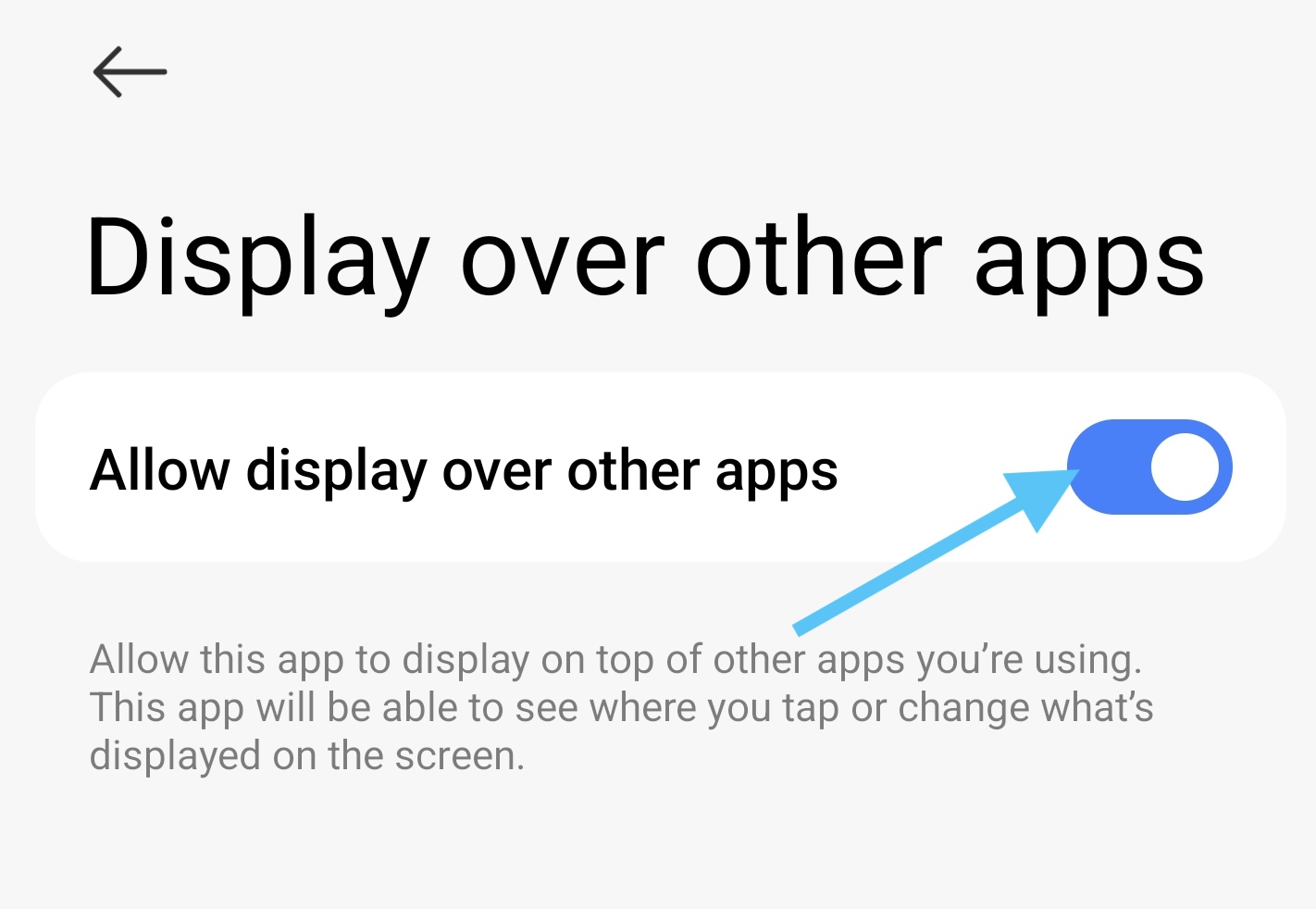
- Set popup window permission > Allow "Display over apps"
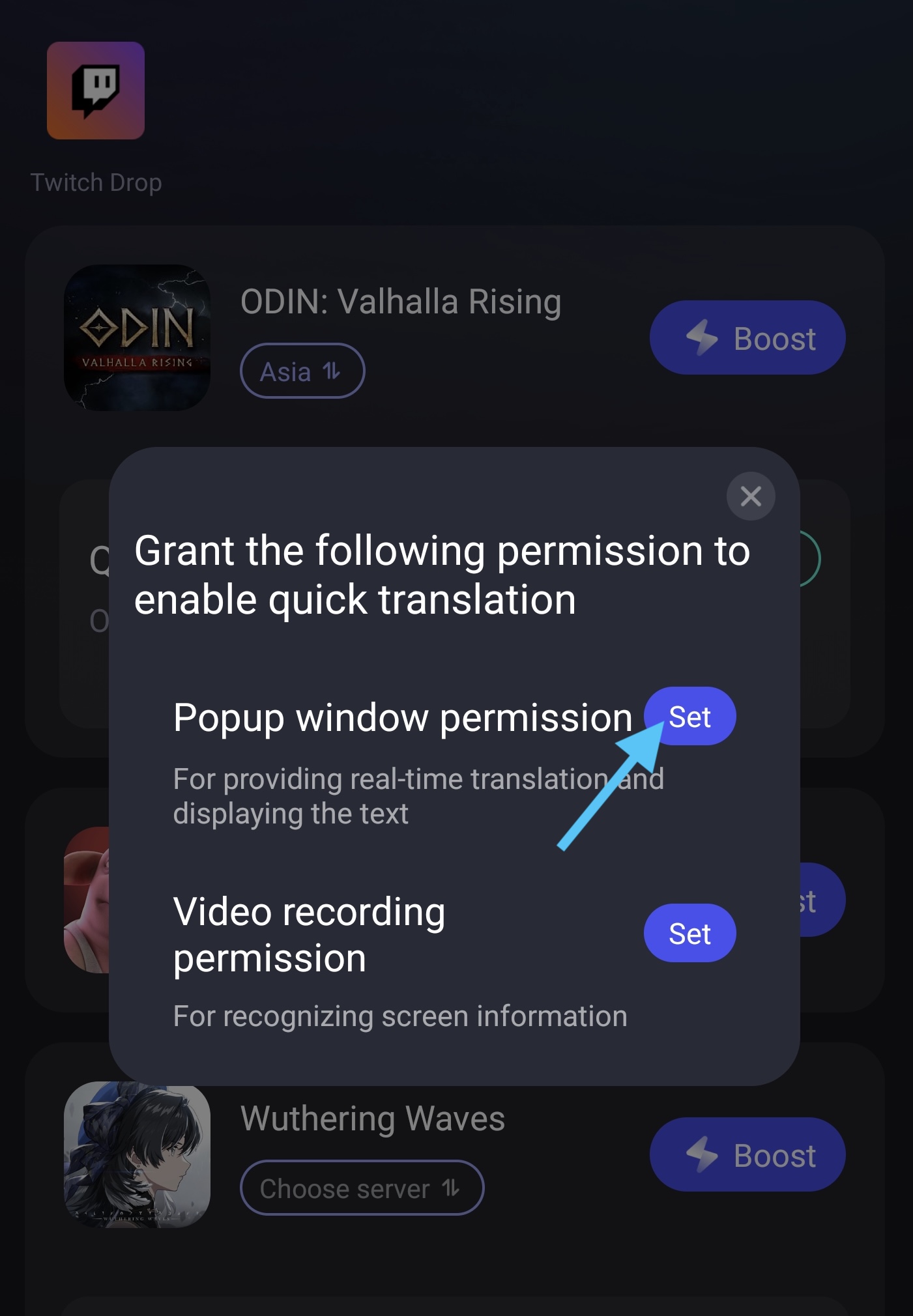
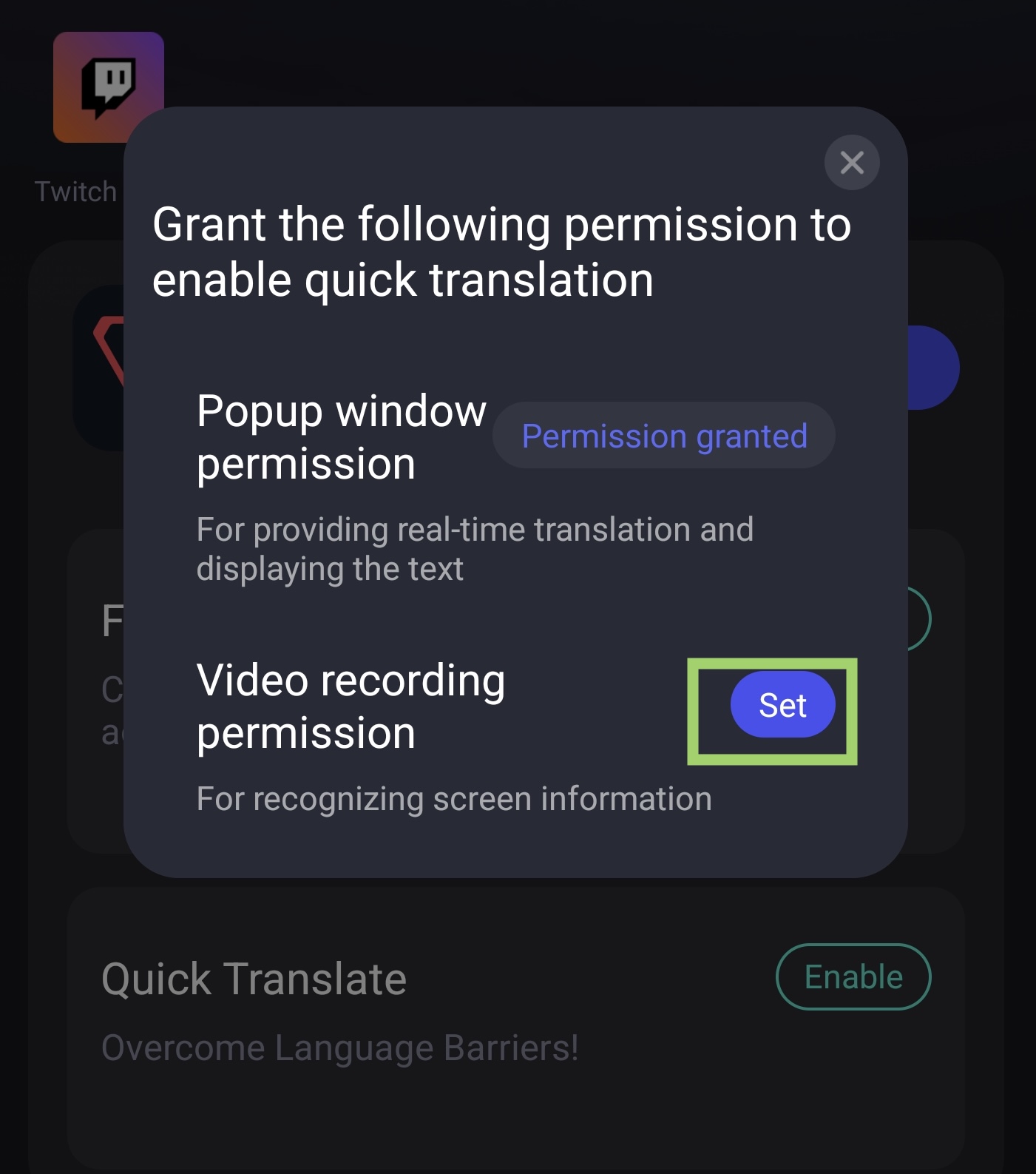
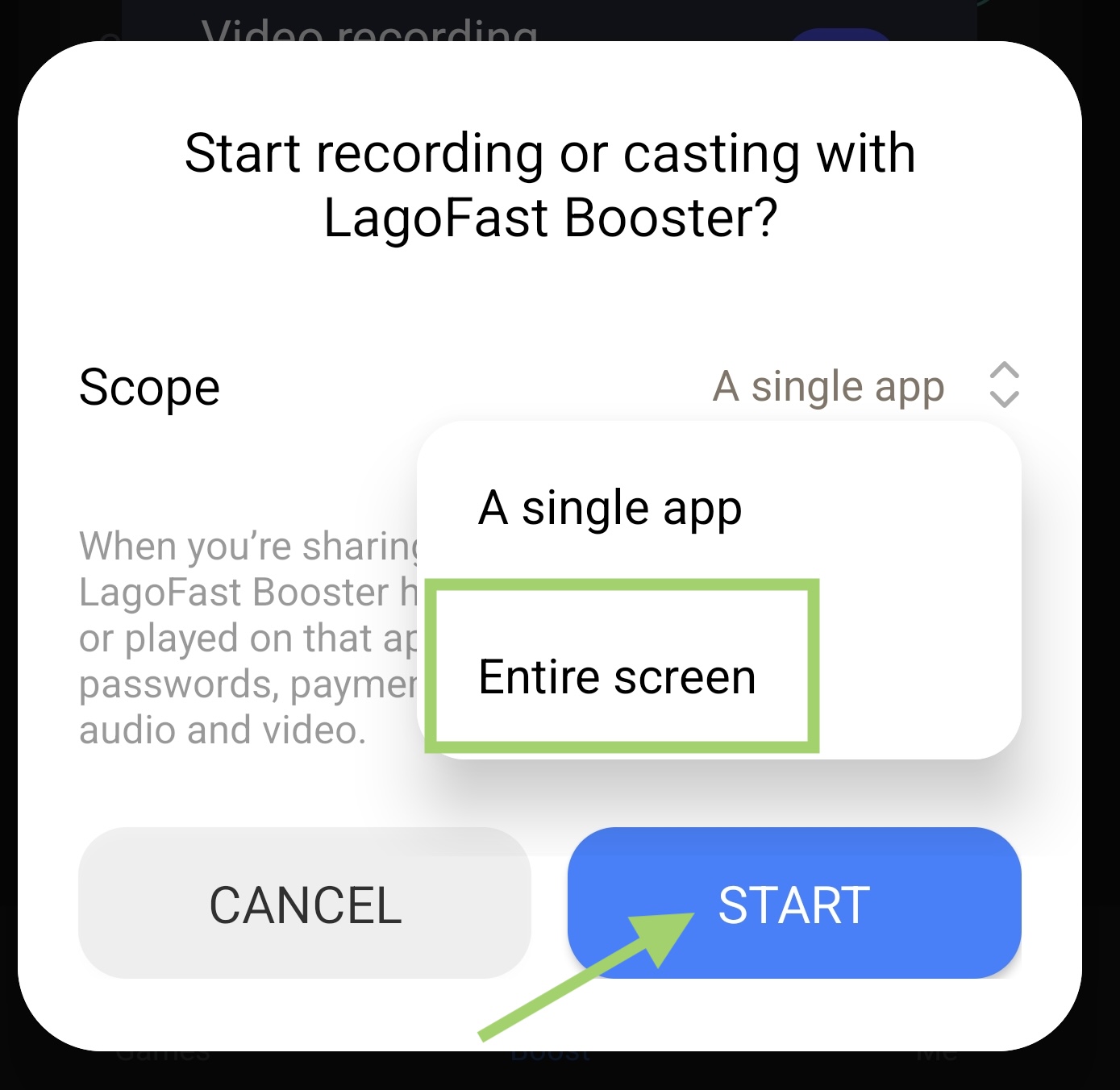
- Set Video Recording Permission
Tap set button, then select the whole screen, then start the translation tool
3. Translate In-Game
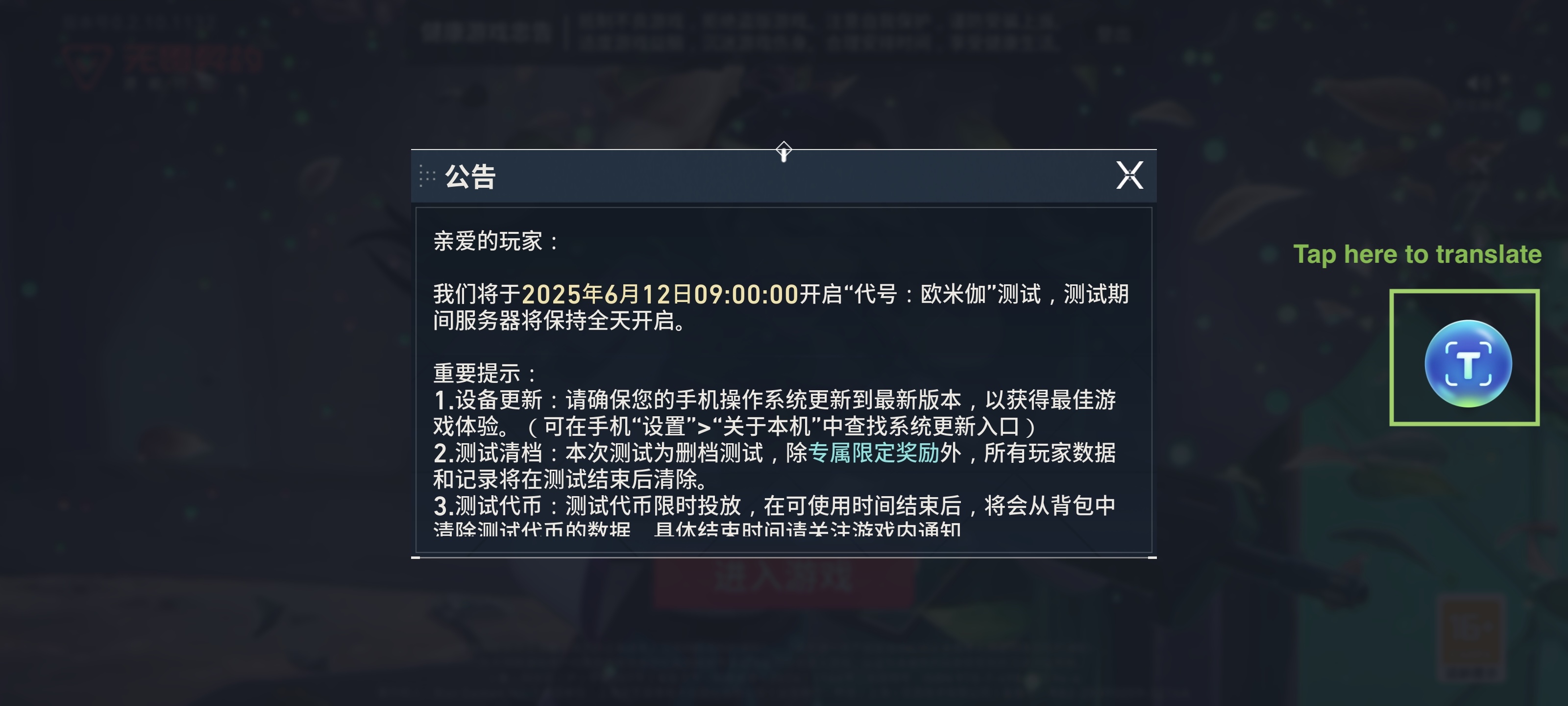
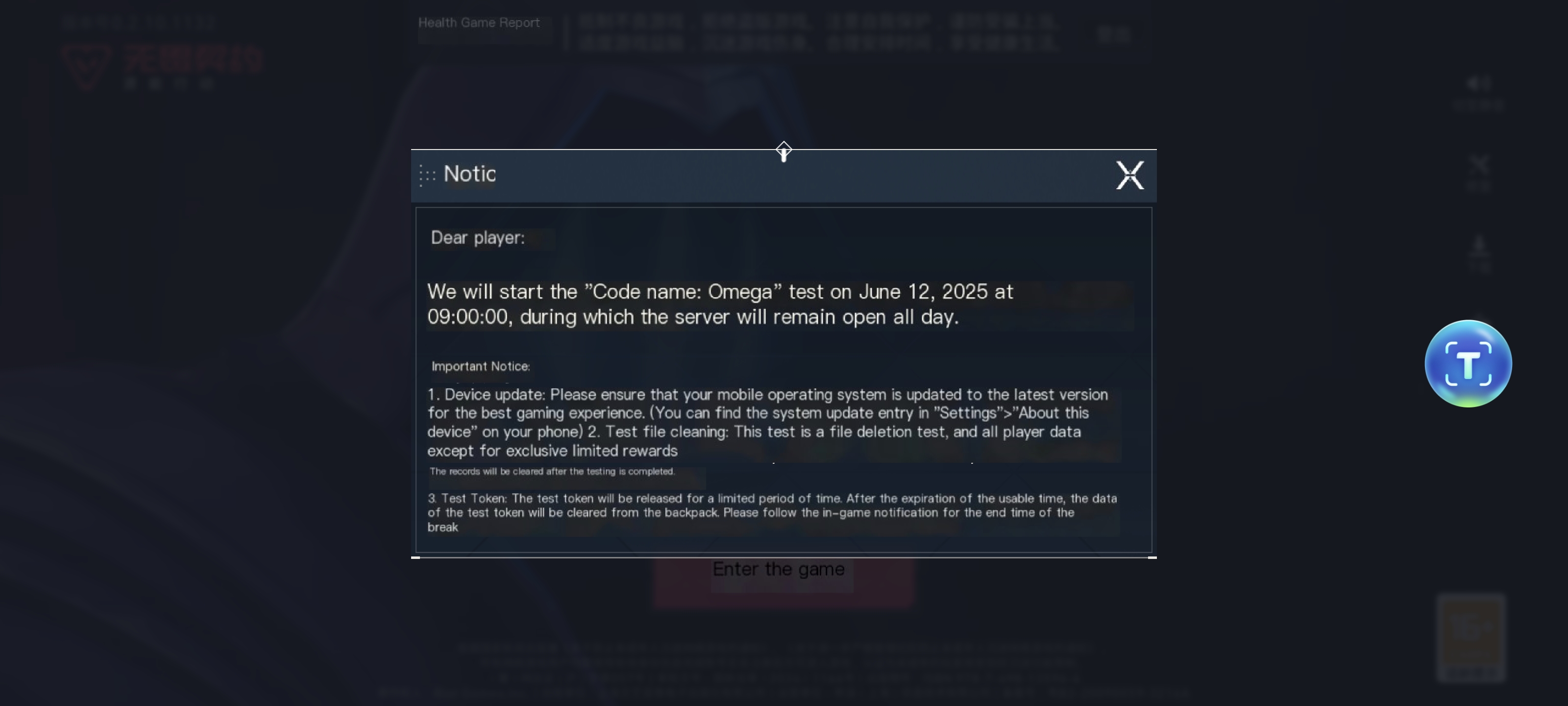
Enter Valorant CN game, use the translation tool to help you know the Chinese characters! Just tap the translation tool logo to turn it on
Original text:
English version:
FPS Aiming Aid Tool
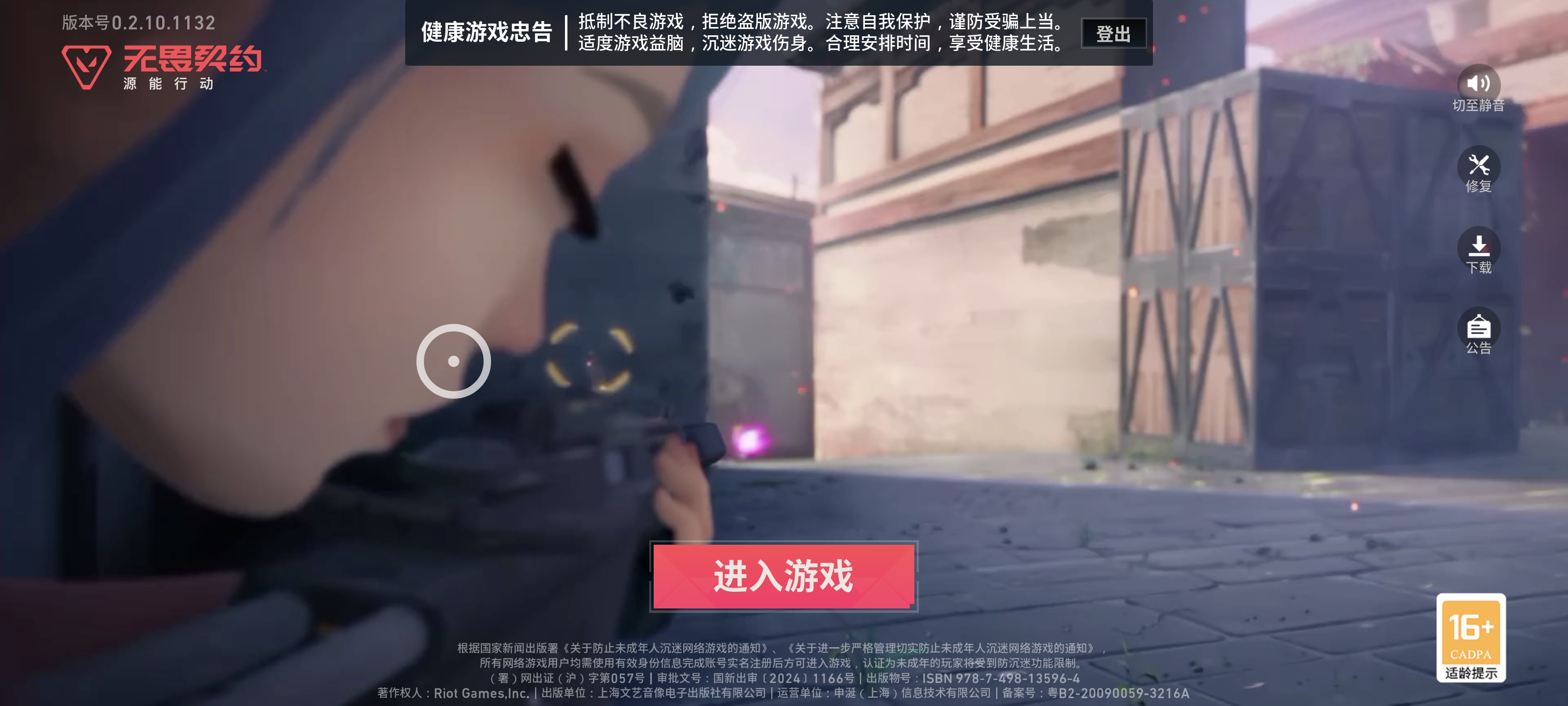
The Crosshair Tool in LagoFast allows users to change size, shape, color, and other aspects of their crosshair.
- In the Boost tab, find "FPS Aiming Aid" under Valorant CN. Tap enable to turn on the crosshair
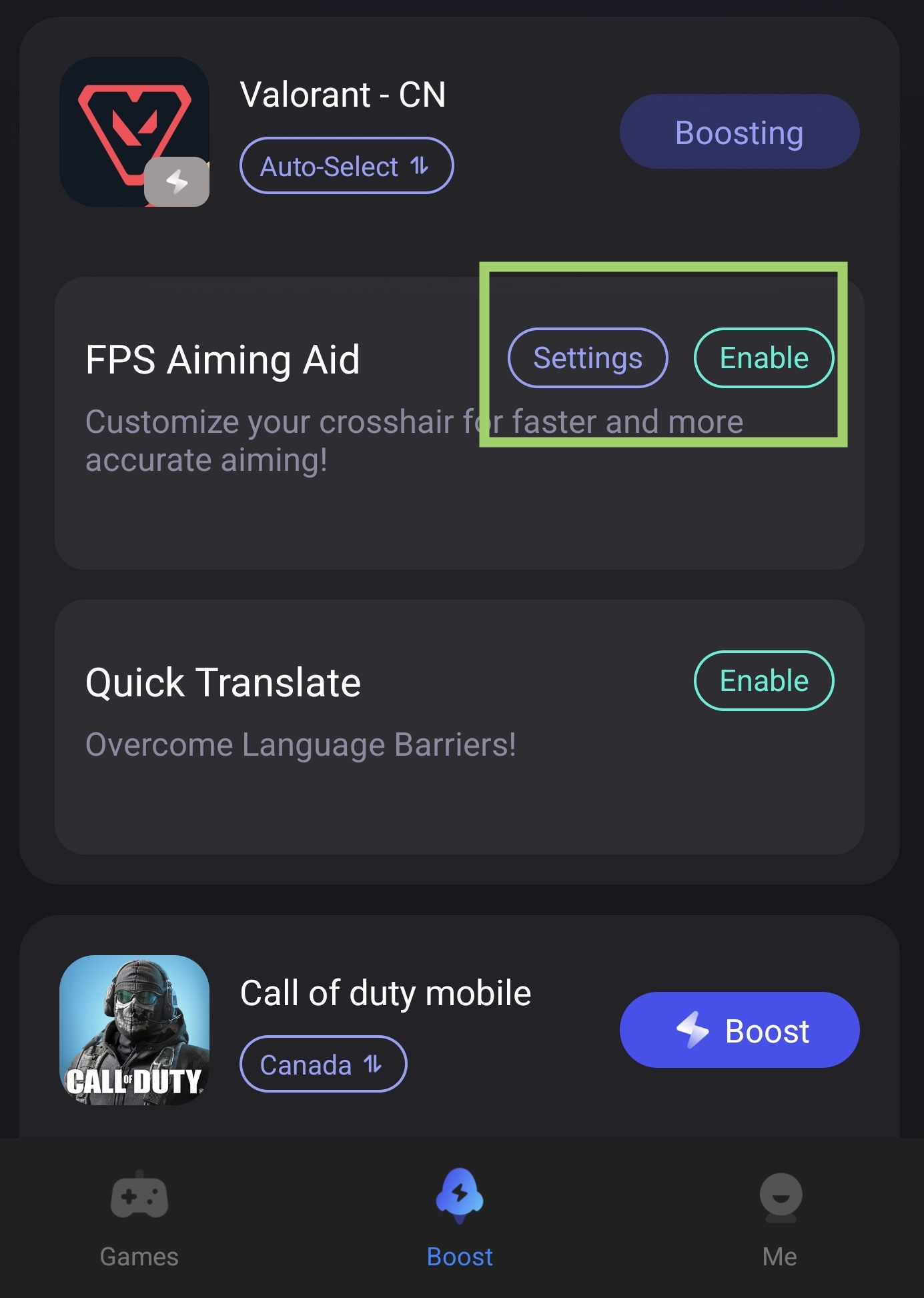
- Tap Settings to customize the size and color of the crosshair
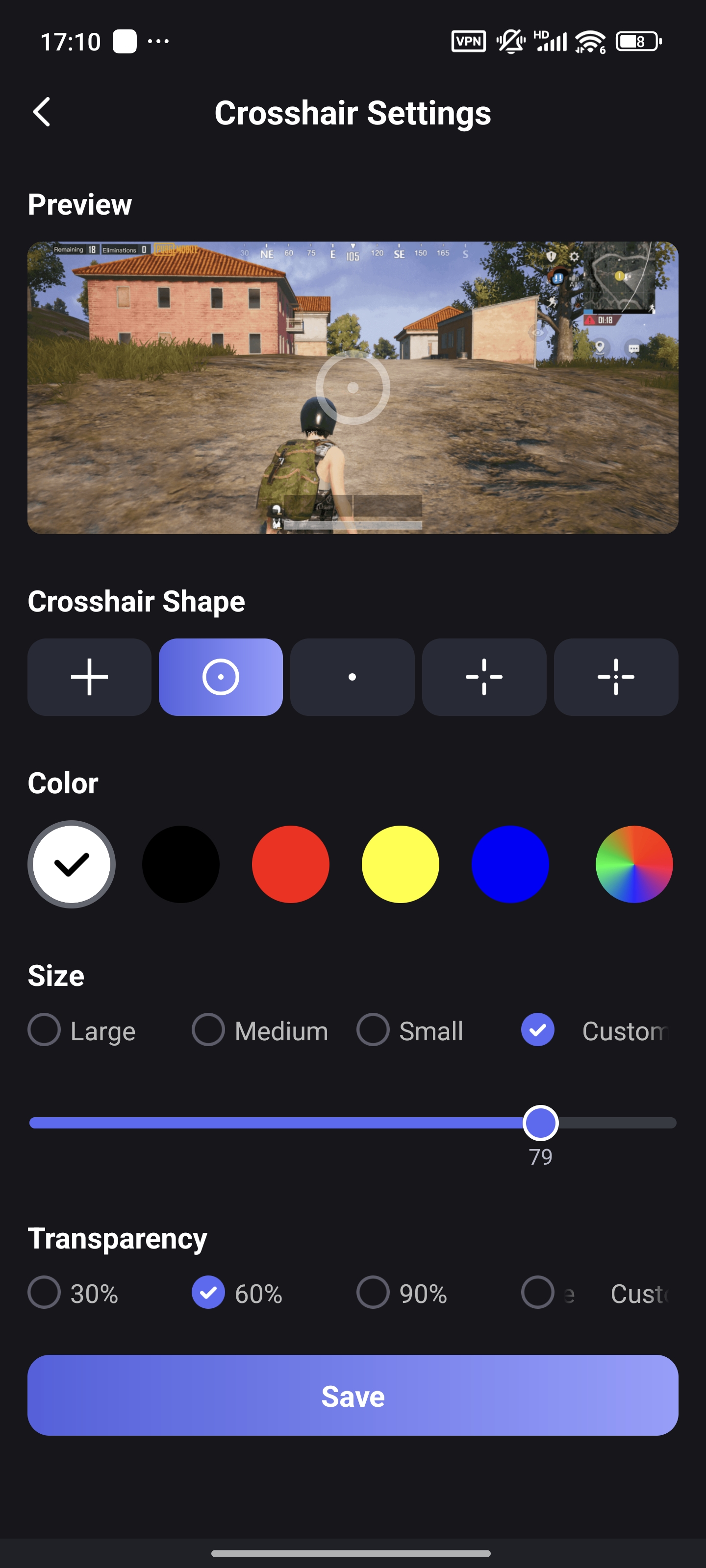
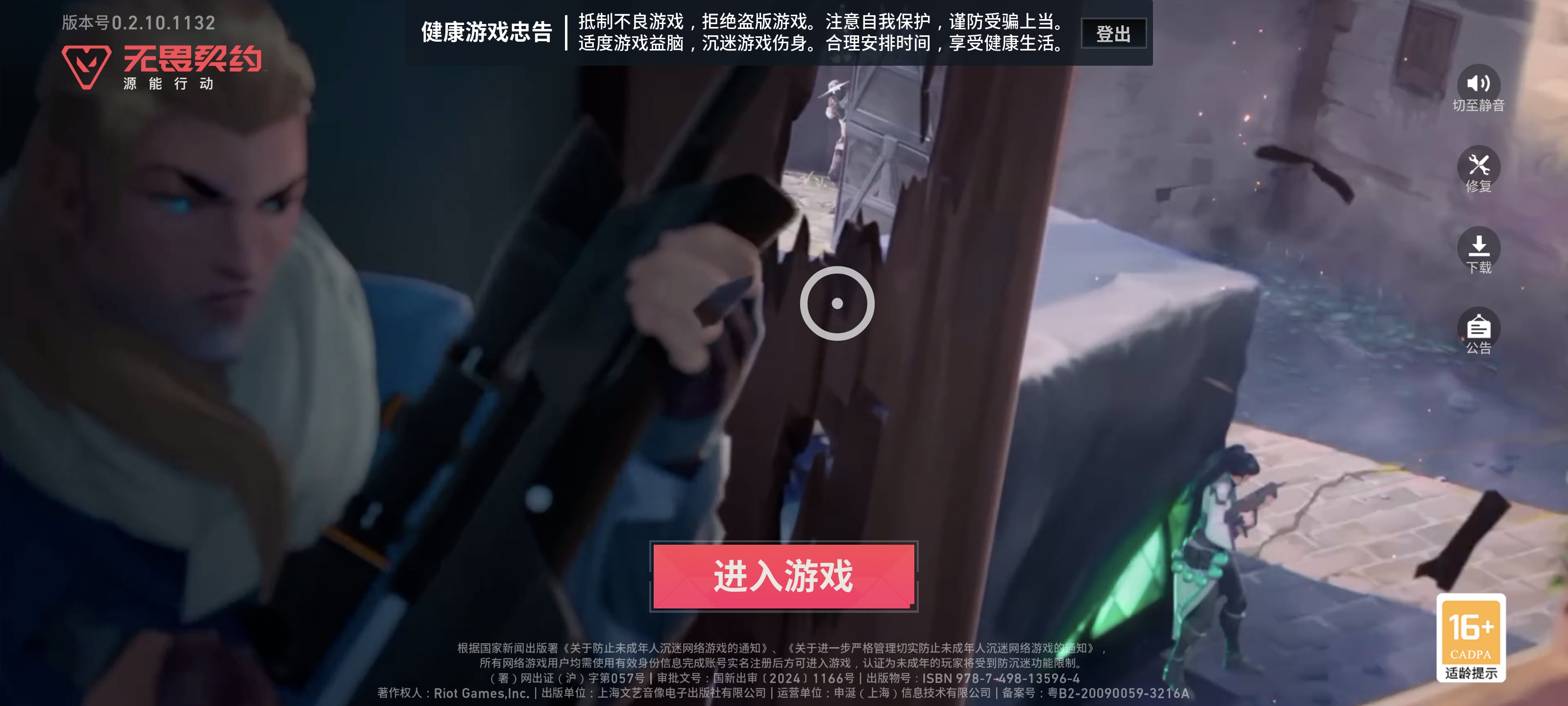
- You can drag the crosshair on your screen to adjust its position
Before:
After:
Enhanced Scope Tool:
Enhanced Scope is a precision zoom tool designed for FPS games. It magnifies your aim view, helping you spot enemies faster and aim more accurately during intense combat.
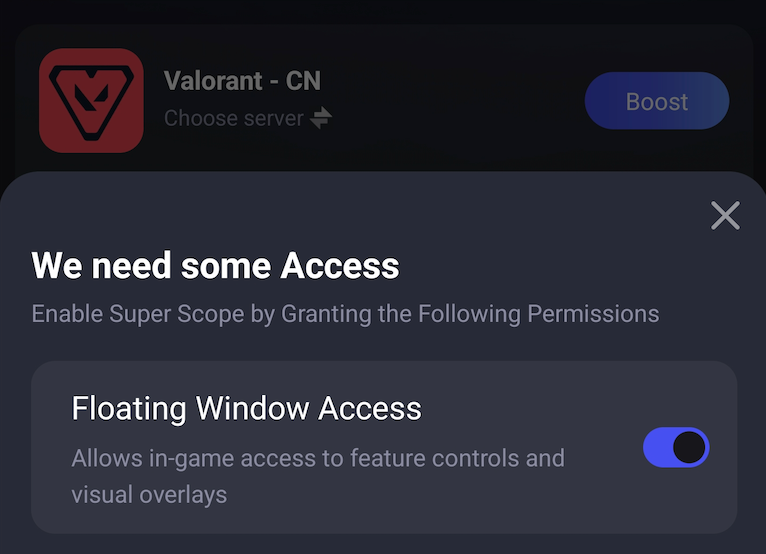
- Find the tool below the game. Turn it on and allow it to get the floating window permission.
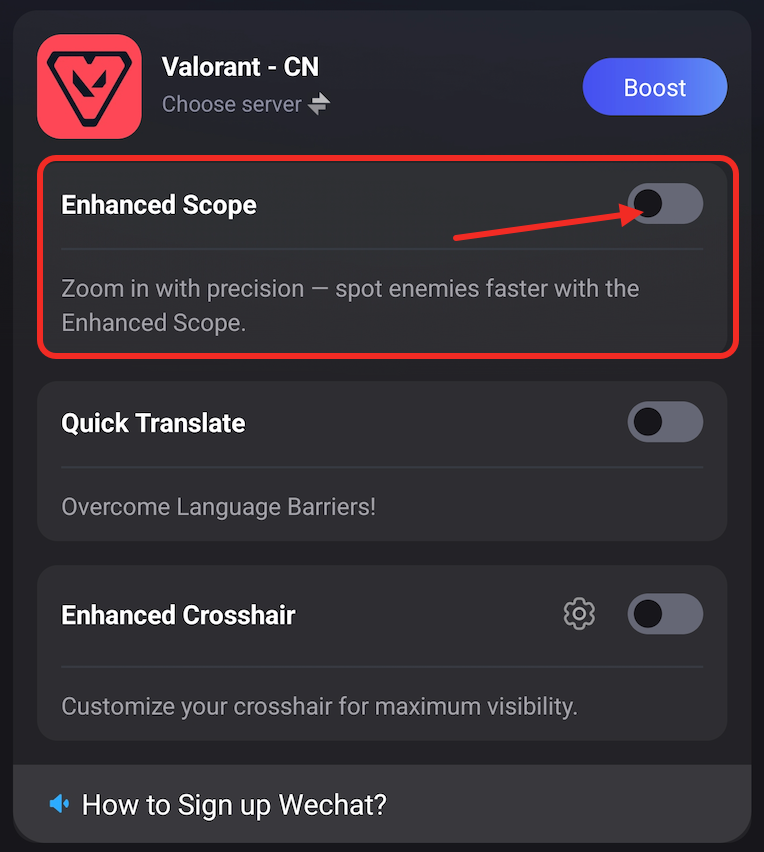
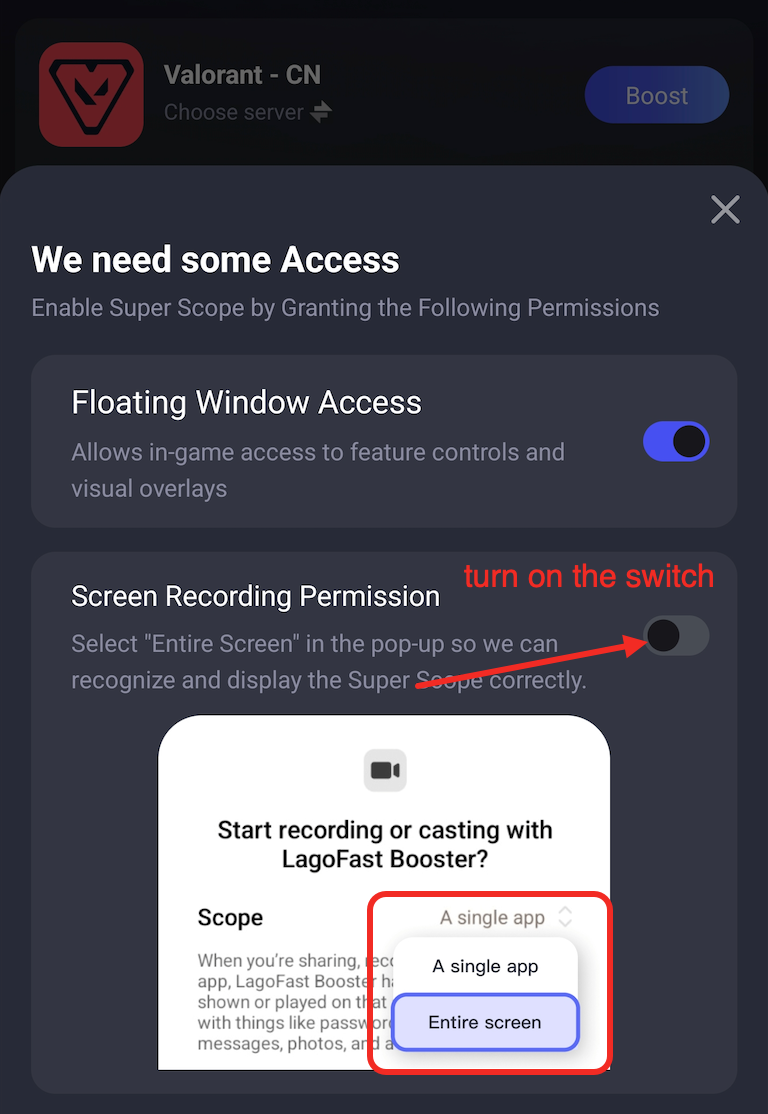
- Then allow the tool to get your screen recording permission to show your screen in the scope
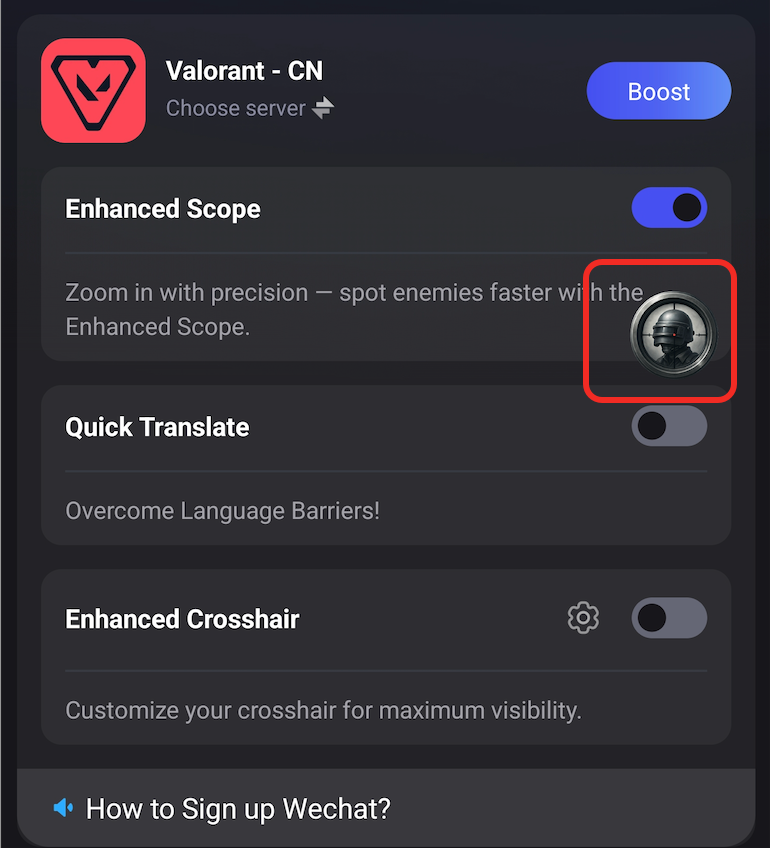
Then you will see the tool logo on your screen. Tap it, then you can turn on the scope in your game.
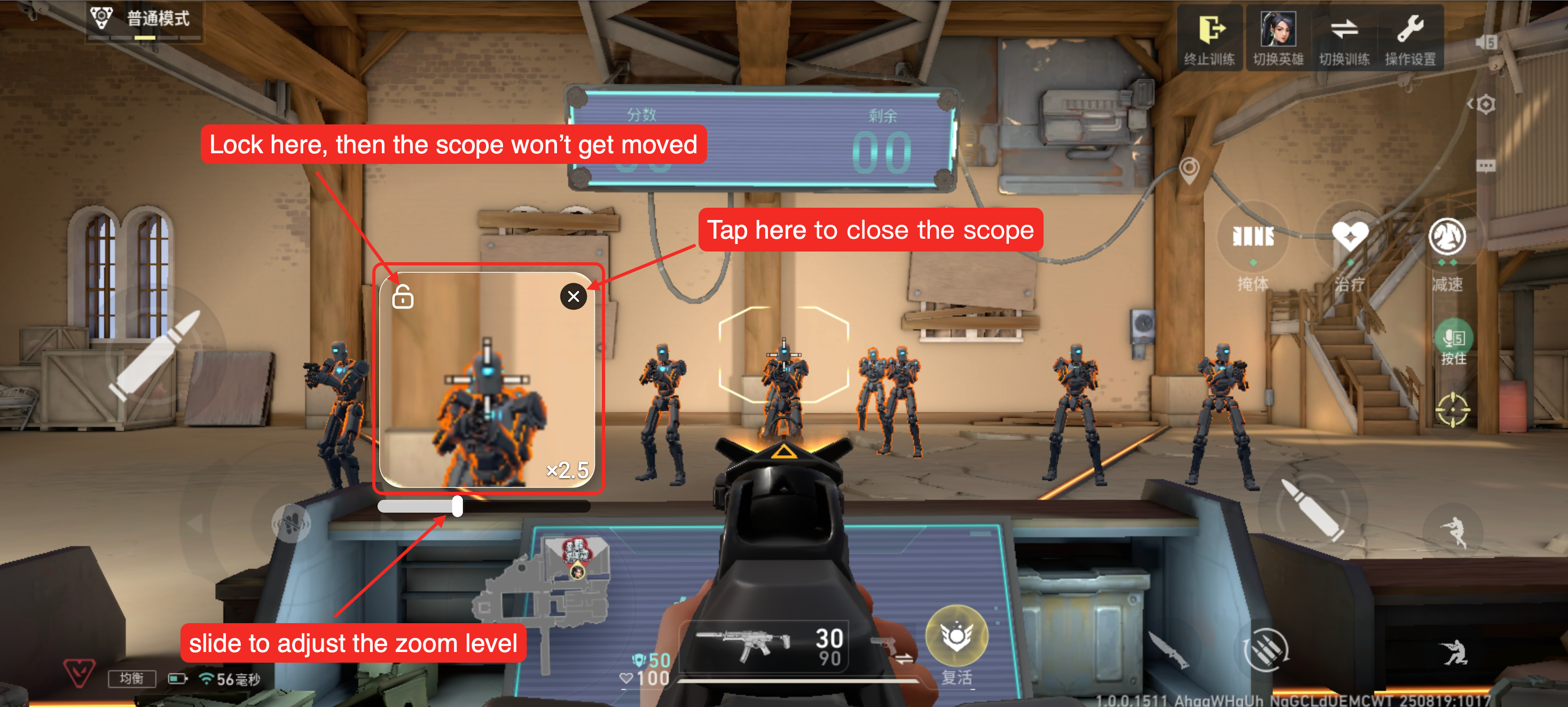
Here's a quick guide on how to use the scope tool in your game: