R.E.P.O Translation Tool User Guide
03/24/2025
The R.E.P.O One-Click Game Translator allows you to easily translate in-game text into your preferred language. Follow these simple steps to get started:
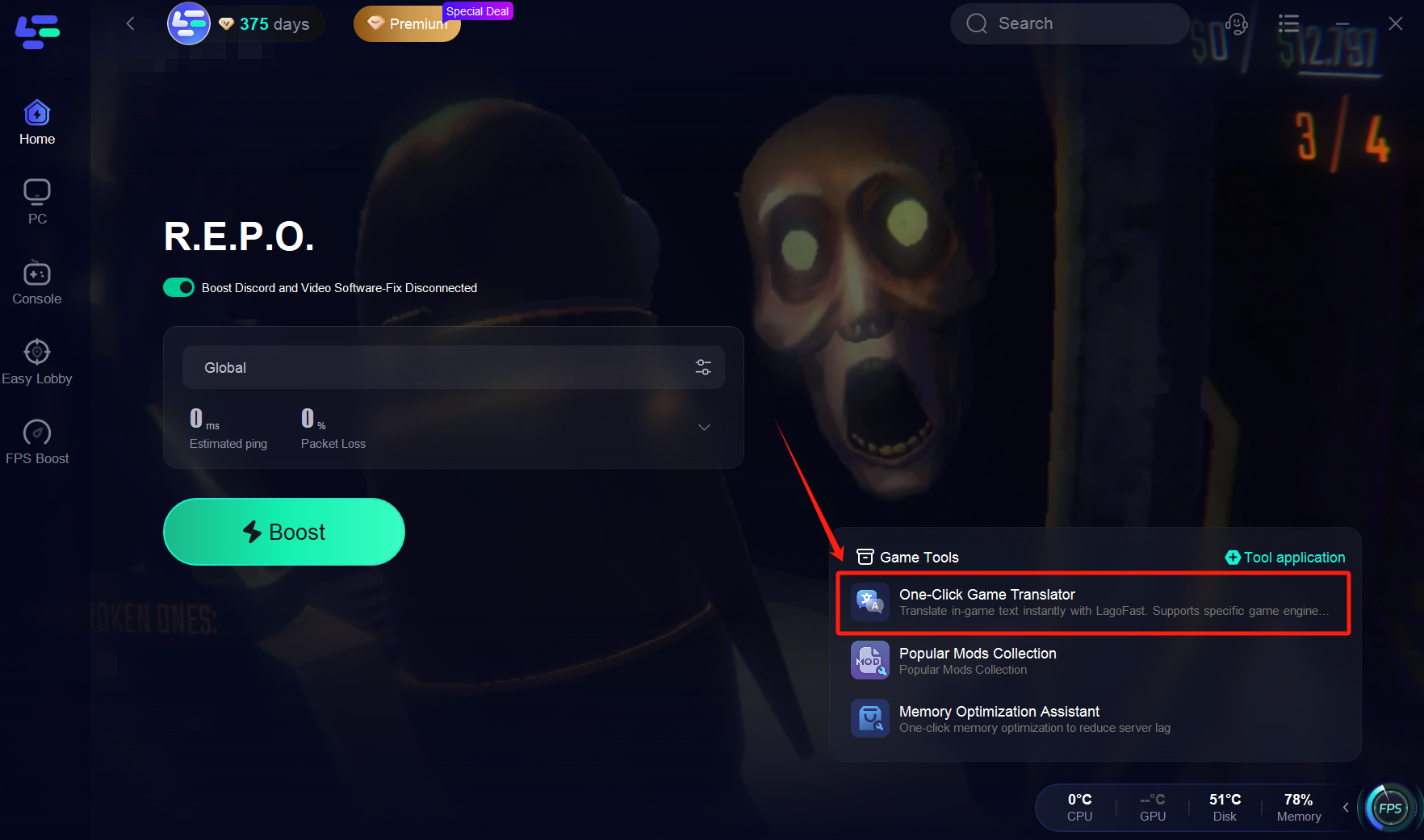
Step 1: Select "One-Click Game Translator"
Navigate to the tool menu and choose One-Click Game Translator.
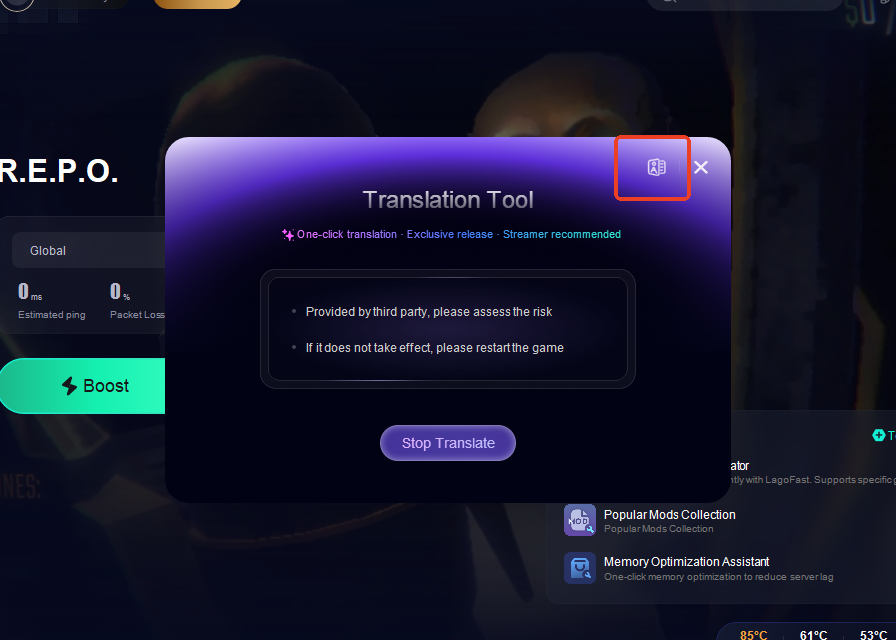
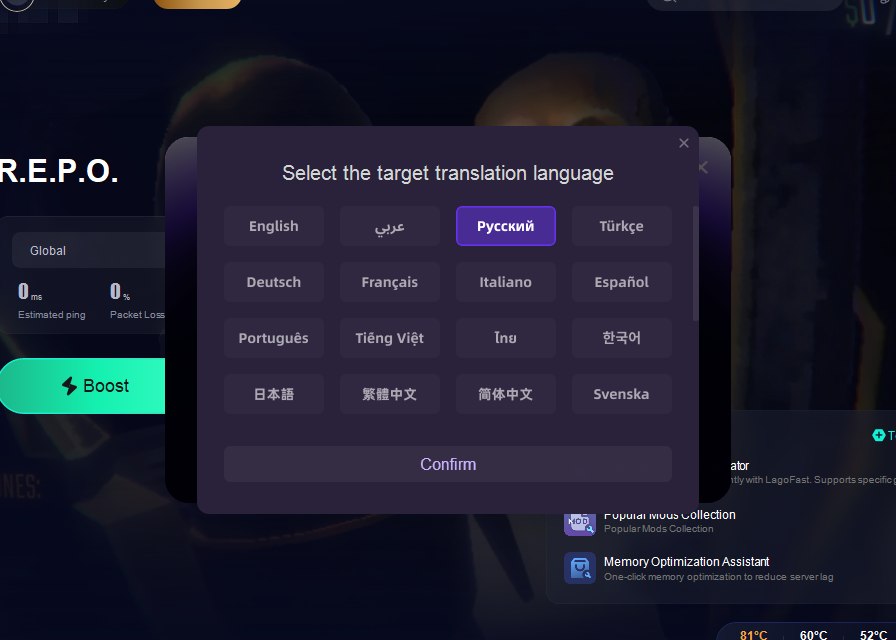
Step 2: Choose Your Target Language
Select the language you want the game text to be translated into.
Step 3: Start the Translation
Click Start to begin the translation process.
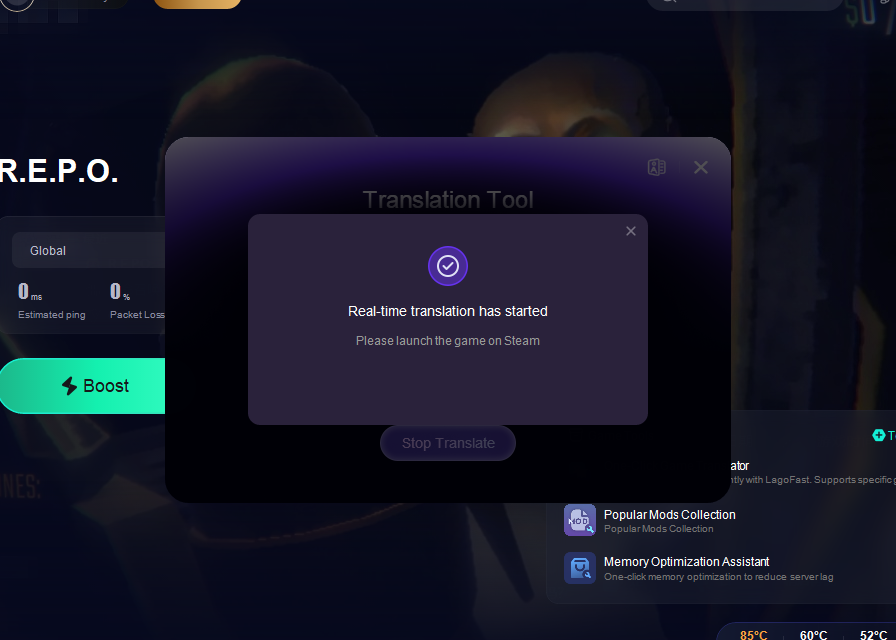
Step 4: Enter the Game
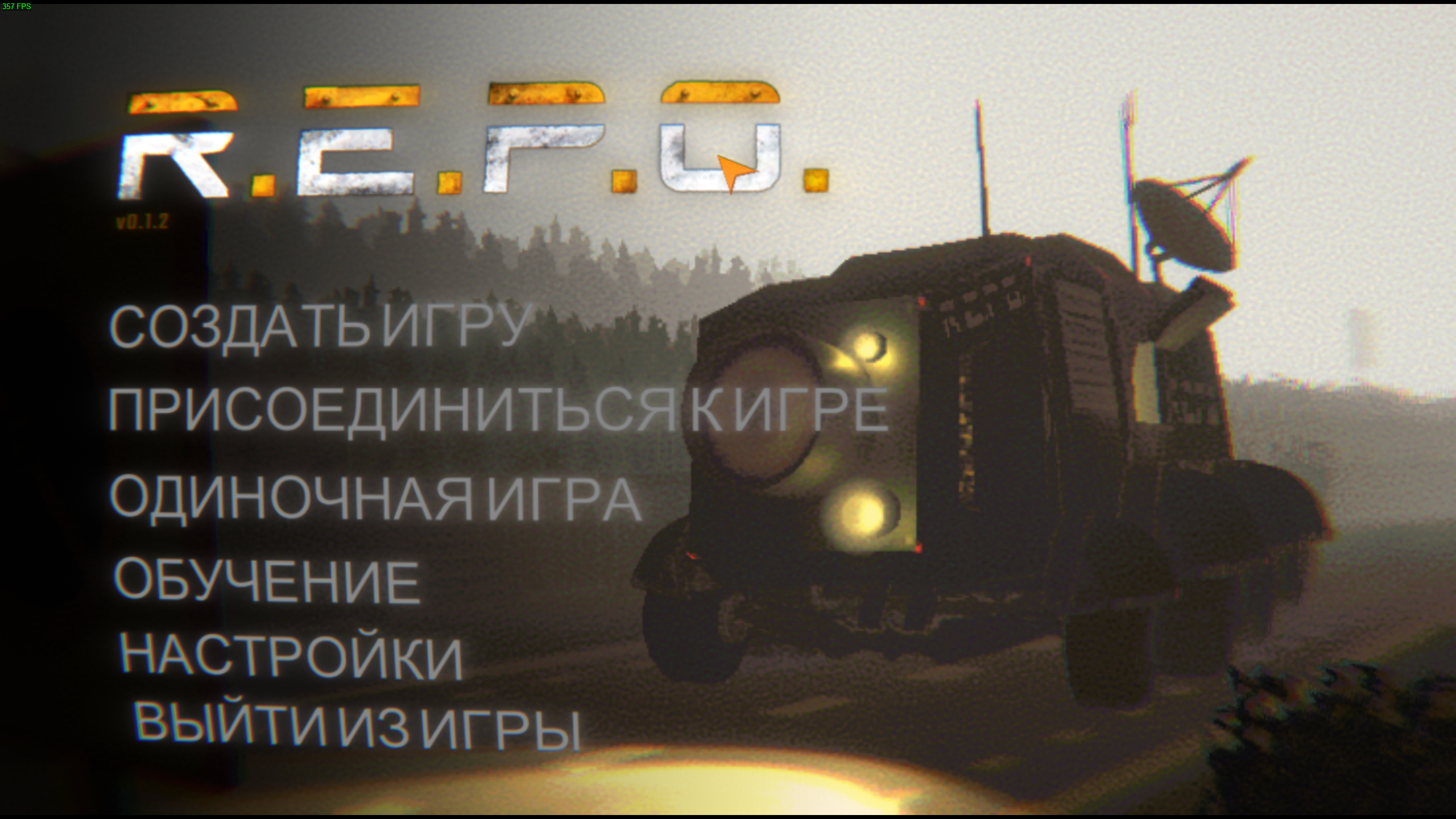
Once the translation is complete, launch the game. All in-game text will now appear in your selected language.
Was this helpful?

Yes

No
Can't find the answer you're looking for?
Contact usNous utilisons des cookies pour rendre les interactions avec nos sites Web et nos services faciles et significatives. Pour plus d'informations sur les cookies que nous utilisons ou pour savoir comment désactiver les cookies, cliquez ici.