How to Change Location on Your Roblox Account
09/11/2025
1. Open Your Roblox Account Settings
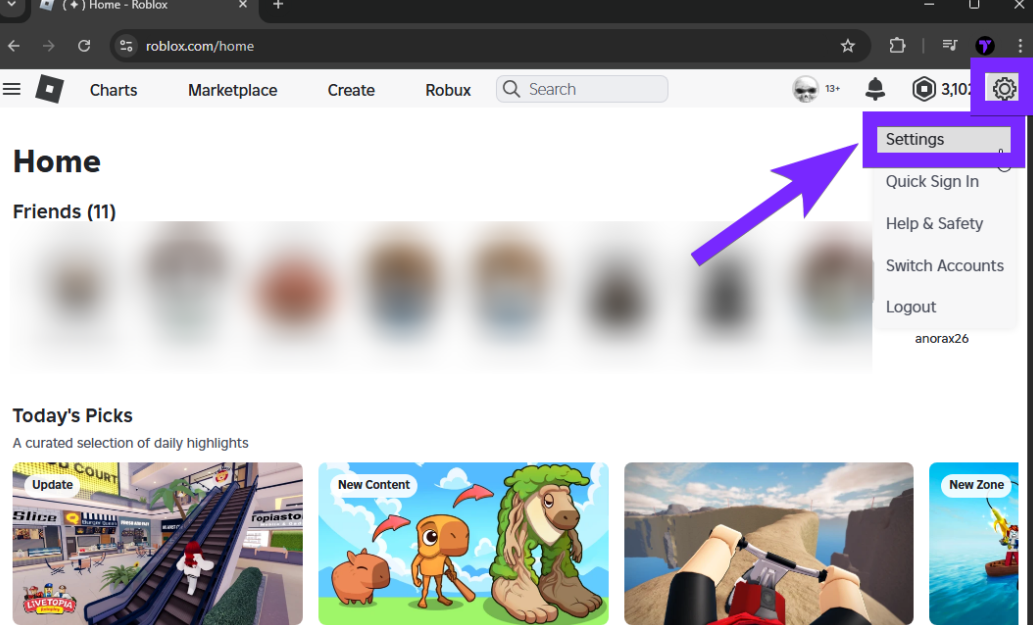
- Log in to your Roblox account.
- Click the gear icon in the top-right corner.
- Select Settings from the dropdown menu.
2. Check the Current Location Setting
Scroll down until you see the Location field.
If there’s a dropdown menu, select your actual country.
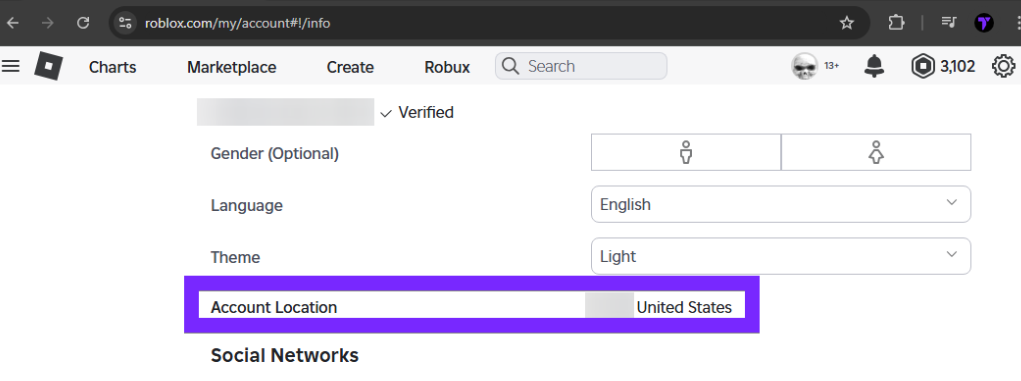
⚠️ If you can’t edit this field, move on to the next step.
3. Contact Roblox Support
If the location field is locked or incorrect, you’ll need help from Roblox Support:
- Go to the Roblox Help Center
- Submit a ticket explaining your issue and request a location change.
4. Alternative: Create a New Account with LagoFast
If you’re still unable to change your location after contacting support, you can create a new Roblox account:
Open LagoFast and choose the location you want.
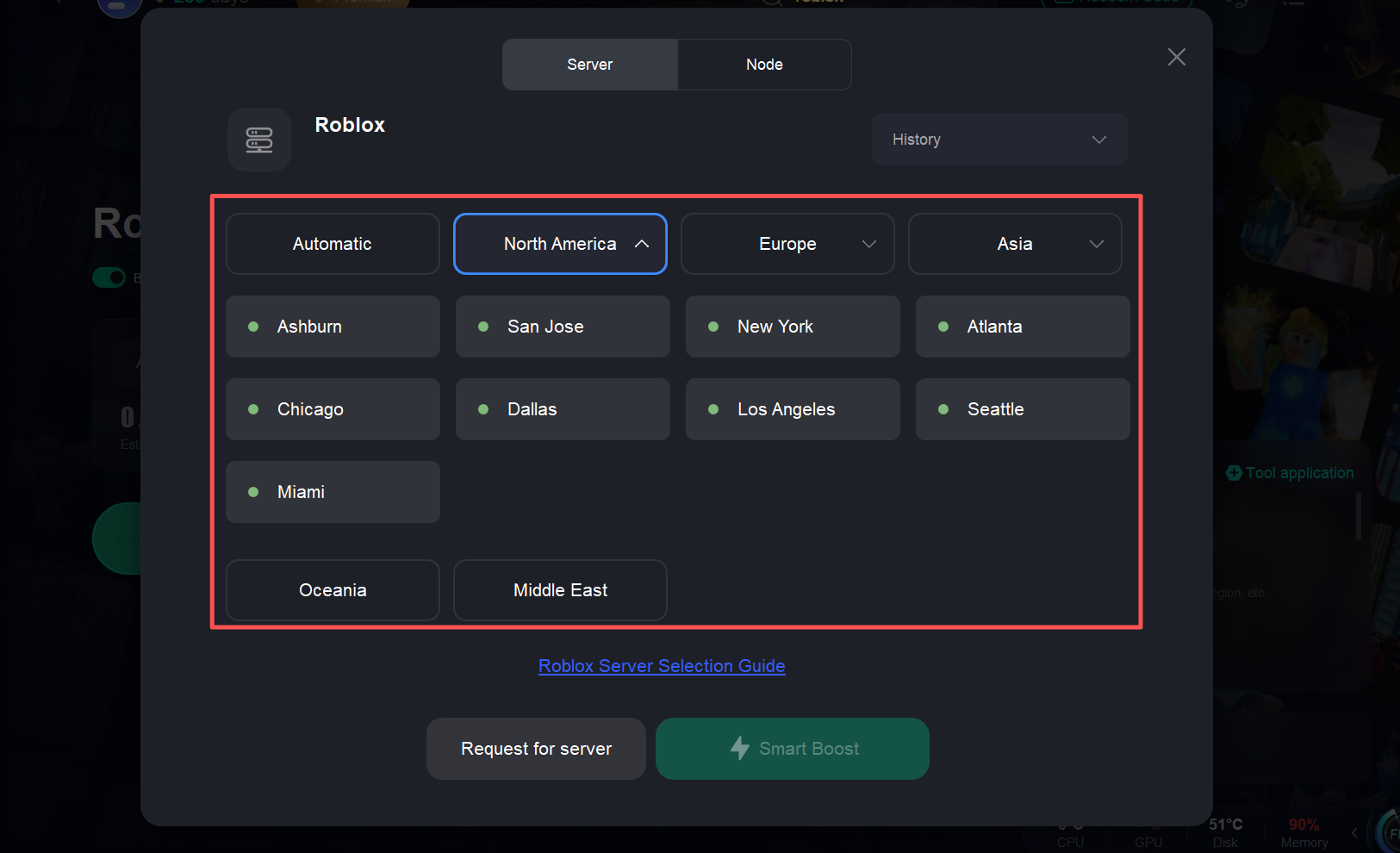
Start boost with LagoFast.
Register a new Roblox account while boosted to the selected location.
This ensures your new account matches the region you prefer.
¿Fue útil esto?

Sí

No
¿No encuentras la respuesta que buscas?
Contáctanos