
After Path of Exile 2 patch 0.5, some players may run into severe network stuttering, rubber-banding, lag spikes, delayed skills, or short freezes during combat. This can happen on PC, Xbox, PS4, and PS5.
If your FPS looks fine but your character teleports back, skills come out late, or monsters freeze and suddenly move again, the problem is usually network instability, not graphics settings.

- ✅ Lower ping and fewer disconnects.
- ✅ More FPS and better PC performance.
- ✅ Support for 3000+ games.
- ✅ Stable connections and region switching.
Quick Fix List
Try these fixes in order:
Use LagoFast to stabilize your Path of Exile 2 patch 0.5 connection.
Switch your PoE 2 gateway.
Use wired Ethernet instead of Wi-Fi.
Restart your router and console or PC.
Pause downloads and background apps.
Change DNS.
Check if PoE 2 patch 0.5 servers are overloaded.
Lower graphics settings only if FPS also drops.
Fix 1: Use LagoFast to Stabilize Your Path of Exile 2 Patch 0.5 Connection
The best first fix is to optimize your route to the Path of Exile 2 server with LagoFast.
Patch 0.5 can bring more players back at the same time, especially during launch days and peak hours. Even if your internet speed looks fine, unstable routing can still cause:
Severe network stuttering
Rubber-banding
Delayed skill response
Lag spikes during boss fights
Freezing when many enemies appear
Disconnects when entering maps or towns
LagoFast helps by choosing a more stable route to the game server, reducing ping spikes, and lowering packet loss.
How to use LagoFast for Path of Exile 2 patch 0.5
Download and install LagoFast.
Open LagoFast and search for Path of Exile 2.
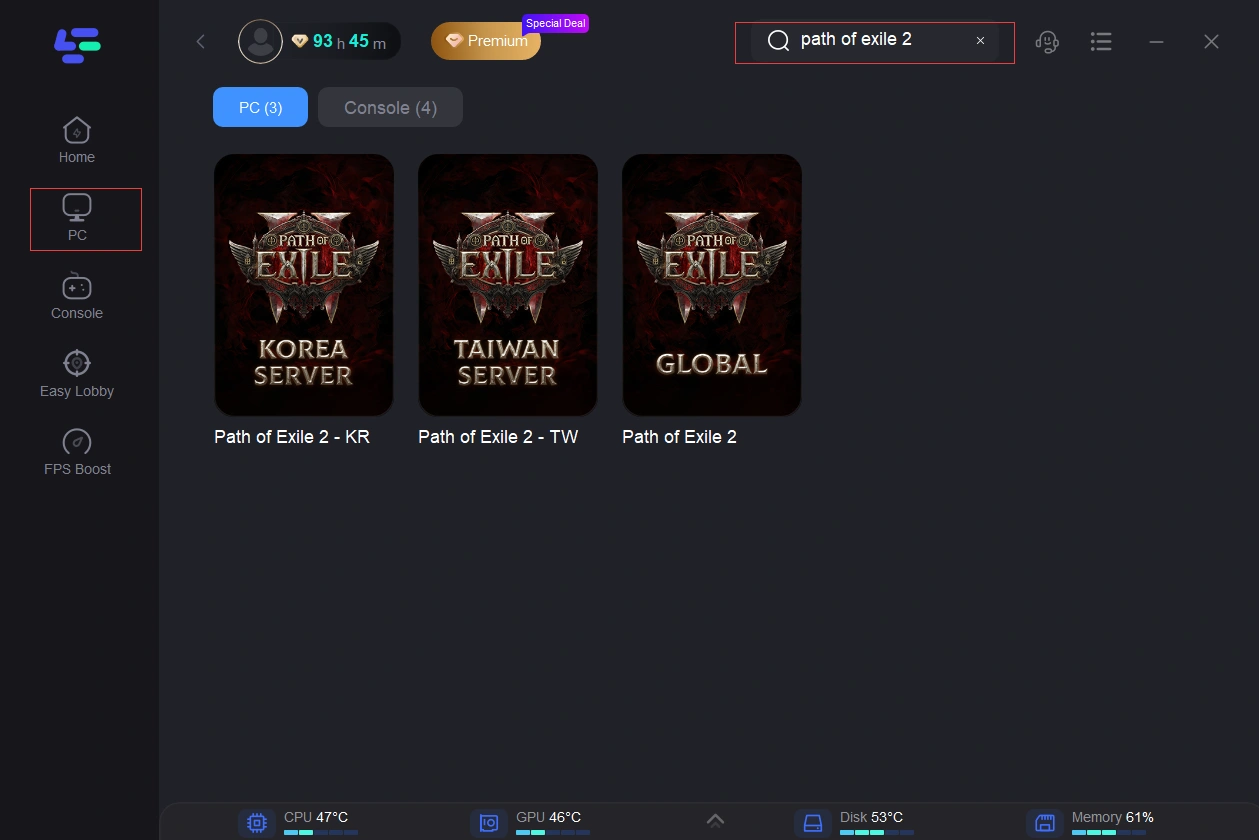
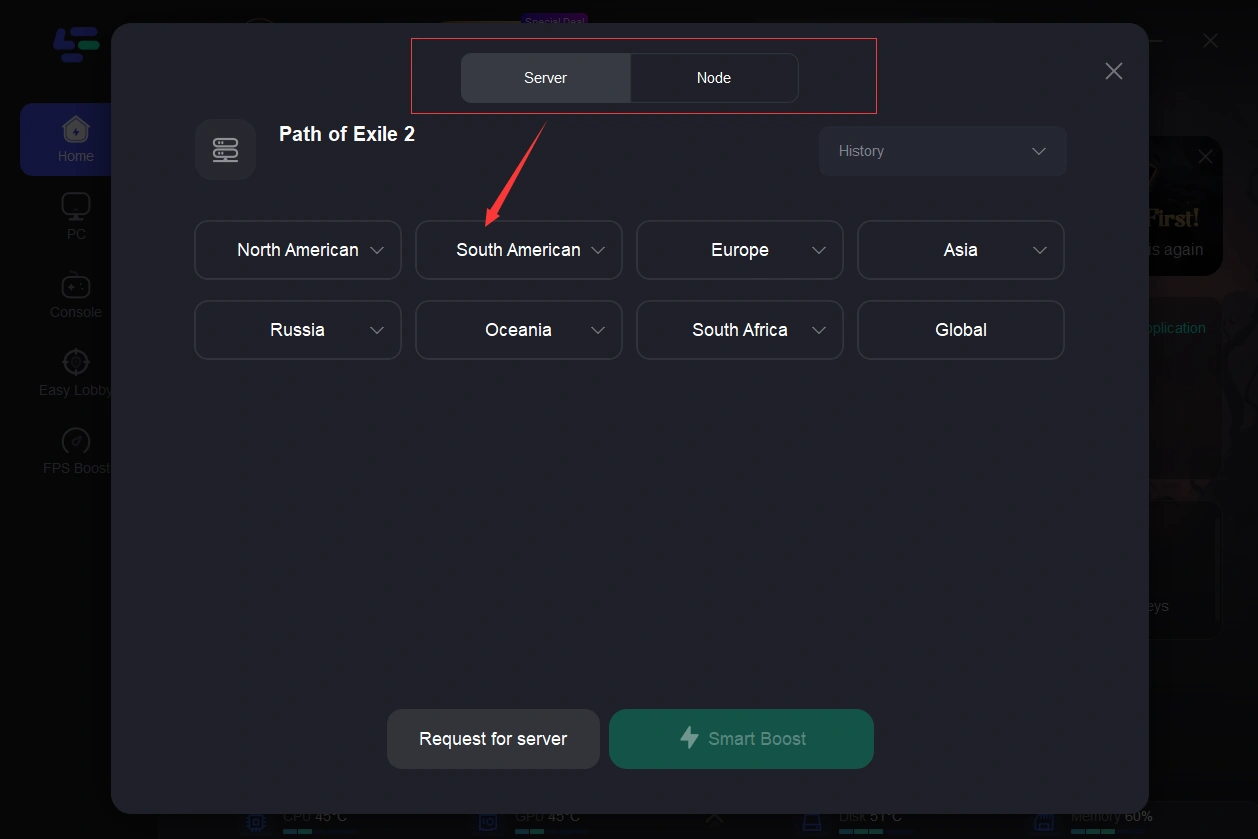
Choose the server region closest to your PoE 2 gateway.
Click boost.
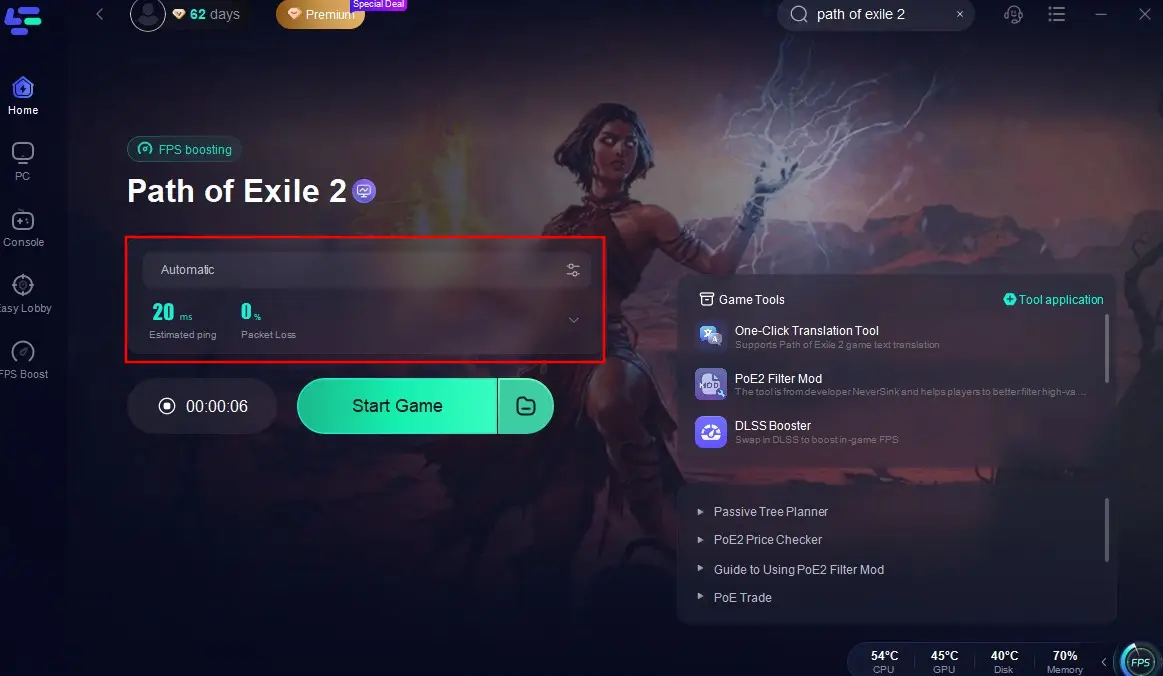
Launch Path of Exile 2 and test patch 0.5 again.
For Xbox, PS4, and PS5 players, use LagoFast’s console-supported setup if available for your device and network. If your console cannot run LagoFast directly, you can still improve the connection through a supported router, shared network, or PC network-sharing setup.
Use LagoFast first if your lag feels like this:
The game suddenly freezes but your FPS is fine
Your character teleports back
Skills activate late
Monsters stop moving and then suddenly rush you
Lag gets worse during patch 0.5 peak hours
Fix 2: Switch Your PoE 2 Gateway
Path of Exile 2 lets you choose a gateway before logging in.
After patch 0.5, the closest gateway may not always be the most stable one. If your current gateway has packet loss or routing issues, switching to another nearby gateway can reduce stutter.
How to switch gateway
Restart the game.
Go to the login screen.
Change your gateway.
Pick another nearby server.
Enter the game and test a map.
Do not only choose the lowest ping. Choose the gateway that feels the most stable in combat.
Fix 3: Use Wired Ethernet Instead of Wi-Fi
Wi-Fi is one of the most common reasons for Path of Exile 2 patch 0.5 network stuttering, especially on PS5, PS4, and Xbox.
Wi-Fi can cause small packet drops even when your speed test looks good. In PoE 2, those packet drops can feel like rubber-banding or short freezes.
Best setup
Use an Ethernet cable
Connect your PC or console directly to the router
Avoid weak Wi-Fi or hotel Wi-Fi
If you must use Wi-Fi
Use 5 GHz Wi-Fi
Move closer to the router
Avoid walls between the router and console
Stop other devices from streaming or downloading
Fix 4: Restart Your Router and Console
If PoE 2 patch 0.5 suddenly starts lagging badly, restart your network before changing deeper settings.
Steps
Turn off your PC, Xbox, PS4, or PS5.
Unplug your router for 60 seconds.
Plug the router back in.
Wait until the internet is fully restored.
Start your device again.
Launch Path of Exile 2.
This can clear temporary routing problems, overloaded router memory, and bad network sessions.
Fix 5: Stop Background Downloads
Path of Exile 2 can stutter badly if your network is being used by other apps.
Check for:
Game updates
Console downloads
Steam downloads
PlayStation downloads
Xbox downloads
Cloud sync
Streaming apps
Other people using the same network
Pause anything running in the background before playing patch 0.5.
Fix 6: Change DNS
Changing DNS will not fix every lag problem, but it can help if your console has slow login, unstable connection, or trouble reaching game services.
Google DNS
Primary: 8.8.8.8
Secondary: 8.8.4.4
Cloudflare DNS
Primary: 1.1.1.1
Secondary: 1.0.0.1
After changing DNS, restart your PC or console and test Path of Exile 2 again.
Fix 7: Check If Patch 0.5 Servers Are Overloaded
Sometimes the issue is not your device or internet.
Path of Exile 2 patch 0.5 may lag when too many players log in at the same time, especially during:
Patch launch
League start
Peak evening hours
New content rush
Server maintenance windows
If many players are reporting the same issue, server load may be part of the problem. LagoFast and gateway switching can still help with routing, but server-side lag may not fully disappear until the servers stabilize.
Fix 8: Lower Graphics Settings If FPS Also Drops
If your game stutters only when many effects appear, the issue may be performance stutter, not network stutter.
Lower these settings:
Shadows
Global illumination
Effects quality
Texture quality
Dynamic resolution options
Background apps
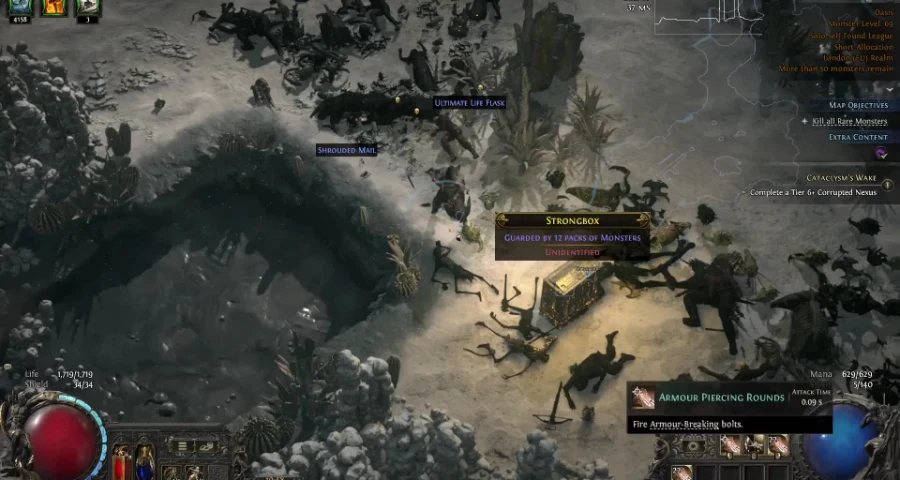
If your character rubber-bands or skills are delayed, it is network stutter. If the screen becomes choppy, it is FPS stutter.
Path of Exile 2 Patch 0.5 Network Stutter on Xbox
If Path of Exile 2 patch 0.5 has severe network stuttering on Xbox:
Use LagoFast through a supported console network setup.
Switch to wired Ethernet.
Restart your router and Xbox.
Pause all downloads.
Change DNS.
Try another PoE 2 gateway.
Check if Xbox services or PoE 2 servers are having issues.
Ethernet should be your first console-side fix because Xbox Wi-Fi can cause rubber-banding even when other games feel fine.
Path of Exile 2 Patch 0.5 Network Stutter on PS4
If Path of Exile 2 patch 0.5 stutters badly on PS4:
Use LagoFast if your network setup supports console boosting.
Use Ethernet instead of Wi-Fi.
Restart your router and PS4.
Pause downloads and updates.
Change DNS.
Test another PoE 2 gateway.
PS4 hardware is older, so separate network stutter from FPS stutter. If your character rubber-bands or skills activate late, it is network stutter. If the screen itself becomes choppy during heavy effects, it is performance stutter.
Path of Exile 2 Patch 0.5 Stuttering on PS5
If Path of Exile 2 patch 0.5 stutters on PS5:
Use LagoFast with a supported console setup.
Use wired Ethernet.
Change your PoE 2 gateway.
Restart your router and PS5.
Pause all downloads.
Change DNS.
Test during a less crowded server time.
PS5 usually handles performance better than PS4, so if you still get rubber-banding, delayed skills, or teleporting enemies, the problem is more likely network routing or packet loss.
Network Stutter vs FPS Stutter
Network stutter usually looks like this:
Your character teleports back
Skills activate late
Monsters freeze, then suddenly move
You get hit by attacks you already dodged
You disconnect or return to login
FPS stutter usually looks like this:
The screen feels choppy
Effects make the game slow down
Camera movement is not smooth
Combat becomes visually heavy
Lowering graphics settings helps
Final Fix
For most Path of Exile 2 patch 0.5 network stutter problems, fix the route first.
Use LagoFast, choose the right PoE 2 server route, and test another gateway if needed. If the stutter continues, switch to Ethernet, stop background downloads, restart your router, and change DNS.
If your FPS is stable but the game still rubber-bands, delays skills, or freezes during combat, it is almost always a network stability problem, not a graphics problem.

Boost Your Game with LagoFast for Epic Speed
Play harder, faster. LagoFast game booster eliminates stutter and lags on PC, mobile, or Mac—win every match!
Quickly Reduce Game Lag and Ping!
Boost FPS for Smoother Gameplay!