

Gothic 1 Remake brings the classic dark fantasy RPG back with modern graphics, upgraded combat, and a completely rebuilt world for today’s hardware. As more gameplay details continue to appear, many players are now wondering whether their PC can handle the remake smoothly. In this guide, we’ll break down the expected Gothic 1 Remake system requirements, recommended specs, and a few simple tips to help you get better performance before launch.

- ✅ Reduce Lag and High Ping.
✅ Boost FPS at the Same Time.
✅ Support 2000+ Popular Online Games.
✅ Change Server without Latency.
✅ Boost Game Loading Speed.
Part 1: Can Your Device Run Gothic 1 Remake?
Part 2: Gothic 1 Remake System Requirements on PC
Part 3: How to Ensure a Smooth Gaming Experience in Gothic 1 Remake
Part 1: Can Your Device Run Gothic 1 Remake?
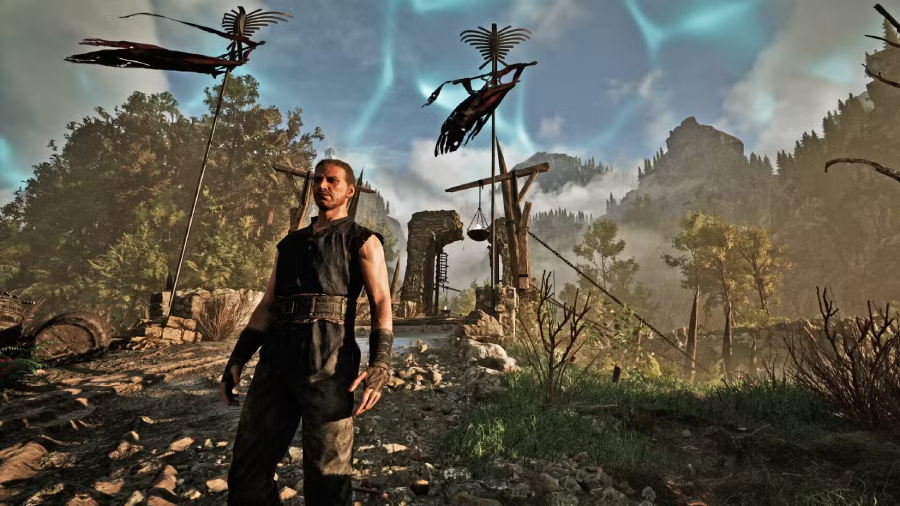
Gothic 1 Remake is much more than a simple visual upgrade. The game is being completely rebuilt with modern graphics technology, larger environmental detail, improved lighting, and smoother combat animations, which naturally makes it far more demanding than the original Gothic.
For most players, the biggest concern is whether their current PC can still handle modern RPGs comfortably. Based on the game’s current technical direction, mid-range gaming PCs should still be able to run Gothic 1 Remake at 1080p with adjusted settings. However, older GPUs, especially cards with lower VRAM, may struggle once higher shadows, foliage density, and lighting effects are enabled.
If your system already runs newer RPGs or Unreal Engine 5 titles at medium settings without major issues, you’ll likely be in a good position for Gothic 1 Remake as well.
Part 2: Gothic 1 Remake System Requirements on PC
With upgraded graphics, denser environments, and advanced lighting effects, Gothic 1 Remake is clearly targeting more modern hardware than the original release. The game is expected to require a stronger GPU and fast storage to maintain stable performance.
Minimum System Requirements
These specs are mainly for running the game at lower settings with playable performance.
- OS: Windows 10 64-bit / Windows 11 64-bit
- Processor: Intel Core i7-7700K / AMD Ryzen 5 1600X
- Memory: 16 GB RAM
- Graphics: 8 GB VRAM, AMD RX 6700 XT or NVIDIA GeForce RTX 2070
- DirectX: Version 12
- Storage: 60 GB available space
- Sound Card: DirectX compatible
- Additional Notes: SSD or NVMe drive required
Even the minimum specs are relatively demanding compared to older RPG remakes, especially on the GPU side. Players using older graphics cards or traditional HDD storage may experience unstable FPS or longer loading times.
Recommended System Requirements
If you want smoother gameplay, higher graphics settings, and more stable frame rates, these are the recommended specs to aim for.
- OS: Windows 10 64-bit / Windows 11 64-bit
- Processor: Intel Core i7-7700K / AMD Ryzen 5 3600X
- Memory: 32 GB RAM
- Graphics: 12 GB VRAM, NVIDIA GeForce RTX 3070 Ti / AMD Radeon RX 6800 XT
- DirectX: Version 12
- Storage: 60 GB available space
- Sound Card: DirectX compatible
- Additional Notes: NVMe SSD recommended
The higher VRAM requirement is especially important here. Gothic 1 Remake appears to rely heavily on detailed textures, lighting, and environmental effects, which can quickly push older GPUs beyond their limits at higher settings.
Part 3: How to Ensure a Smooth Gaming Experience in Gothic 1 Remake
Even if your PC meets requirements, you may still experience issues like lag spikes, packet loss, or unstable connections, especially during busy launch periods. To avoid these problems and keep gameplay smooth, many players turn to network optimization tools.
LagoFast is a game-focused network optimization tool that helps reduce ping, fix packet loss, and stabilize your connection by optimizing routing. It also includes a Frequently Issue Fix tool that can repair DirectX 12, C++ runtime, and other common game environment issues with one click, helping you improve overall game stability and performance.
How to Use LagoFast for Gothic 1 Remake:
Step 1: Click the Free Trial button to download and install LagoFast.
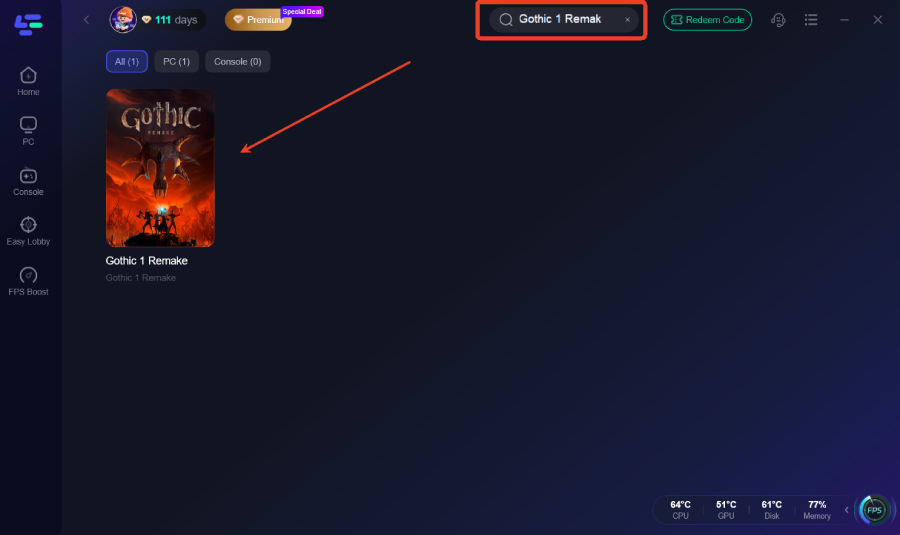
Step 2: After installation, search "Gothic 1 Remake" in the search bar and select the game.
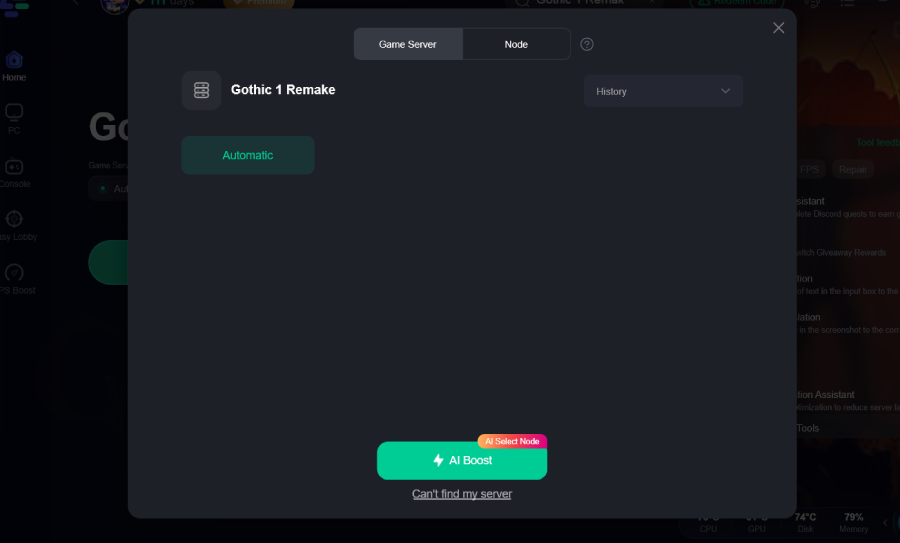
Step 3: Choose your preferred server node and click "Smart Boost" to start optimizing.
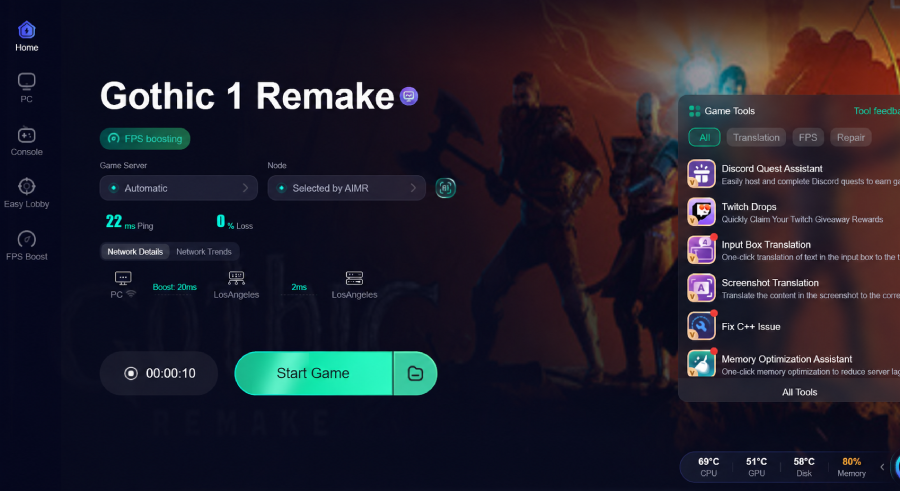
Step 4: Launch your game and enjoy smooth, optimized gameplay with lower ping and no stutter.
Part 4: Gothic 1 Remake FAQs
Do I need an SSD for Gothic 1 Remake?
An SSD is strongly recommended for a smoother experience. While the game may still run on a traditional HDD, you’re likely to face longer loading times and more noticeable texture streaming issues during exploration.
Can I play Gothic 1 Remake on a laptop?
Yes, but performance depends heavily on your hardware. A gaming laptop with a dedicated GPU close to RTX 3060 performance or higher, along with sufficient RAM, should handle the game at 1080p with adjusted settings.
Is Gothic 1 Remake coming to consoles?
Yes, the game is planned for PlayStation 5 and Xbox Series X|S, in addition to PC. Console performance details haven’t been fully finalized yet, but current-gen hardware is the target.
When is the Gothic 1 Remake release date?
Gothic 1 Remake will release on June 6, 2026.
Will Gothic 1 Remake support DLSS or FSR?
It has not been officially confirmed yet, but it is very likely that the game will support upscaling technologies such as DLSS or FSR, especially to help improve performance on mid-range GPUs and maintain stable FPS.
Conclusion
Gothic 1 Remake is clearly built for modern hardware, with visuals and systems that push it far beyond the original game. Mid-range PCs should still handle it with some settings adjustments, but an SSD and a solid GPU will make a noticeable difference in stability and loading times. Checking your specs ahead of launch is the easiest way to avoid performance issues on day one.

Boost Your Game with LagoFast for Epic Speed
Play harder, faster. LagoFast game booster eliminates stutter and lags on PC, mobile, or Mac—win every match!
Quickly Reduce Game Lag and Ping!
Boost FPS for Smoother Gameplay!