
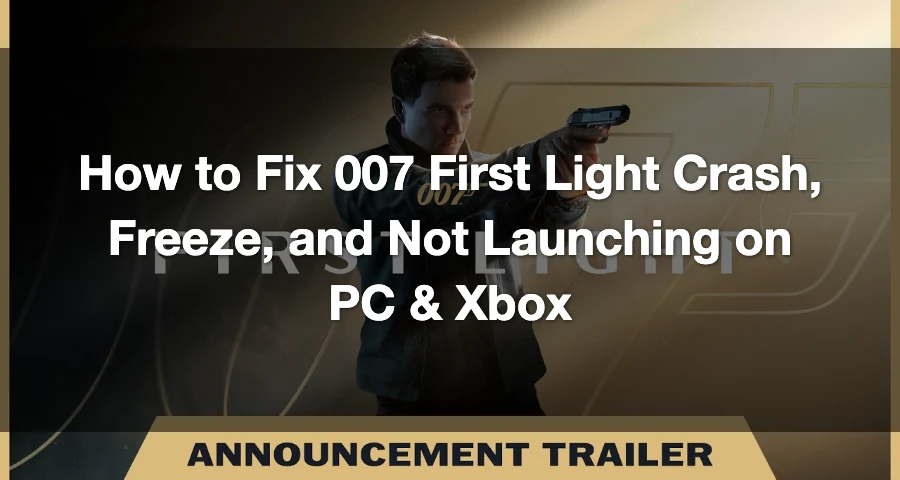
007 First Light is IO Interactive’s new James Bond action-adventure game, launching on May 27, 2026 for PC, PlayStation 5, and Xbox Series X|S, with PC availability listed on Steam.
Since it is a new big-budget PC release, some players may run into common launch-week problems such as crashing on startup, freezing during loading, black screen, FPS drops, or the game closing without an error.
On PC, these issues are often caused by outdated drivers, corrupted game files, background overlays, Denuvo-related launch checks, shader compilation, or unstable system settings.
This guide shows you how to fix 007 First Light crashing, freezing, not launching, or getting stuck on the loading screen.

- ✅ Lower ping and fewer disconnects.
- ✅ More FPS and better PC performance.
- ✅ Support for 3000+ games.
- ✅ Stable connections and region switching.
What you should try first when it crashes and freezes
Start with these in order:
- Check that the latest game patch finished downloading and installing.
- Restart your PC or console.
- Make sure you have more than the minimum free SSD/storage space.
- Verify or repair game files if your platform supports it.
- Update your GPU driver on PC or system software on console.
- Disable overlays and background apps on PC.
- Lower demanding graphics settings on PC, especially ray tracing-related options if the game lets you change them.
If the game starts crashing before you reach menus, think install/update/files first.
If it crashes after you get in-game, think settings, drivers, RAM pressure, thermals, or file corruption.
Why 007 First Light can freeze right after launch
- Missing or incomplete patch data
- Corrupted install files
- Not enough free SSD/storage space
- PC hardware below or too close to minimum spec
- Old GPU drivers or old console firmware
- Overlay and monitoring conflicts on PC
PC fixes for 007 First Light crash and freeze issues
If you are on PC, do these in order.
1. Make sure your PC actually meets the baseline
The published PC info says 16 GB RAM and 80 GB on an SSD. If you are below that, or barely meeting it with almost no free space left, crashes at startup are not surprising.
What to check:
- Install the game on an SSD, not an HDD
- Keep extra free space beyond the listed 80 GB
- Close memory-heavy apps if you only have 16 GB RAM
- Make sure Windows is using the dedicated GPU, not integrated graphics
If you need a quick reference, check the listed 007 First Light system requirements.
2. Verify the game files
If the install or patch was interrupted once, file verification is one of the fastest real fixes.
Use your launcher’s verify/repair option, then relaunch.
3. Update your GPU driver
Old drivers are one of the most common reasons a new release crashes at launch.
Do a full GPU driver update, reboot, and test again.
4. Disable overlays and background tools
Close anything that hooks into games, especially:
- Discord overlay
- FPS counters
- Capture software
- MSI Afterburner / RivaTuner-style monitoring tools
- RGB or peripheral software that injects overlays
If the game launches clean after that, you found a conflict.
5. Lower graphics settings if you can reach the menu
This game is confirmed to use advanced lighting features including ray tracing, so if you can get into settings, try lowering the heaviest options first.
Start with:
- Ray tracing off or lower
- Lower shadows
- Lower reflections
- Lower texture quality if VRAM is tight
- Disable frame generation temporarily if you suspect instability
- Cap FPS to reduce spikes
6. Remove overclocks and undervolts
A stable overclock in older games can still crash in a brand-new one.
Return CPU, GPU, and RAM to stock settings and test again.
7. Reinstall if verification fails to help
If verification keeps finding files, or the game still hangs right after patching, a clean reinstall is worth it.
Install fresh on the SSD with plenty of free space left.
PS5 and Xbox fixes if 007 First Light freezes on console
Console troubleshooting is shorter, but the order matters.
1. Confirm the latest game update is installed
This is the big one for launch week, especially for disc or early copies. If the first patch is missing or incomplete, the game may not work properly at all.
2. Fully power cycle the console
Don’t just suspend and resume.
- Shut the console down completely
- Unplug it for a minute if needed
- Boot back up and relaunch
3. Check storage headroom
Even if the listed PC requirement is 80 GB, consoles also need breathing room for installs, unpacking, and patches.
If your internal storage is nearly full, clear space and try again.
4. Move or reinstall the game on internal storage
If you have storage options available, internal storage is the safest first test.
If the install looks suspicious or the update stalled once, reinstall the game and let all content finish before launching.
5. Use the platform maintenance options if needed
If basic reinstalling does not work:
- On PS5, try cache/database maintenance options if available to you
- On Xbox, try clearing cached data through the usual console restart/power cycle route
If the game still freezes at the same point after a clean reinstall and full update, it is more likely a game-side bug or a bad local install state that support needs to see.
How to diagnose the crash if the quick fixes did not work
If you already checked patching, storage, drivers, and overlays, move to proper diagnosis instead of random guessing.
Check Windows logs on PC
Look in:
- Event Viewer
- Reliability Monitor
- Game crash folders if the launcher creates them
You are looking for patterns like:
- GPU driver timeouts
- Access violations
- Missing DLL or runtime errors
- Repeated crashes in the same module
Try a clean boot
Start Windows with minimal background software and test the game.
If it works clean there, another app is interfering.
Check RAM and page file pressure
If you only have 16 GB RAM and lots of apps open, a new release can push your system hard enough to freeze.
Close browsers, capture tools, launchers you do not need, and anything memory-heavy.
Watch temperatures and clocks
If the system freezes under load, check for:
- GPU thermal throttling
- CPU overheating
- Unstable voltage/clock behavior
Repair Windows if crashes spread beyond one game
If multiple games suddenly start crashing too, run normal Windows system checks and storage checks before blaming only the game.
How to Enhance Your 007 First Light Experience with LagoFast Game Booster
Even though 007 First Light is primarily a single-player game, smooth performance and network stability still matter greatly.
A sudden frame drop or stutter during a critical infiltration sequence can easily ruin an otherwise perfect stealth mission.
Why Use LagoFast for 007 First Light?
LagoFast Game Booster is designed to optimize both system resources and network routing for PC gaming.
The software offers several potential benefits:
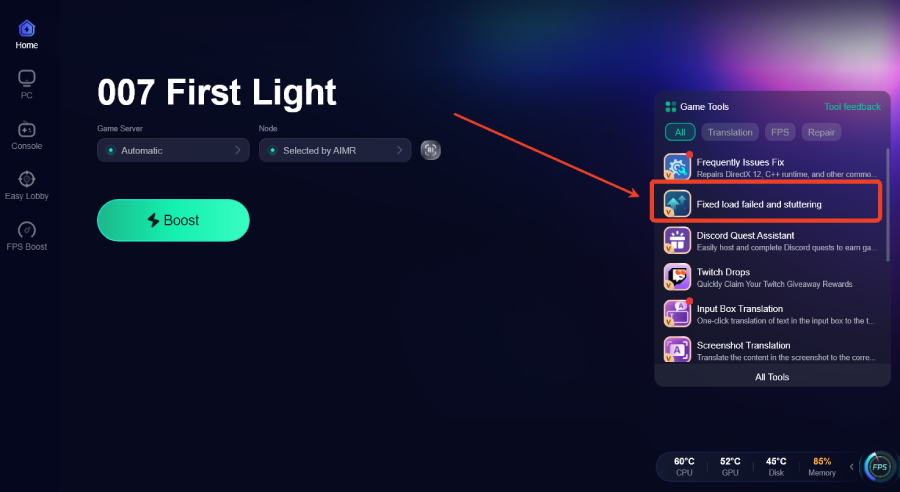
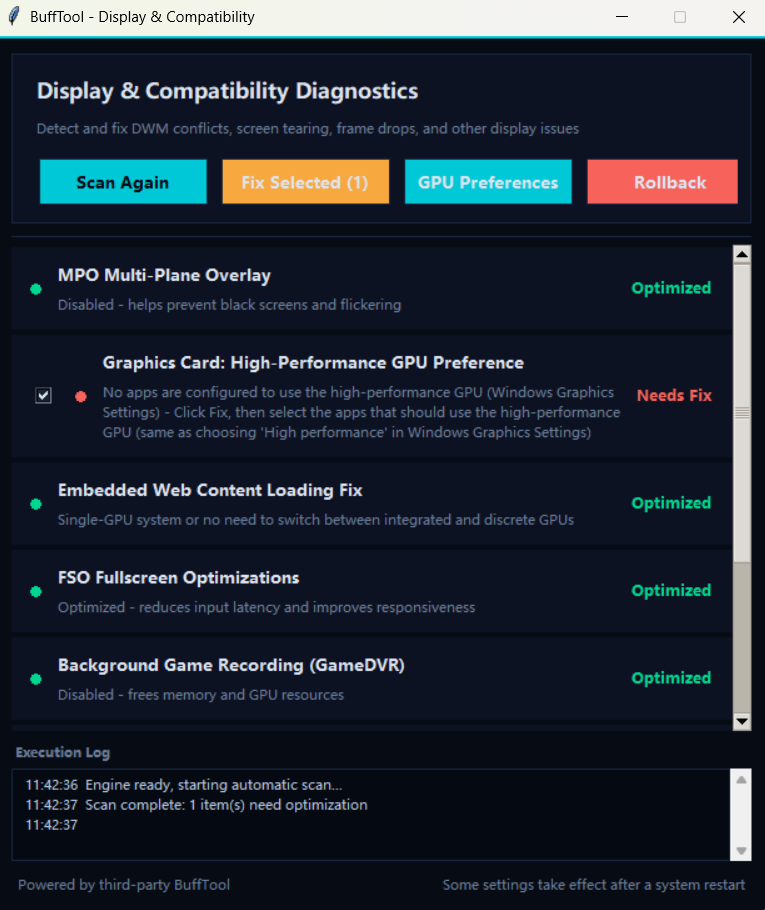
- Fixed Load Failed and Stuttering Tool: Switches the specified game program into High Performance Mode to help fix launch issues, loading errors, and severe stuttering.
- Reduced Lag: Helps minimize latency spikes and unstable connections.
- FPS Stabilization: Improves frame consistency during dense gameplay sections.
- Background Optimization: Prioritizes game resources over unnecessary background processes.
- Network Routing Optimization: Maintains smoother online synchronization for leaderboards and connected features.
While 007 First Light focuses heavily on single-player content, online-connected systems such as rankings and challenge synchronization can still benefit from a more stable connection.
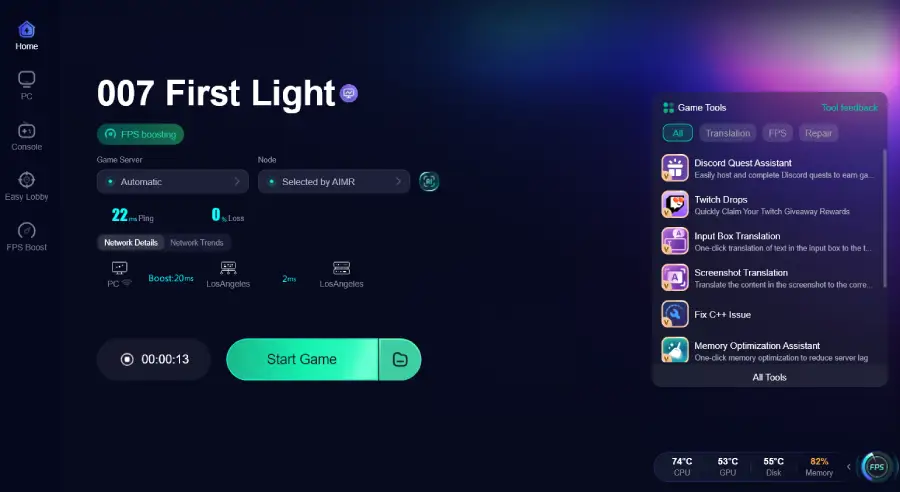
How to Use LagoFast Game Booster
Step 1: Click the Free Trial button to download and install LagoFast Free Trial.
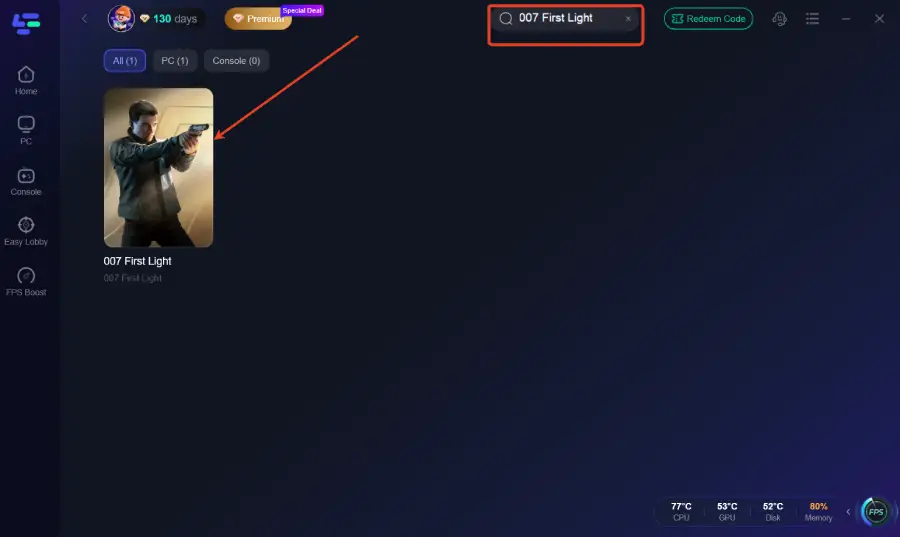
Step 2: Search for the Game: Open the app and type "007 First Light" into the search bar.
Step 3: After clicking Boost, click the Fixed Load Failed and Stuttering tool in the bottom-right toolbar.
Step 4: The tool will switch the specified program to High Performance Mode to help fix load failed issues, stuttering, and launch problems.
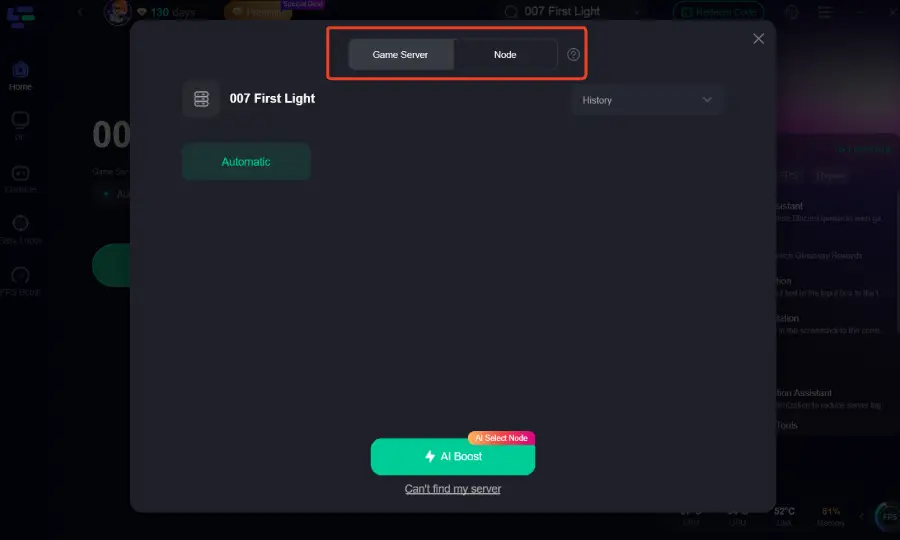
Step 5: Select Your Region: Choose the server node closest to you to ensure the lowest possible ping for any online features or leaderboards.
Step 6: Boost and Launch: Hit the "Boost" button and launch the game directly from the LagoFast interface. You'll notice a significant improvement in frame stability and overall responsiveness.
Boost Your Game with LagoFast for Epic Speed
Play harder, faster. LagoFast game booster eliminates stutter and lags on PC, mobile, or Mac—win every match!
Quickly Reduce Game Lag and Ping!
Boost FPS for Smoother Gameplay!