
Path of Exile 2 Patch 0.5.0: Return of the Ancients is a major update. The update launches on May 29, 2026, and it brings a large endgame overhaul, new progression systems, and a wave of returning players. That means PoE 2 servers may be under heavier pressure than usual, especially during peak hours.
If PoE 2 0.5 is not working, or you see errors like can’t connect to server, failed to connect to login server, unexpected disconnect, or failed to join instance, the problem may come from the game servers, your selected gateway, your network route, or local PC settings.
This guide shows you what to check and how to fix it

- ✅ Lower ping and fewer disconnects.
- ✅ More FPS and better PC performance.
- ✅ Support for 3000+ games.
- ✅ Stable connections and region switching.
Why PoE 2 Patch 0.5 Can’t Connect to Server
PoE 2 connection problems usually happen for one of these reasons:
the PoE 2 servers are overloaded after the new patch
your selected gateway is unstable
your ISP route to the server is bad
the game client has not updated correctly
firewall or antivirus is blocking the game
Steam or the standalone launcher is stuck
DNS cache or network settings are causing connection failure
the instance server fails when changing zones or entering maps
Freeze/hang issues that look like connection problems but are actually performance or settings problems
This is especially common after a major update because many players log in at the same time.
How do you check if PoE 2 0.5 is down or if it’s only you?
Before changing your PC settings, check if the problem is on the server side.
If many players are getting the same error at the same time, it is probably not your PC.
Common server-side signs include:
stuck on login screen
“Can’t connect to login server”
long queue that does not move
disconnect after character selection
failed to join instance
town loads but maps do not
sudden disconnect when changing areas
If servers are overloaded, the best thing you can do is wait, restart the game, or try a different gateway. Reinstalling the game will not fix a server outage
Here’s the quick way to judge it:
Probably server-side: lots of players report it at once, you were playing fine before the patch, and none of your fixes change anything.
Probably PC-specific: the game fails only on your PC, but works on another device, another PC, or even your phone hotspot.
Probably network/routing-related: you can reach the launcher and some services, but login fails, times out, or works only when you change gateway/connection.
If it looks clearly widespread, save yourself the headache and wait a bit before digging into Windows fixes.
What should you try first for PoE 2 connection failed?
LagoFast can help if PoE 2 Patch 0.5 is not working because of network routing problems.
It can help with:
can’t connect to server
login timeout
gateway disconnect
high ping
packet loss
unstable cross-region route
failed instance connection
lag during maps and boss fights
How to Use LagoFast for PoE 2 Patch 0.5
Step 1: Download and install LagoFast.
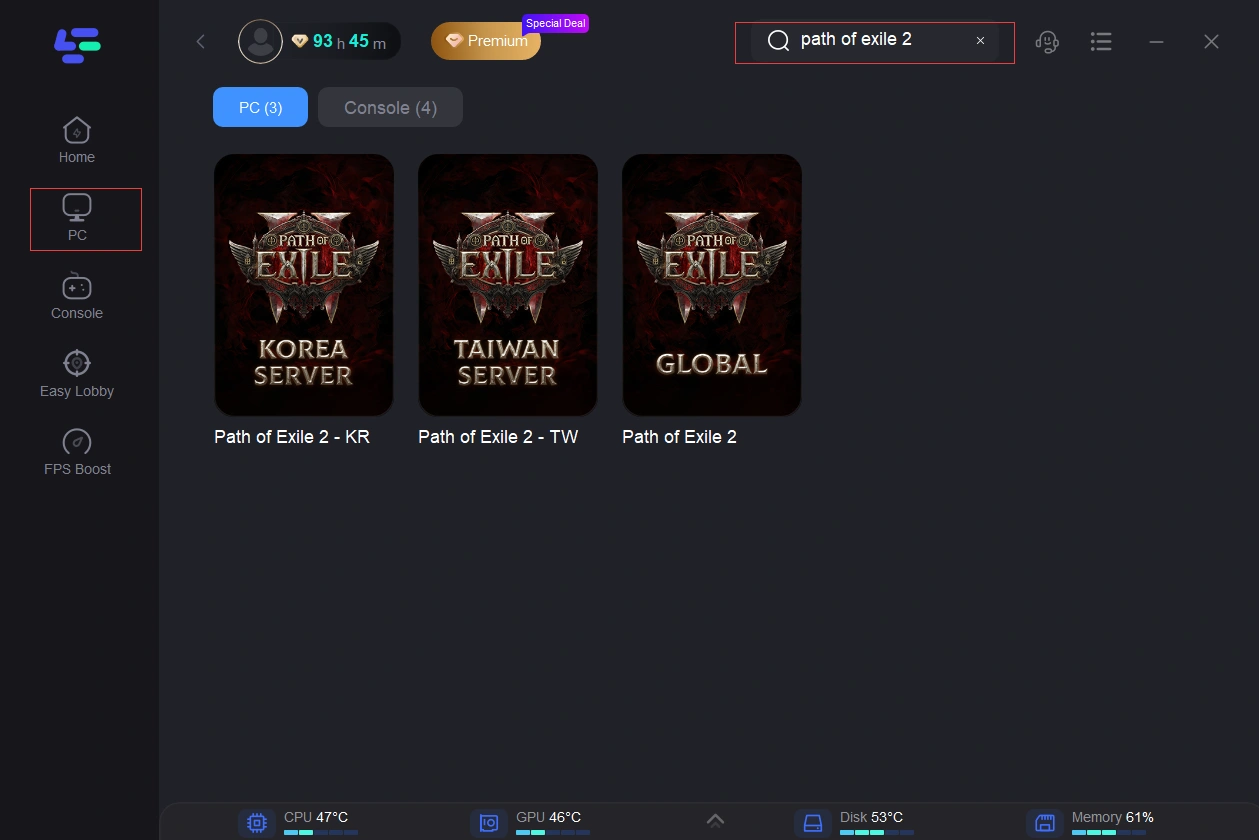
Step 2: Open LagoFast and search for Path of Exile 2.
Step 3: Select the best server route for your region.
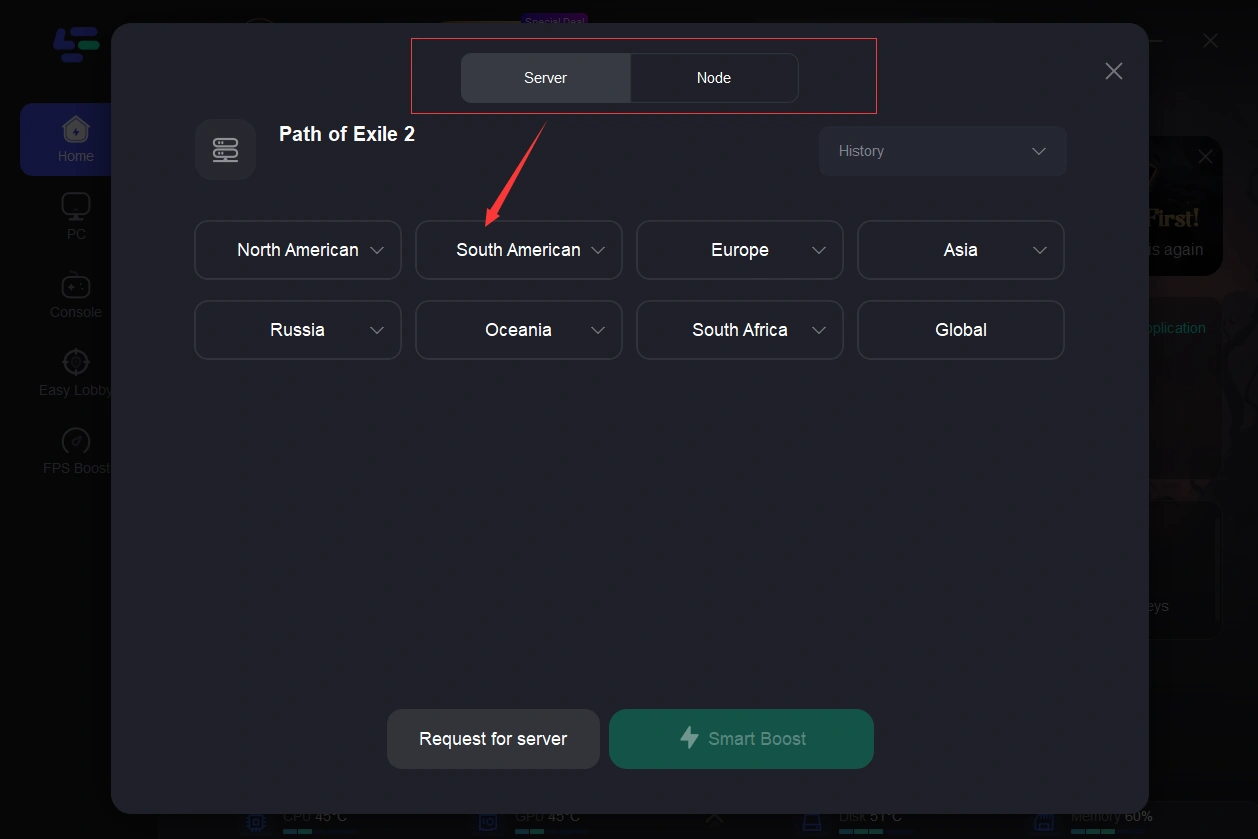
Step 4: Click Boost before launching PoE 2.
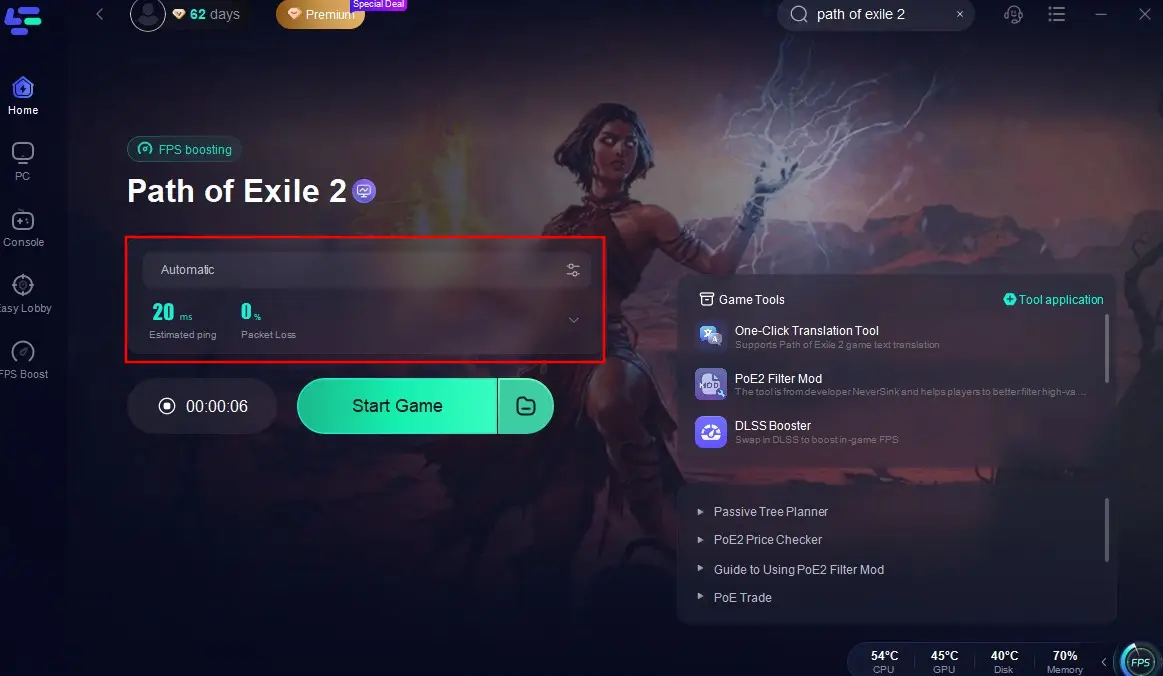
Step 5: Launch PoE 2 Patch 0.5 and check whether the connection, gateway, and login issues are fixed.
How to fix PoE 2 connection failed step by step
Work through these in order.
Flush DNS
A stale DNS cache can send your PC toward the wrong or outdated address path.
On Windows:
Press Start
Type cmd
Right-click Command Prompt and run it as administrator
Enter:
ipconfig /flushdnsPress Enter
Restart the game
This is quick, safe, and worth trying early.
Disable VPN or proxy for a test
If you use a VPN or proxy, turn it off and test again.
This doesn’t mean VPNs always break PoE 2, but they can cause bad routing, failed handshakes, or blocked connections depending on the endpoint you’re using. If the game works with it off, you found the issue.
Test firewall or antivirus interference
Security software can block legit game traffic.
Temporarily disable your firewall or antivirus just long enough to test, or add the game and launcher as exceptions. If PoE 2 connects immediately after that, re-enable protection and set proper allow rules instead of leaving security off.
Update Windows, drivers, and the game client
Old software can cause random drops and failed connections.
Check:
Windows updates
Network adapter drivers
GPU drivers
Game launcher updates
Any platform-level file verification if your install method supports it
If you’re launching through a platform with file verification, use it. Corrupt or incomplete patch files can absolutely look like a server problem when they’re really local.
What if PoE 2 freezes or hangs while connecting?
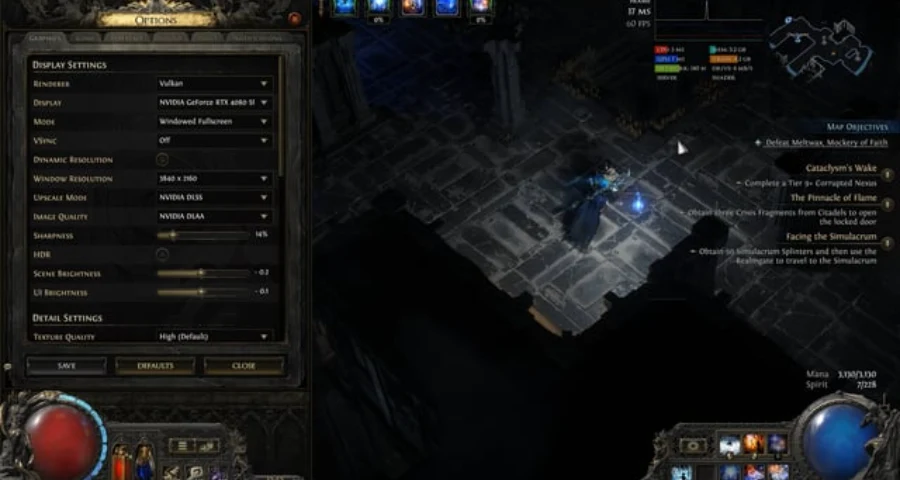
If your issue looks more like locking up than a straight connection failed message, try two community-tested settings changes:
Switch the renderer to Vulkan
Lower audio channel count to Low
Treat it as a workaround. Still, it’s a good test if 0.5 seems to stall, freeze, or black-screen during login or loading rather than just reject the connection.
Should you change gateway or server region in PoE 2?
Yes, if your current gateway seems unstable.
PoE 2 uses gateway/region selection, and a bad route to one gateway can feel like the whole game is broken when another region entry point works fine. The best move is to choose the nearest stable gateway first, then test another nearby option if the issue continues.
Signs this may help:
Long login times on one gateway
Spikes in ping or packet loss
Repeated disconnects on one region
Better results when using another connection or hotspot
Changing gateway will not fix a full server outage, but it can help if the problem is region-specific or route-specific.
Notes: Reinstall Only If Nothing Else Works
Do not reinstall PoE 2 as your first fix.
Reinstall only if:
the game files keep failing verification
the launcher cannot update Patch 0.5
the game crashes before login every time
you moved the game folder manually
the patch installation is broken
If your error is purely can’t connect to server, reinstalling usually will not help.
Final Thoughts
PoE 2 Patch 0.5 is a major update. If you cannot connect to the server, do not reinstall the game immediately. First check the server status, restart the launcher, change gateway, and test your route.
If the servers are online but your connection is still unstable, LagoFast can help optimize the route to PoE 2 and reduce packet loss, ping spikes, and gateway disconnects during Patch 0.5.
Boost Your Game with LagoFast for Epic Speed
Play harder, faster. LagoFast game booster eliminates stutter and lags on PC, mobile, or Mac—win every match!
Quickly Reduce Game Lag and Ping!
Boost FPS for Smoother Gameplay!