
Paralives finally entered Early Access on May 25, 2026, giving life simulation fans a new sandbox experience focused on home building, character creation, and everyday storytelling. A lot of players jumped in right away, but for many, the excitement quickly turned into confusion once they realized their language wasn’t fully supported. Since Paralives is a text-heavy simulation game, understanding menus, tutorials, personality settings, and interactions is a big part of the experience. If you’re constantly guessing what menus or descriptions mean, it becomes difficult to fully enjoy the experience. That’s why many players are now looking for easier ways to translate in-game text while playing during Early Access.

- ✅ Reduce Lag and High Ping.
✅ Boost FPS at the Same Time.
✅ Support 2000+ Popular Online Games.
✅ Change Server without Latency.
✅ Boost Game Loading Speed.
Part 1: Paralives Release Date and Game Features
Part 2: What Languages Does Paralives Support
Part 3: How to Play Paralives in Any Language — Best Game Translator LagoFast
Part 1: Paralives Release Date and Game Features
Paralives officially launched in Early Access on May 25, 2026, and is currently available on PC and macOS through Steam.
Game Features
- Grid-free house building tools that allow more flexible room and furniture placement
- Detailed character creation with customizable personalities, appearances, and lifestyles
- Open-ended life simulation gameplay focused on everyday stories and player freedom
- Relationship, career, needs, and emotion systems that shape daily interactions
- Advanced decoration and interior design options for highly personalized homes
- Built-in mod support and Steam Workshop integration for community-created content
- Sandbox-style gameplay with no fixed goals, allowing players to play at their own pace
- Planned updates and new features expected throughout the Early Access period

Part 2: What Languages Does Paralives Support
Right now, Paralives supports several interface languages, but support is still limited during Early Access.
Here are the officially supported languages at launch:
|
Language |
Interface |
Full Audio |
Subtitles |
|
English |
✔ |
||
|
French |
✔ |
||
|
Italian |
✔ |
||
|
German |
✔ |
||
|
Polish |
✔ |
||
|
Portuguese (Brazil) |
✔ |
||
|
Spanish (Latin America) |
✔ |
||
|
Simplified Chinese |
✔ |
For players whose language is not currently supported, getting into Paralives can feel frustrating pretty quickly. Since Paralives is a text-heavy life simulation game, understanding menus and descriptions is a big part of the experience. If you do not fully understand the language, even simple tasks can become frustrating after a while.
Some of the most common problems include:
- Character personality and trait descriptions
- Tutorials and gameplay instructions
- Relationship and interaction options
- Career, needs, and life management systems
- Build mode menus and furniture customization
- Item descriptions and settings menus
Having to constantly switch between the game and external translators can quickly break immersion and slow everything down. That’s why many players are now searching for a Paralives translation tool to help translate in-game text more easily during Early Access.
Part 3: How to Play Paralives in Any Language — Best Game Translator LagoFast
If you want to play Paralives in a language that the game does not officially support, LagoFast is a good option. LagoFast Game Translator offers real-time game translation, helping players understand menus, tutorials, and in-game text more easily. Its built-in One-Click Translator can translate in-game text instantly and supports specific game engines for a smoother multilingual gameplay experience. For a text-heavy simulation game like Paralives, this helps players understand menus, tutorials, and interactions more easily while playing.
Besides translation features, LagoFast also helps improve overall game stability. It can reduce ping, fix packet loss, stabilize connections, and optimize routing to reduce lag during gameplay. Combined with its other gaming tools, LagoFast helps create a smoother and more stable Paralives experience overall.
How to Use LagoFast for Paralives Translation
Step 1: Click the Free Trial button to download and install LagoFast.
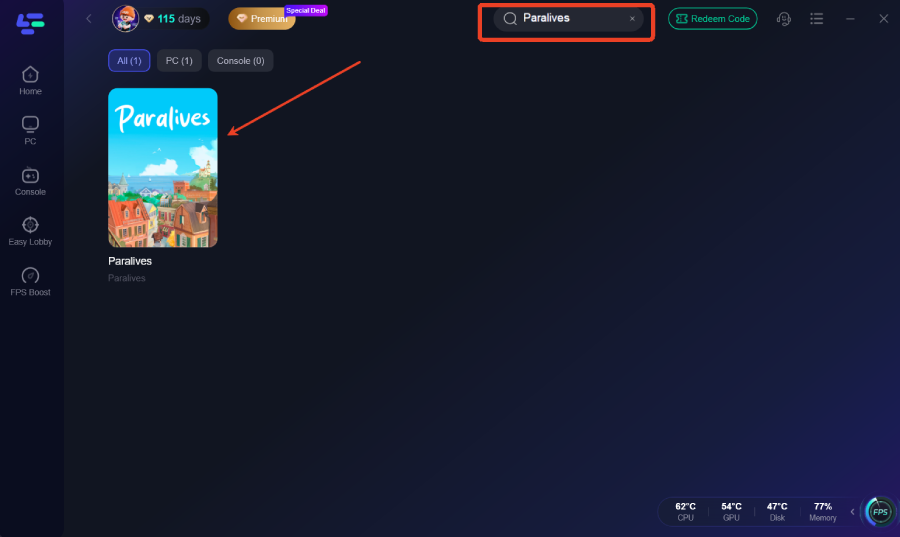
Step 2: After installation, search "Paralives" in the search bar and select the game.
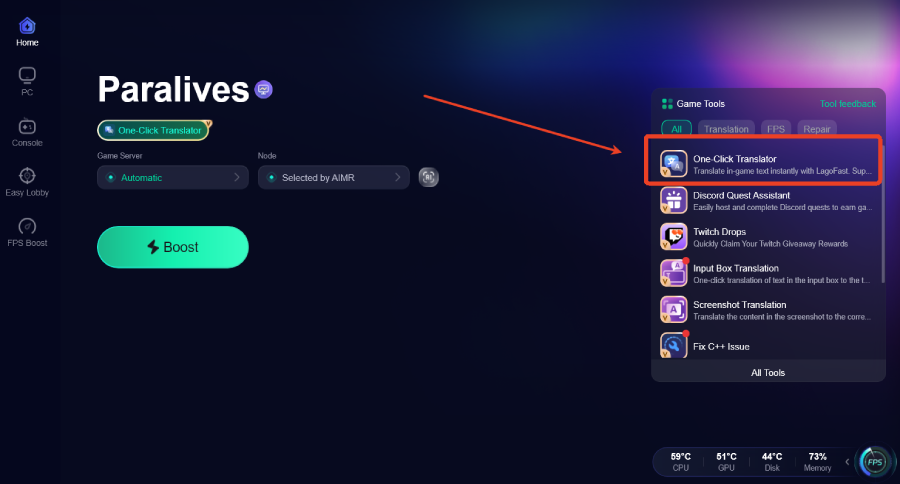
Step 3: Activate the Translation Tool—Click the One-Click Translator icon in LagoFast.
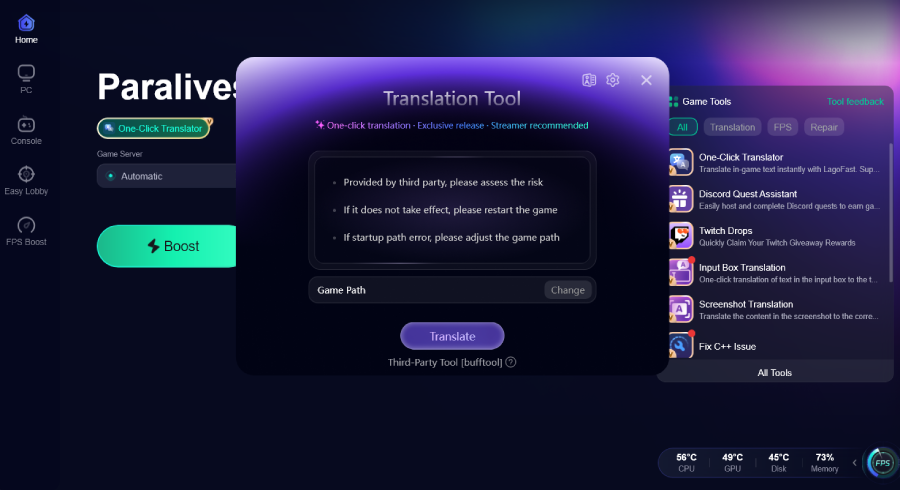
Step 4: Select game file path and install the translated text file.
Step 5: Choose your preferred server node and click "Smart Boost" to start optimizing.
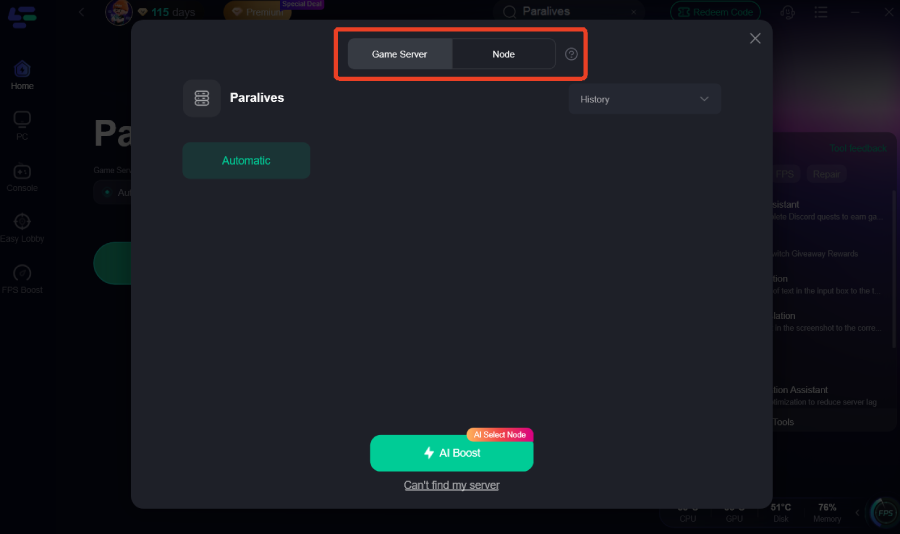
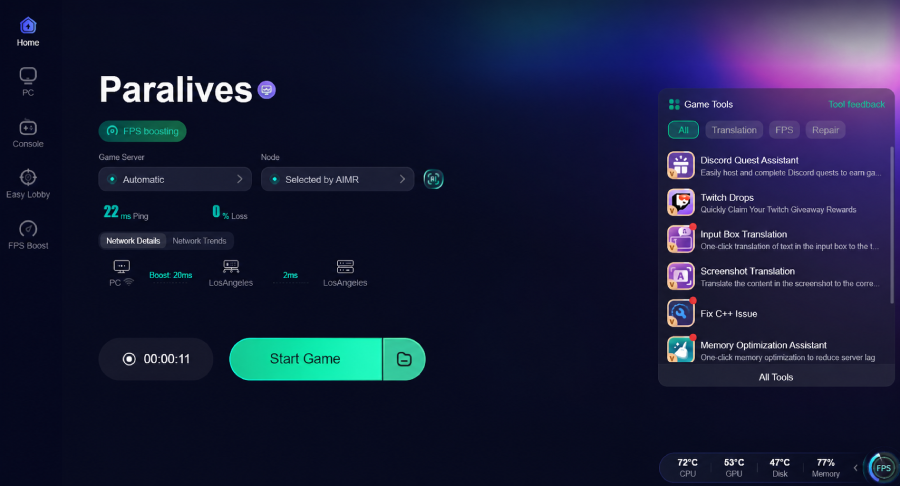
Step 6: Launch your game and enjoy smooth, optimized gameplay with lower ping and no stutter.
Conclusion
Paralives has already attracted a large number of life simulation fans during Early Access, but limited language support can still make the experience frustrating for some players. Because the game relies heavily on text, menus, and interaction systems, having a translation tool can make gameplay much easier to follow and more enjoyable overall. For players dealing with language barriers during Early Access, LagoFast offers a practical way to make Paralives easier to understand while also creating a smoother overall gameplay experience.

Boost Your Game with LagoFast for Epic Speed
Play harder, faster. LagoFast game booster eliminates stutter and lags on PC, mobile, or Mac—win every match!
Quickly Reduce Game Lag and Ping!
Boost FPS for Smoother Gameplay!