1. How to Download Game of Thrones: Kingsroad
a. Download from Official Stores
If you live in regions outside Asia, you can install the game directly when the game officially launches.
But if you wanna enter the game with early access, or you are an Asian player, you can install the game following the instructions on the LagoFast Discord server:
- Join the LagoFast Discord Server
- Check the #app-update channel for step-by-step guides to bypass regional restrictions.

2. How to Boost Game of Thrones: Kingsroad for Zero Lag
a. Locate the Game in LagoFast
- Open the LagoFast app.
- Go to Game Library → Trending.
- Find Game of Thrones: Kingsroad and select it

b. Optimize Server & Node
- Tap Choose Server.
- Select a server near you.

c. Start Boosting
- Tap Boost to activate the optimized connection. Launch Game of Thrones: Kingsroad and enjoy a smooth, lag-free experience!
3. How to Use the Quick Translate Tool
Game of Thrones: Kingsroad supports English and these languages.

What if the game doesn't support the language you are using? No worries! You can use the Quick Translate tool on LagoFast to play the game in Arab, Russian, Portuguese, and Turkish!
** P.S.
1. The translation tool only supports Android players.
2. The tool will translate the game text into the language of your app or device. Don't forget to set the device language to the language you wanna translate to!
Steps:
1. Find the game in the Boost tab.
2. Then you can see the "quick translate" tool. Tap "Enable".

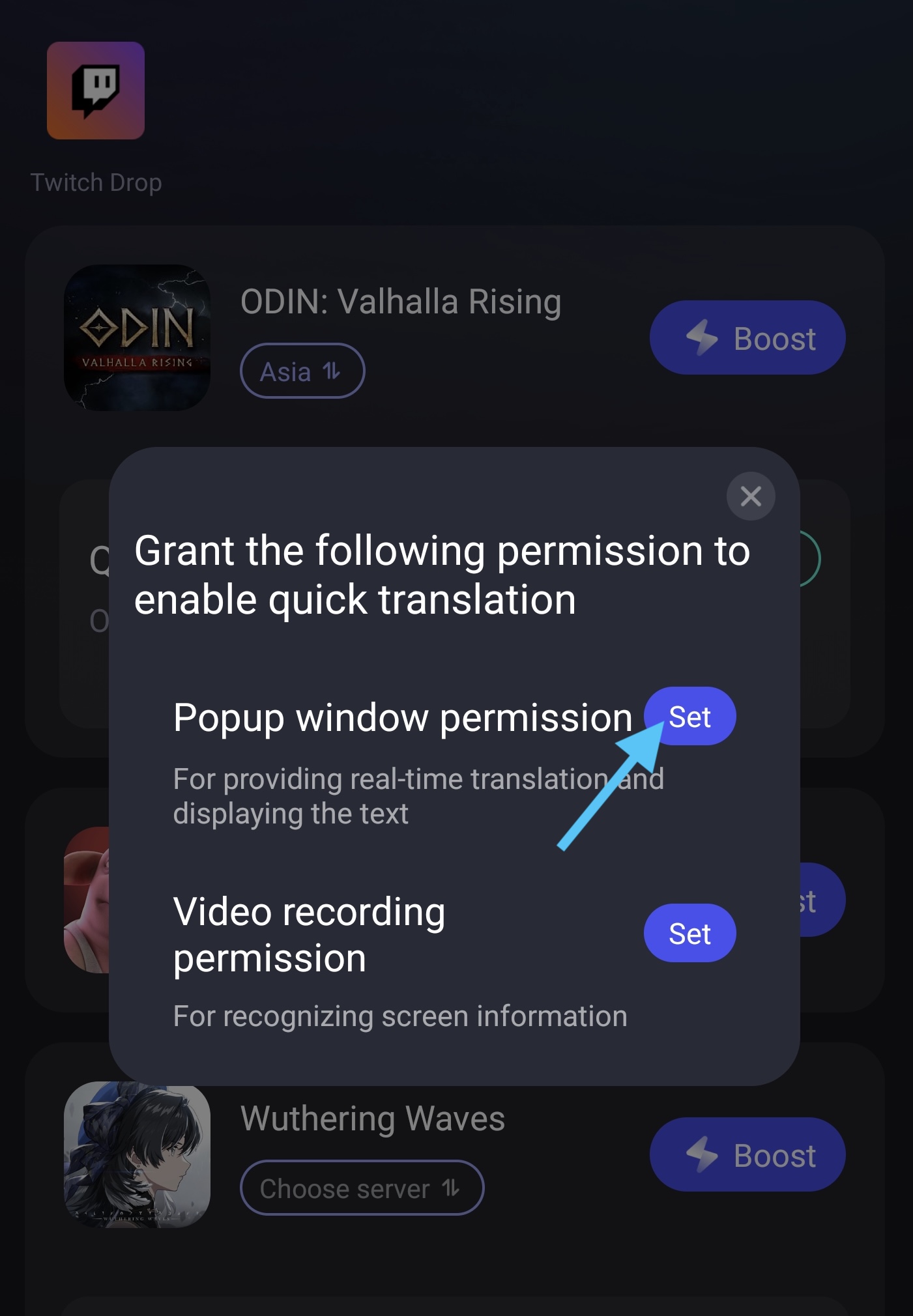
3. Before you turn on the Quick Translate tool, you have to set the permission. First, tap the "Set" button, then find the LagoFast app on the page it leads you to.
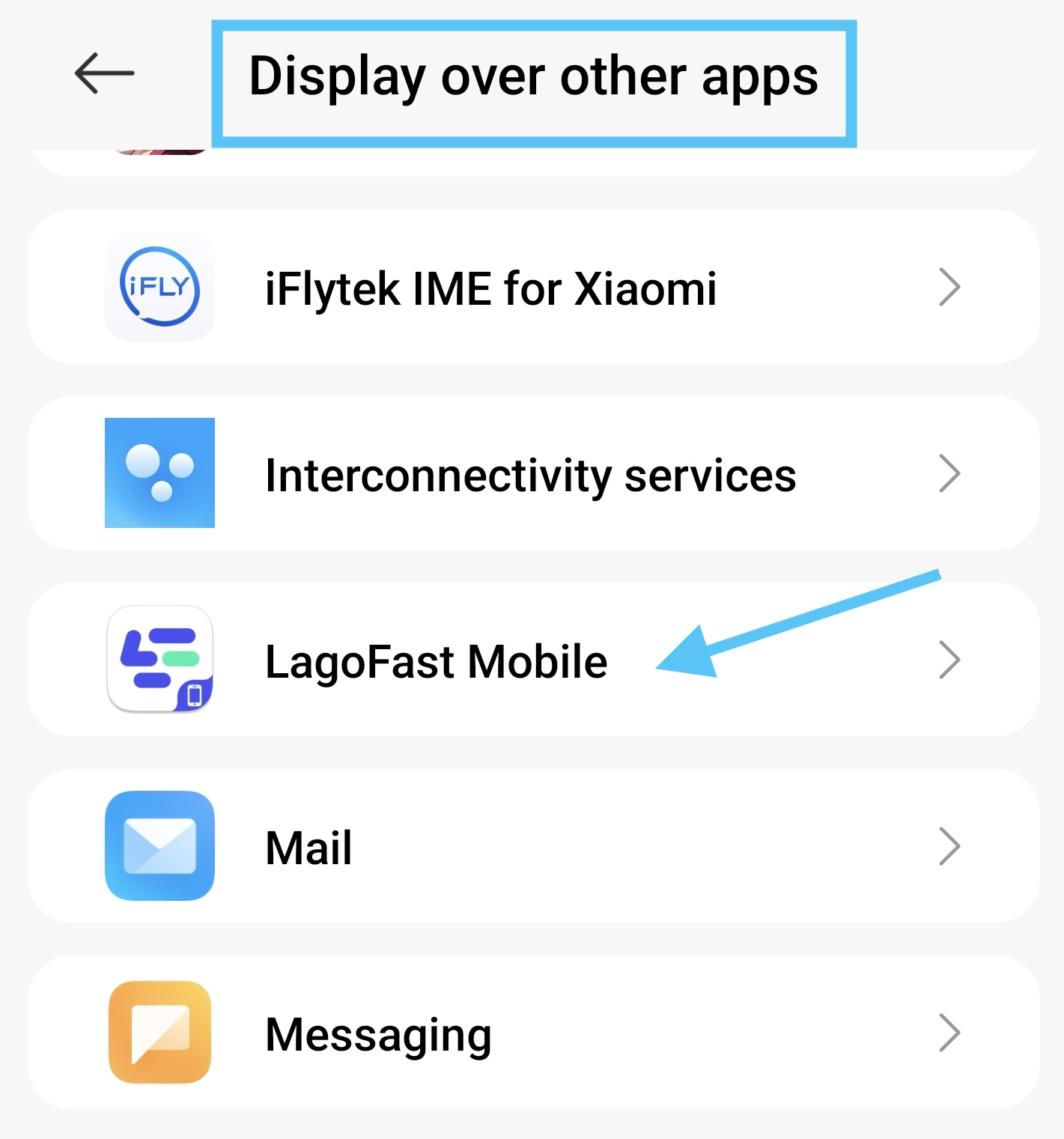
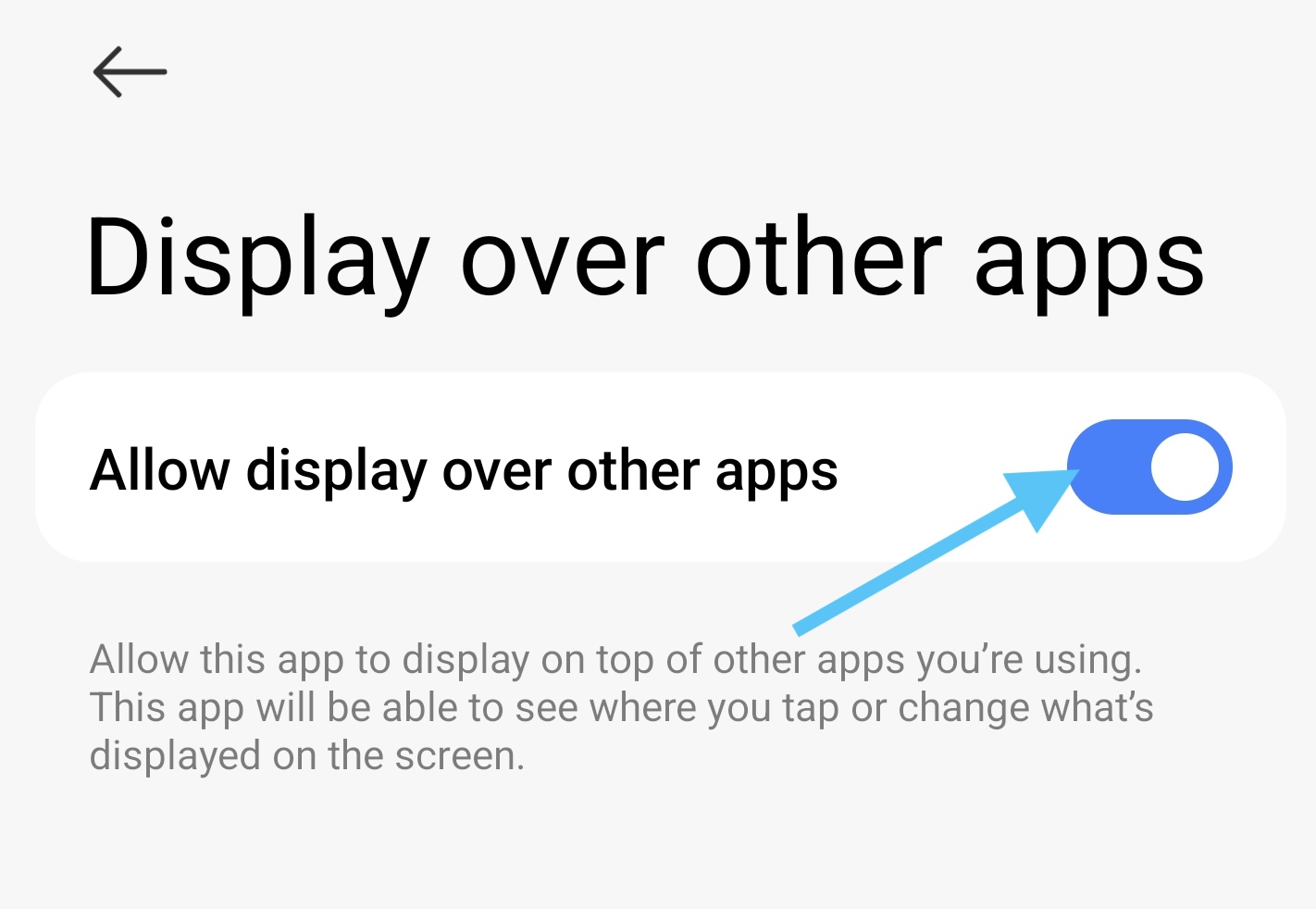
4. Turn on the permission to allow the translate window to display over other apps.
5. Go back to the LagoFast app, and tap the "Set" button of Video Recording Permission.

6. Select “Start”
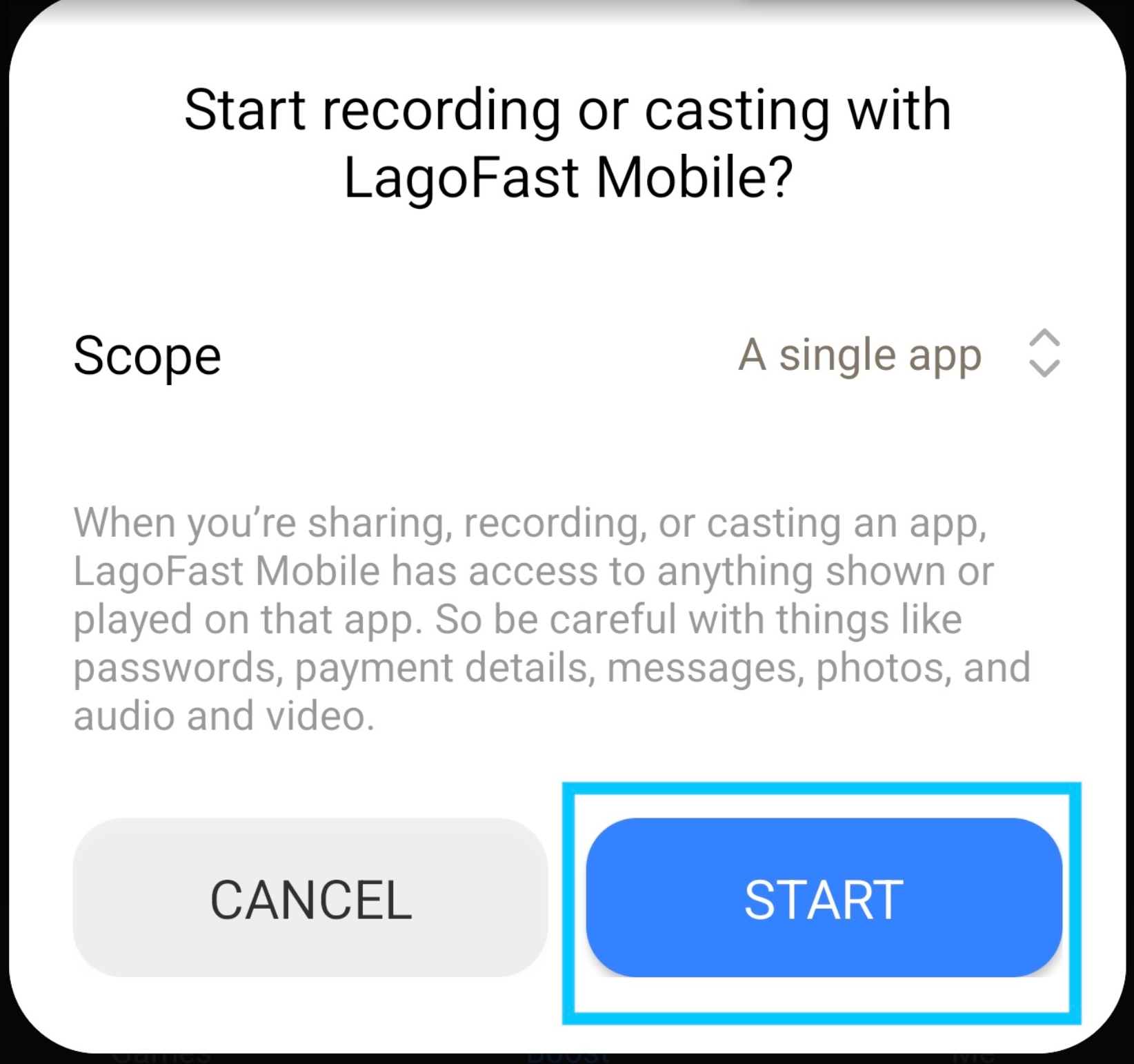
7. Then select the Game of Thrones game on the "Share or record an app" page. Return to the game and tap the translation tool logo, and you can see the translation on your game screen.
Original version:

Translated version:

Please note, the tool can only translate the text on your current screen. If the text is changed, you need to re-tap the translate tool and re-select the app you wanna translate (step 5 - step 7).

