
Fatekeeper is an upcoming RPG heading into Early Access on PC, and it’s already starting to gain attention from players interested in its combat and progression systems. Like many new PC releases, one of the first challenges players may run into is language support, especially when it comes to understanding quests, items, and gameplay systems. This is exactly where a Fatekeeper translation tool comes in, helping players bridge that gap and follow the game more easily.

- ✅ Reduce Lag and High Ping.
✅ Boost FPS at the Same Time.
✅ Support 2000+ Popular Online Games.
✅ Change Server without Latency.
✅ Boost Game Loading Speed.
Part 1: Fatekeeper Release Date and Game Features
Part 2: What Languages Does Fatekeeper Support
Part 3: How to Play Fatekeeper in Any Language — Best Game Translation LagoFast
Part 1: Fatekeeper Release Date and Game Features
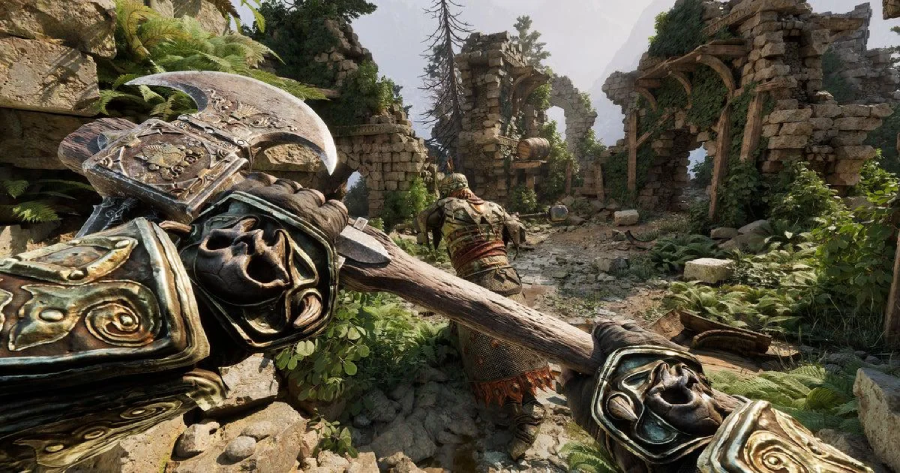
Fatekeeper is scheduled to launch in Early Access on PC via Steam on June 2, 2026. It is designed as a progression-driven RPG that focuses on combat, exploration, and flexible character builds.
Key gameplay elements include:
- Skill-based combat system: A mix of melee and magic that focuses on timing, positioning, and smart ability usage.
- Structured exploration design: Handcrafted zones filled with hidden paths, secrets, and environmental storytelling.
- Deep character progression: A flexible build system that supports different playstyles, from melee-focused to magic-heavy or hybrid setups.
- Single-player experience: Designed primarily as a solo RPG, with no confirmed multiplayer features.
As an Early Access title, the game is expected to evolve over time with additional content and system updates based on player feedback.
Related Article: Fatekeeper Release Date, Platforms & Gameplay Details
Part 2: What Languages Does Fatekeeper Support
At launch, Fatekeeper will only support English across both the interface and subtitles.
For players who don’t use English as their main language, this can make the experience noticeably more difficult, especially in an RPG that relies heavily on reading and system understanding.
Common challenges players may run into include:
- Quest understanding issues—Objectives can be easy to misread or misunderstand without strong English comprehension
- Item and equipment confusion—Stats, effects, and descriptions may be harder to interpret correctly
- Skill system complexity —Combat abilities and mechanics require careful reading to use effectively
- Story and dialogue barriers—Narrative details and world-building can feel harder to follow
- Menu and UI navigation difficulty—Managing inventory, upgrades, and builds may take longer without native language support
For players who rely on their native language, playing Fatekeeper in English only may feel less intuitive, especially during early gameplay when systems are still being learned. This is exactly where a Fatekeeper translation tool becomes useful, helping players bridge the language gap and understand the game more easily.
Part 3: How to Play Fatekeeper in Any Language — Best Game Translation LagoFast
If you want to play Fatekeeper in a language other than English, a translation tool can help make the experience much easier. LagoFast is one option that helps players overcome language barriers while playing.
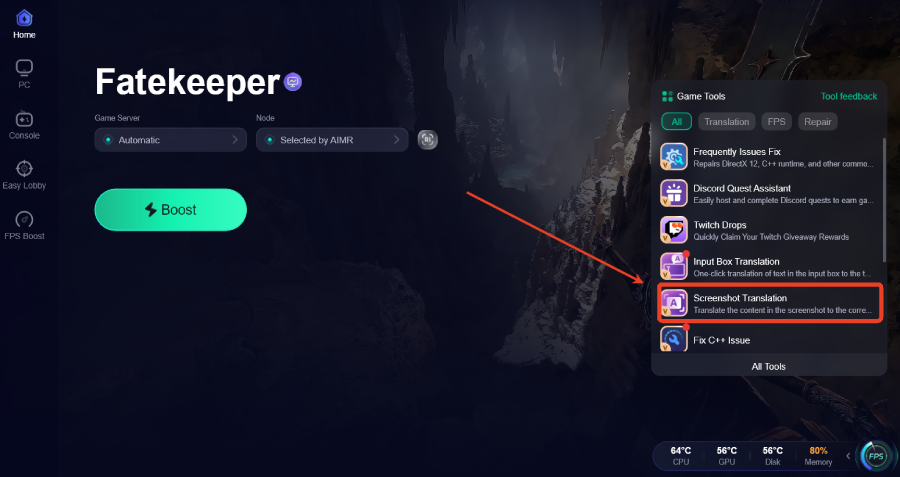
LagoFast Game Translation tool offers real-time translation, helping players understand menus, UI, and in-game text instantly. It also includes a Screenshot Translation feature that lets players capture in-game text and translate it into their chosen language, helping you better understand quests, items, and descriptions. In addition, a One-click Translation tool is being introduced to make in-game translation even faster and more convenient.
Beyond translation, LagoFast also improves overall gameplay stability by reducing ping, fixing packet loss, and optimizing network routing, helping ensure a smoother and more stable gameplay experience in Fatekeeper.
How to Use LagoFast for Fatekeeper Translation
Step 1: Click the Free Trial button to download and install LagoFast.
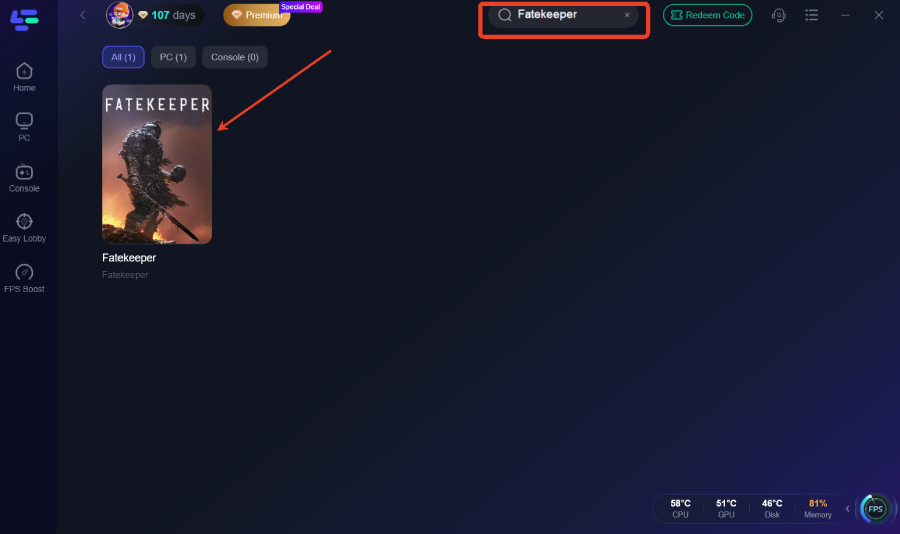
Step 2: After installation, search "Fatekeeper" in the search bar and select the game.
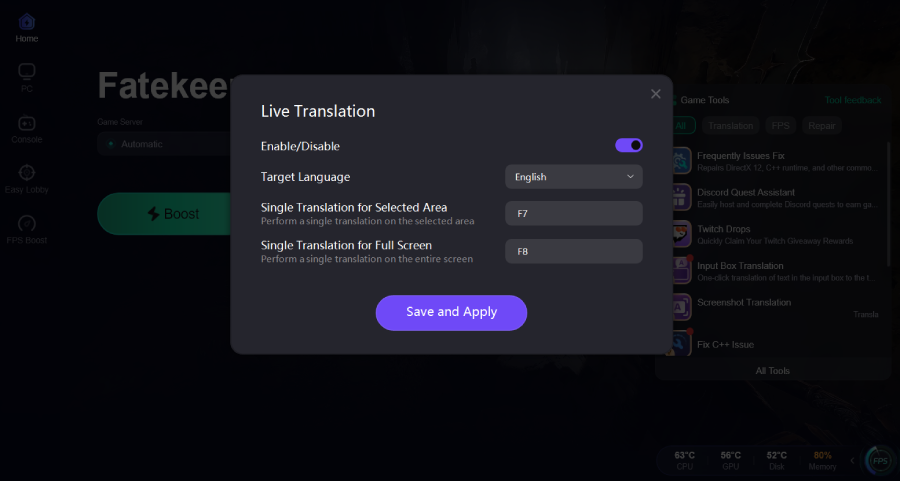
Step 3: Click the Screenshot Translation Tool on the right side of the screen.
Step 4: Choose your target language and set up your hotkeys for instant translation.
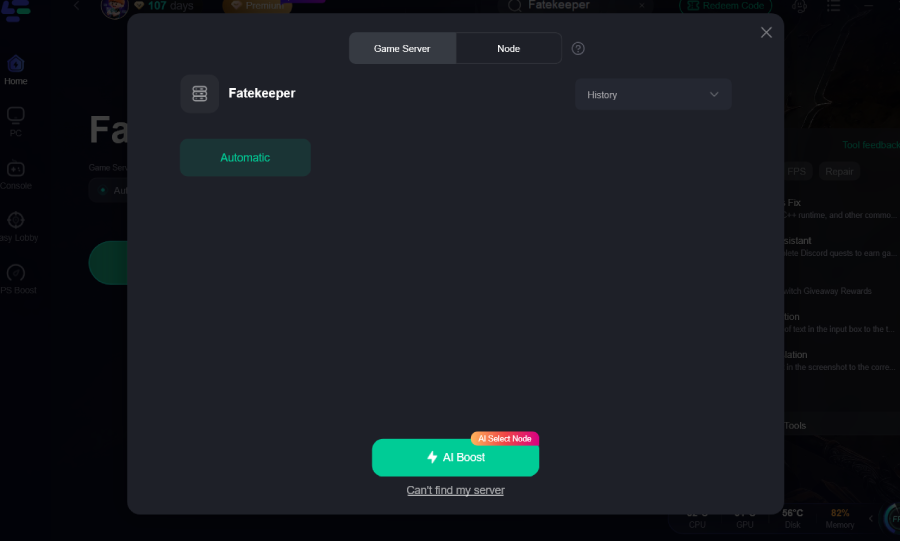
Step 5: Choose your preferred server node and click "Smart Boost" to start optimizing.
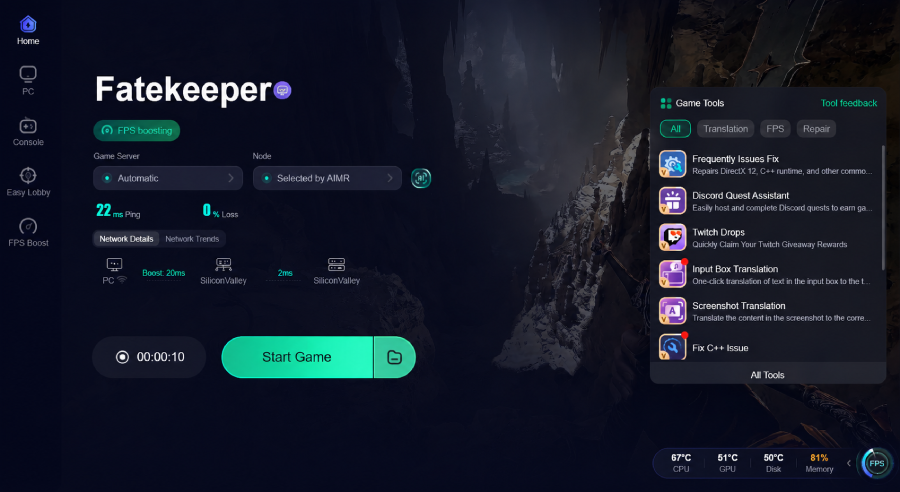
Step 6: Launch your game and enjoy smooth, optimized gameplay with lower ping and packet loss.
Conclusion
Fatekeeper may launch with limited language support, but that doesn’t stop players from enjoying the game. With its mix of combat, exploration, and deep progression systems, understanding the details clearly makes a big difference in how you play. A translation tool like LagoFast helps remove language barriers so you can focus on the gameplay instead of guessing through menus or quests.

Boost Your Game with LagoFast for Epic Speed
Play harder, faster. LagoFast game booster eliminates stutter and lags on PC, mobile, or Mac—win every match!
Quickly Reduce Game Lag and Ping!
Boost FPS for Smoother Gameplay!